EasyManua.ls Logo

Zoom H5 - H5 Handy Recorder: Multi-Track Editing; Overdubbing Recordings

Zoom H5
116 pages
Print Icon
To Next Page IconTo Next Page
To Previous Page IconTo Previous Page
Loading...
Recording
Overdubbing
33
H5 Handy Recorder
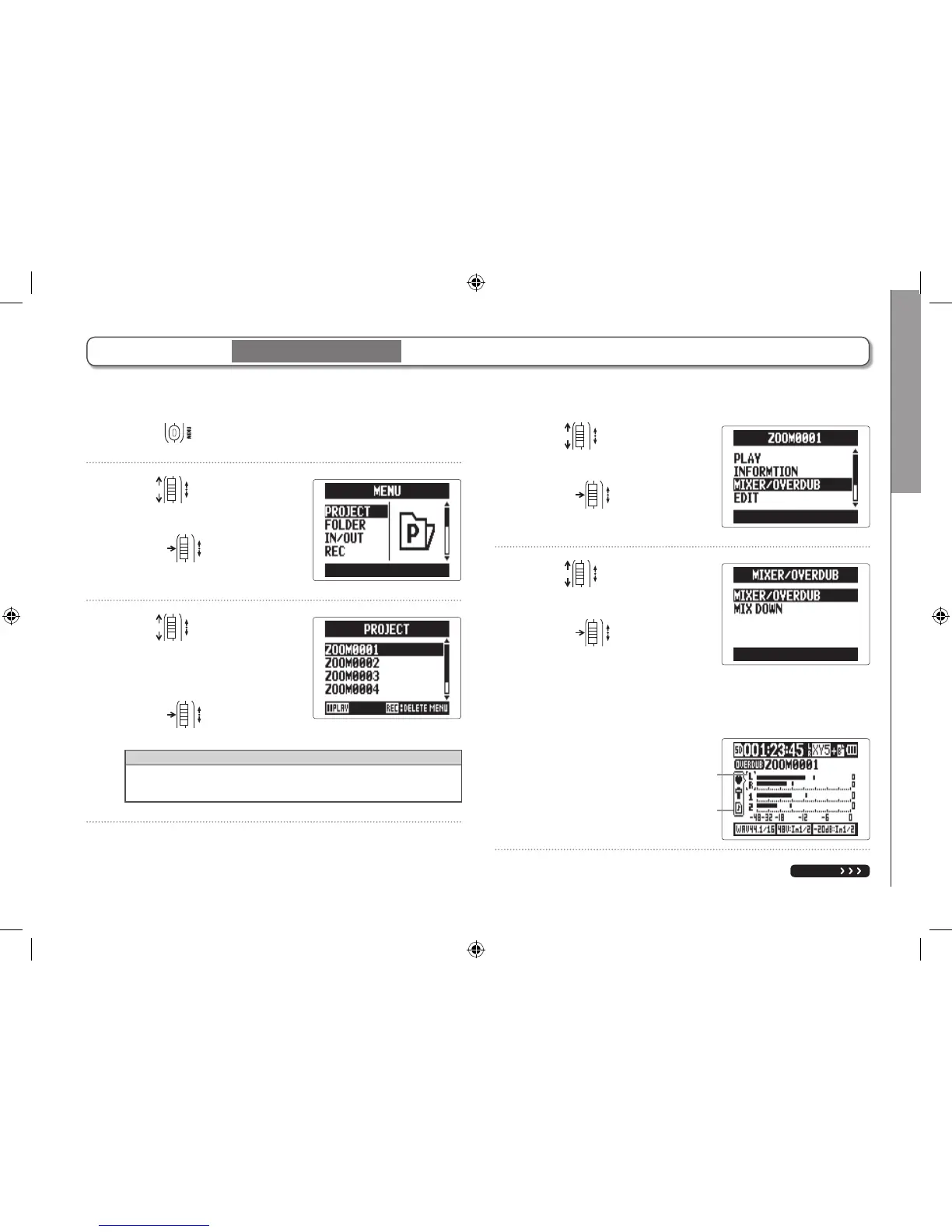
1. Press .
2. Use to select
“PROJECT", and
press
.
3. Use to select
the project you want
to overdub, and
press
.
HINT
You can only overdub recordings in projects recorded
using MULTI FILE mode.
4. Use to select
“MIXER/OVERDUB", and
press
.
5. Use to select
“MIXER/OVERDUB", and
press
.
The track button indicators light green for already
recorded tracks and are unlit for unrecorded tracks.
NEXT
Cursor
(selected track)
Shows setting
values
You can add recordings later to an already recorded project.
Overdubbing
(with 44.1/48kHz WAV only)
MULTI FILE mode only

Table of Contents

Other manuals for Zoom H5

Related product manuals