Other settings
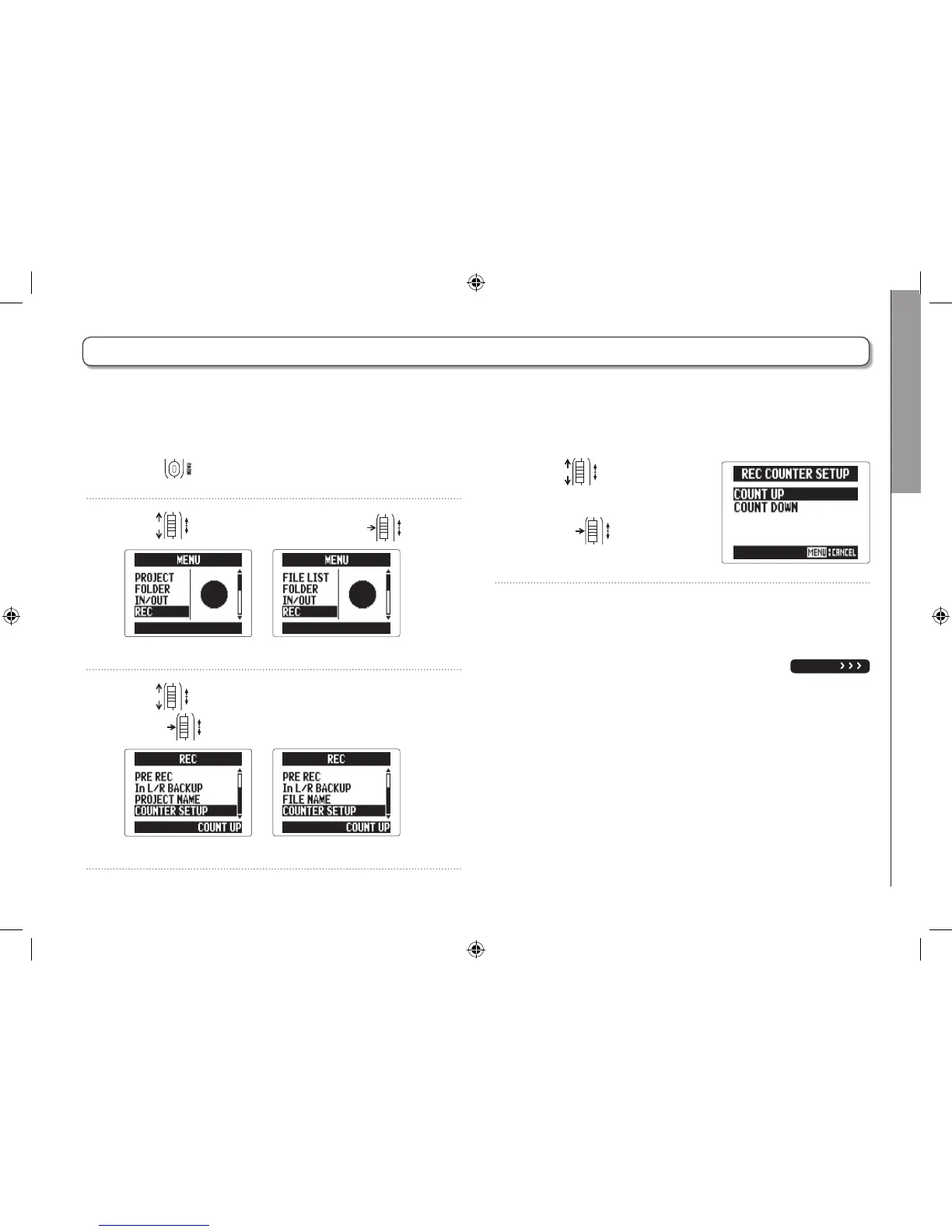
Setting the counter
99
H5 Handy Recorder
Setting the counter
Set how time is shown during recording
You can set the counter to show either the elapsed recording time (count up) or
the remaining possible recording time (count down).
1. Press .
2. Use to select “REC", and press .
MULTI FILE mode
STEREO FILE mode
3. Use to select “COUNTER SETUP", and
press
.
MULTI FILE mode
STEREO FILE mode
4. Use to select how
the counter appears, and
press
.
NEXT



 To Next Page