353D Systems, Inc.
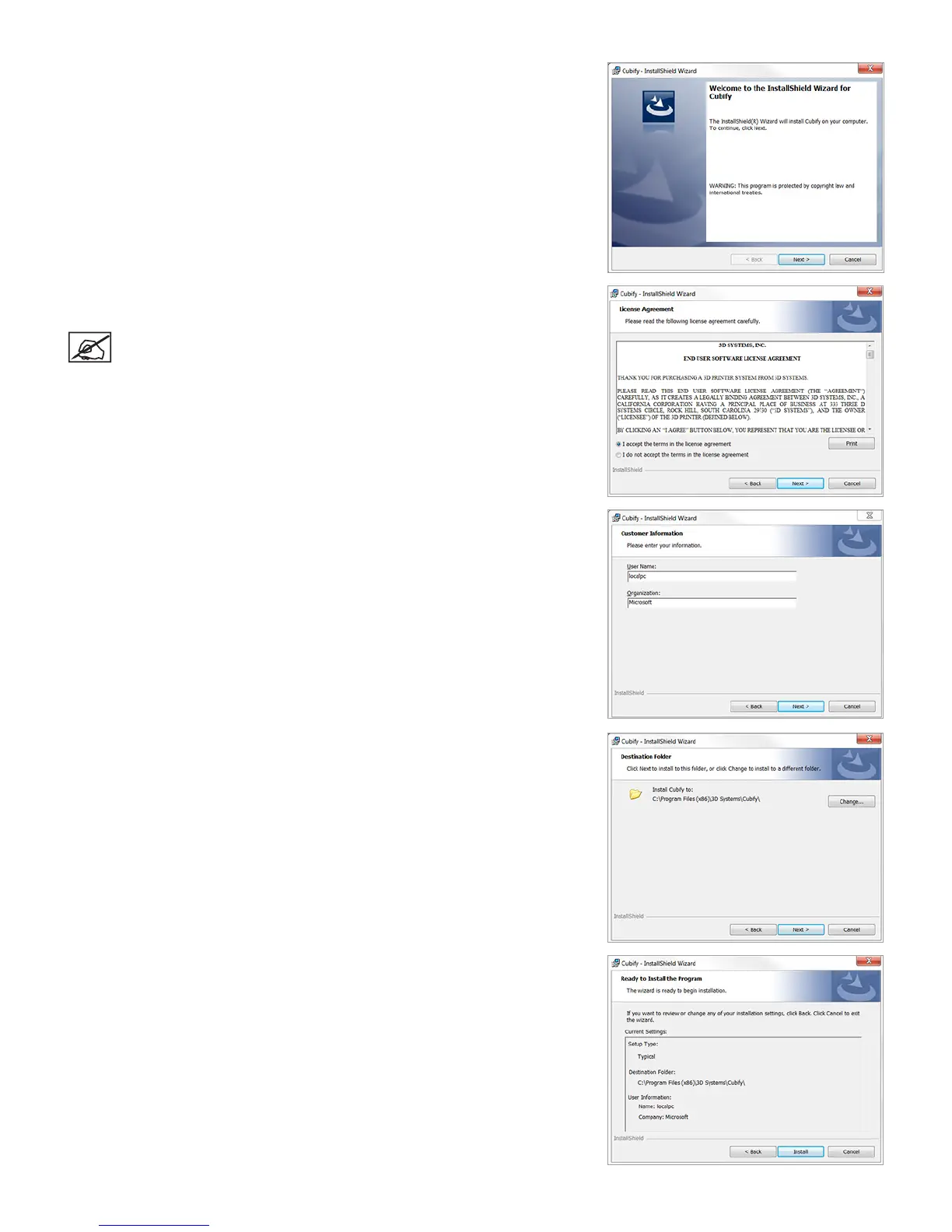
4. Select Next to continue.
5. To install the software, you must accept the terms in the license agreement.
Select the checkbox and then select Next to continue.
NOTE: By selecting the checkbox, you agree to the license terms and
conditions.
6. Enter a User Name and Organization in the provided elds. Select Next to
continue.
7. Select Next to install the application in the listed location or select Change and
browse to a different location.
8. Select Install to continue.











 To Next Page