EasyManua.ls Logo

3M XT-1 - User Manual

3M XT-1
76 pages
Print Icon
To Next Page IconTo Next Page
Loading...
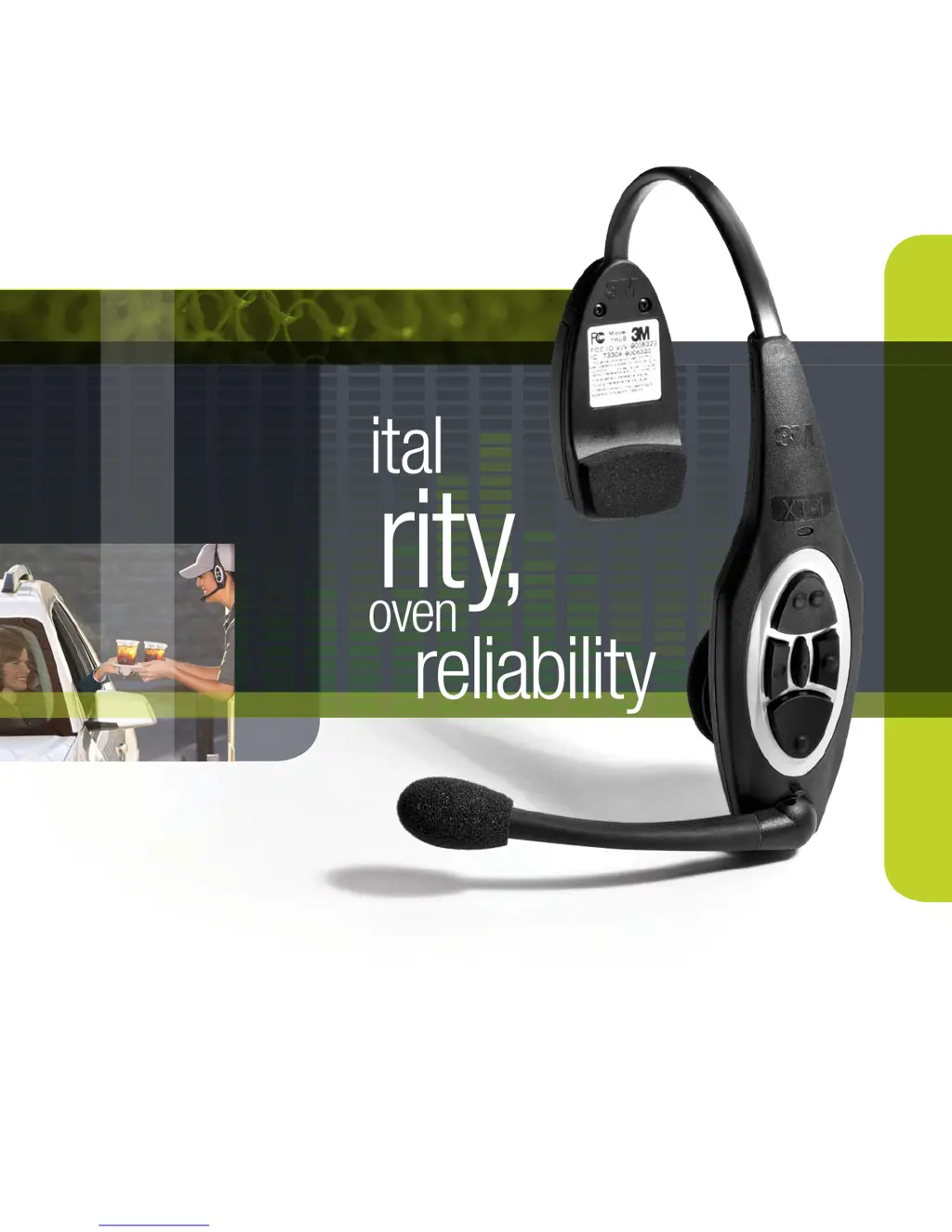
clarit y,
Digital
proven
reliability
3
3M Building and Commercial Services Division
3M
TM
Wireless Communication System Model XT-1
Store Manager Operating Instructions

Table of Contents

Other manuals for 3M XT-1

Questions and Answers

  • W
    William SteeleAug 28, 2025
    What to do if my 3M XT-1 Headsets won't go into standby?
    • B
      Bethany BlackburnAug 28, 2025
      If the headsets do not go into standby (silence) when the vehicle leaves, and a pulse (air switch) type of vehicle detector is in use, press the Page switch to silence the menu microphone. If a loop is used, check for any large metal object near the loop in the driveway and remove it. Try resetting the loop detector by unplugging it from the AC outlet and plugging it back in. Verify that the system is not in 'Always On' order taking mode, and if it is, change the talking mode.
  • C
    Christine HardinSep 17, 2025
    Why do no lights come on when charging my 3M Conference System battery?
    • M
      Mckenzie BlairSep 18, 2025
      If no lights come on when a battery is inserted into the charger for your 3M Conference System, start by cleaning the contacts on both the battery and the charger. Make sure the charger is properly connected to a live power outlet via its power transformer. If the issue persists, try using a known good battery to rule out a defective battery.
  • V
    Victor SharpAug 28, 2025
    Why does inbound audio cut out on my 3M Headsets?
    • K
      kfosterAug 29, 2025
      If inbound audio cuts out while outbound audio is fine, the AEC level might be too high; try reducing the AEC level. Alternatively, the headset might be too close to loud ambient noise; try moving the headset away from these sources.
  • F
    Francisco IbarraAug 29, 2025
    How to reduce loud talk volume or feedback on a 3M Headset?
    • Z
      Zachary MorenoAug 29, 2025
      If you are experiencing louder talk volume or feedback from a single headset, power off and then power on the headset to reset the volume level.
  • L
    Louis FernandezAug 29, 2025
    What to do if there is no talk or listen from the menu sign on my 3M XT-1 Headsets?
    • J
      Jonathan MartinezAug 29, 2025
      If there's no talk or listen from the menu sign when using the backup wired intercom, but the 3M™ Wireless Communication System Model XT-1 works, first, ensure the backup switch on the base station is turned ON. Next, check if the backup intercom has power and turn it on or plug in its power transformer. Finally, verify that the volume controls on the backup intercom are not set too low and increase them if needed.
  • M
    Michael TaylorSep 23, 2025
    Why do all 3M Telephone headsets have a flashing green LED and no communications?
    • G
      gail74Sep 23, 2025
      If all headsets have a flashing green LED and there are no communications, ensure the power transformer is correctly plugged into the wall outlet and the base station. Check the wall outlet for power. It may also be that the headsets are not registered to the base station, so register them. If the issue persists, the base station might be defective, and you should call for authorized service.
  • B
    Benjamin McculloughSep 15, 2025
    Why doesn't the green light come on my 3M Headset charger?
    • G
      Gina AndersonSep 15, 2025
      If the green light on the charger never comes on for your 3M Headsets, replace the battery.
  • M
    Michael ChangSep 12, 2025
    Why is there no vehicle alert tone in my 3M XT-1 Headsets?
    • K
      krista41Sep 12, 2025
      If there's no vehicle alert tone in all 3M Headsets, check if the external vehicle detector is receiving power by ensuring it's plugged into a power outlet or replacing the detector fuse. If it is, try resetting the vehicle detector by removing its power for a few seconds. Also, verify that the base station alert tone volume isn't set too low, and ensure the system is not in Always On order taking mode by changing the talking mode.
  • J
    Joseph JohnsonAug 31, 2025
    Why is the battery life so short on my 3M XT-1 Headsets?
    • J
      James DavisAug 31, 2025
      If you're experiencing short battery life, the batteries may be worn out and need replacement. Also, ensure that the correct type of power transformer is used for the charger, specifically one marked 'Secondary Voltage 14 VAC.'
  • R
    Robert SmithAug 31, 2025
    Why doesn't the green light turn on when charging my 3M Headsets?
    • H
      Heather SmithSep 1, 2025
      If the green light on the charger never comes on, the battery may be defective and needs to be replaced.

Summary

System Overview and Safety

Safety Information and Warnings

Details safety rules, warnings, intended use, and product safety labels.

Other Conventions and FCC Information

Explains manual conventions and FCC/Industry Canada compliance details.

Base Station Configuration

Accessing and Navigating Configuration

Guides on entering configuration mode, navigating menus, and interpreting display information.

Button Functions and PC Configuration

Describes button functions and configuring the base station using a PC.

Volume Settings and Adjustments

Adjusting inbound, outbound, monitor, and greeter volumes.

Headset and System Management

Registering, removing, and managing headsets, plus noise reduction and echo cancellation.

System Date, Time, and Global Settings

Setting date/time, language, duplex mode, base station count, and prompts.

Order Point, Lane, and Detector Settings

Configuring order point language, lane modes, detector types, and noise reduction.

Site Scheduling and Information

Setting site schedules, information, self-monitoring, passcodes, and installer setup.

System Setup and Defaults

Covers two base station setup, loading settings, factory defaults, and rebooting.

Operating the Wireless Communication System

Headset Operation and Maintenance

Details headset components, indicator lights, fitting, battery, range, and cleaning.

Base Station Run Mode Operations

Navigating the base station, changing order taking modes, and lane modes.

Order Taking Modes and Volume Control

Explanation of order taking modes and manual volume adjustments.

System Maintenance and Care

Headset and Battery Charger Maintenance

Procedures for replacing headset pads and maintaining the battery charger.

Battery Care and Handling

Guidelines for battery care, charging, low battery alerts, and proper disposal.

Troubleshooting System Issues

Headset Indicator Light Issues

Diagnosing headset problems using indicator light patterns.

General System Troubleshooting

Solutions for common problems like no communications, alerts, or audio interruptions.

Battery and Charger Troubleshooting

Addressing issues with battery charging, battery life, and charger functionality.

Declaration of Conformity

Base Station Specifications

Physical and Electrical Specifications

Details base station dimensions, power requirements, and RF specifications.

Base Station Functional Limits

Lists maximum number of order points, headsets, and modules supported by the base station.

Greeter Module Setup and Customization

Greeter Configuration Menu and Navigation

Instructions for accessing and navigating the Greeter Module setup menus.

Message Recording and Activation Procedures

Guides for recording, scheduling, and activating greeter and reminder messages.

Headset Playback and Message Properties

Controlling headset playback for messages and configuring message properties.

Alert Messages and External Triggers

Settings for alert/reminder messages, external trigger inputs, and message names.

Timer Module for Drive-Thru Performance

Timer System Configuration and Customization

Setting up drive-thru layout, customizing names, and defining time periods for reports.

Time Reports and Threshold Settings

Configuring time reports, goal times, valid times, detection types, and thresholds.

Remote Displays and Global Settings

Managing remote display settings, report groups, and global timer parameters.

3M XT-1 Specifications

General IconGeneral
Brand3M
ModelXT-1
CategoryHeadsets
LanguageEnglish

Related product manuals