Chapter 9. Maintaining Units
192 3ware Serial ATA RAID Controller User Guide
To start the rebuild of a unit through 3BM
1 Reboot the system and start 3BM.
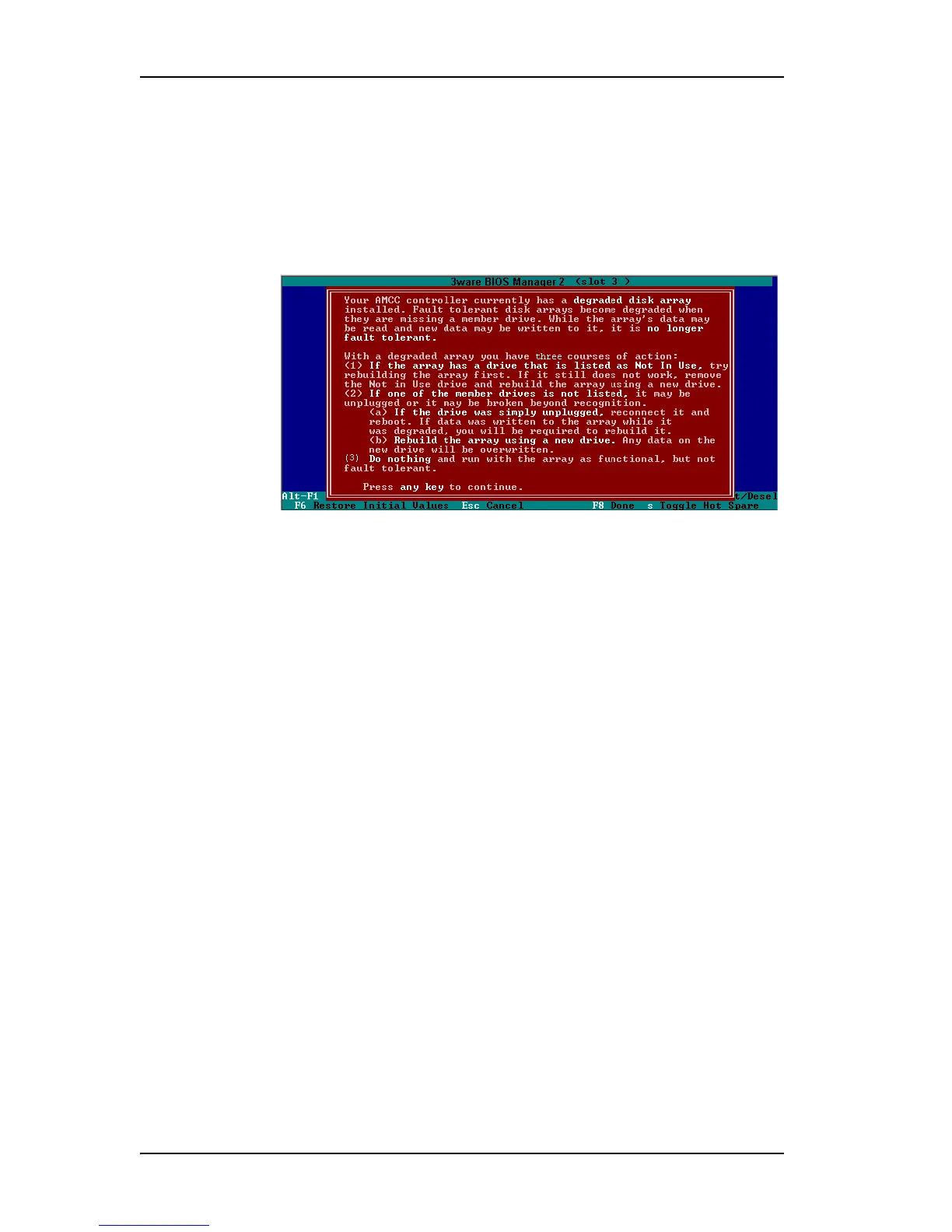
A red message box informs you that the unit is degraded, and suggests
some possible approaches. Figure 72 shows an example of a degraded-
array message.
Figure 72. Degraded Disk Array Warning Message
2 Press a key to continue.
3 If your degraded unit has a drive indicated as
Not in Use, the drive may
still be usable. Try rebuilding with the
Not in Use drive intact. Simply
select the unit (highlight it and press
Enter) and then select the Rebuild
Unit
button.
4 When the
Rebuild confirmation screen appears, confirm that you selected
the correct unit by selecting
OK.
5 Press
F8 to save your changes and exit 3BM. The unit will begin
rebuilding after the operating system finishes loading.
If the rebuild fails and you have no available drives, do one of the following:
• If your system has hot-swap carriers, you can replace the failed or
Not In
Use
drive and rescan (Alt-R) the unit.
• If your system does not have hot-swap carriers, power down the system
and replace the failed or
Not In Use drive. Then power on the system and
restart 3BM.
Then follow these steps:
1 At the main 3BM screen, highlight an available drive to replace the
faulted drive and press
Enter to select it (see Figure 73).
An asterisk appears in the left most column to indicate the drive is
selected.



 To Next Page