Chapter 3. First-Time RAID Configuration Using 3BM
22 3ware Serial ATA RAID Controller User Guide
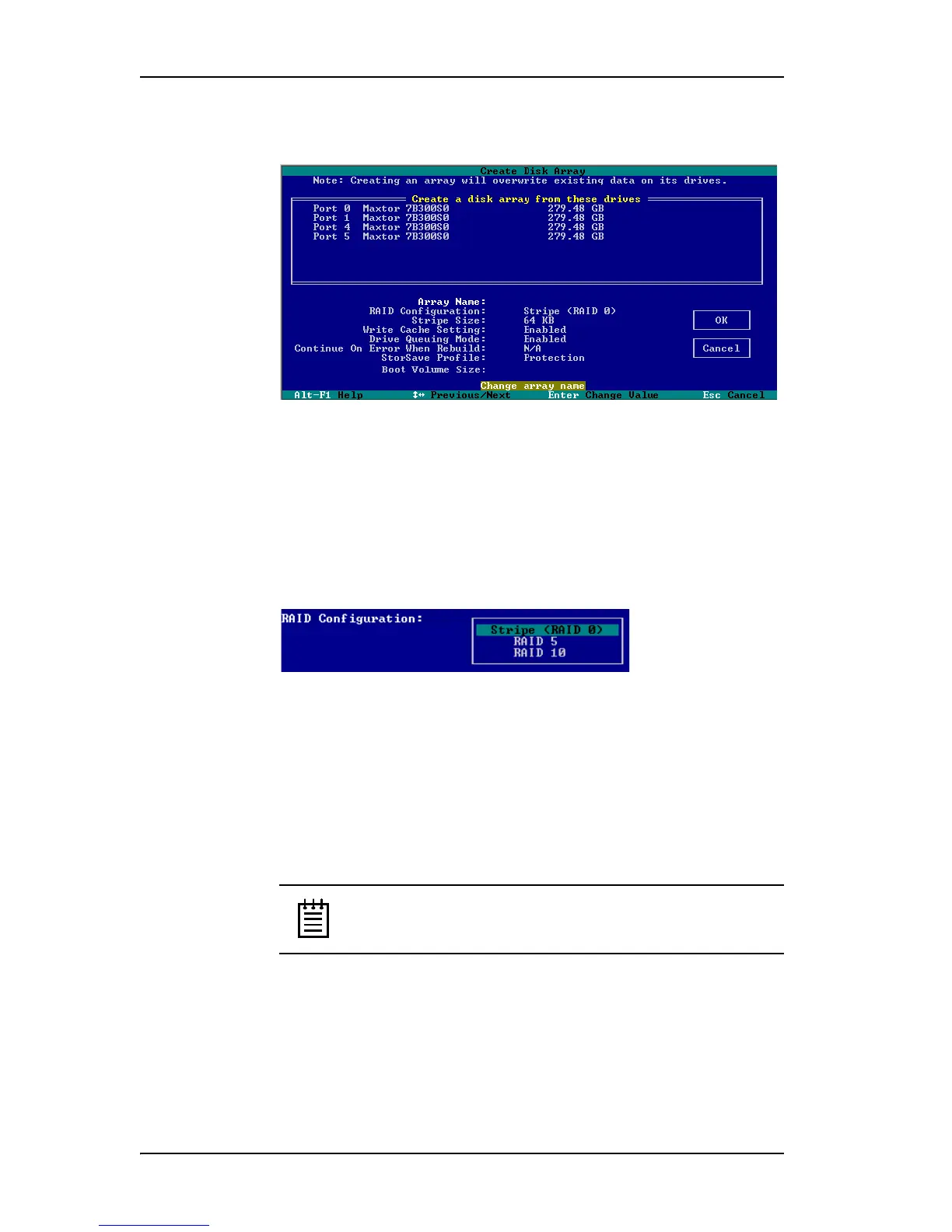
3 Make sure that the proper drives are listed.
Figure 9. Create Disk Array Display, RAID 0 Example
To name the unit and select the desired RAID configuration
1 (Optional) Press Enter in the Array Name field and type a name for the
unit. Then press Enter again to accept the name.
2 Use the arrow keys or press Tab to move to the RAID Configuration
field and press Enter to display the available RAID levels for the number
of drives you selected.
Figure 10. List of Configuration Choices for Four Drives
3 Use the arrow keys to highlight the desired RAID configuration and
press Enter.
For information about the different RAID levels and when to use each,
see “Understanding RAID Concepts and Levels” on page 5.
4 Use the arrow keys or press Tab to move to the field Stripe Size and
select the desired stripe size (16KB, 64KB, or 256KB).
Note: Striping size is not applicable for RAID 1, because it is a
mirrored unit without striping.
In general, use smaller stripe sizes for sequential access (such as video
access) and larger stripe sizes for random access (such as a database).



 To Next Page