Chapter 6. 3ware Disk Manager (3DM 2)
68 3ware Serial ATA RAID Controller User Guide
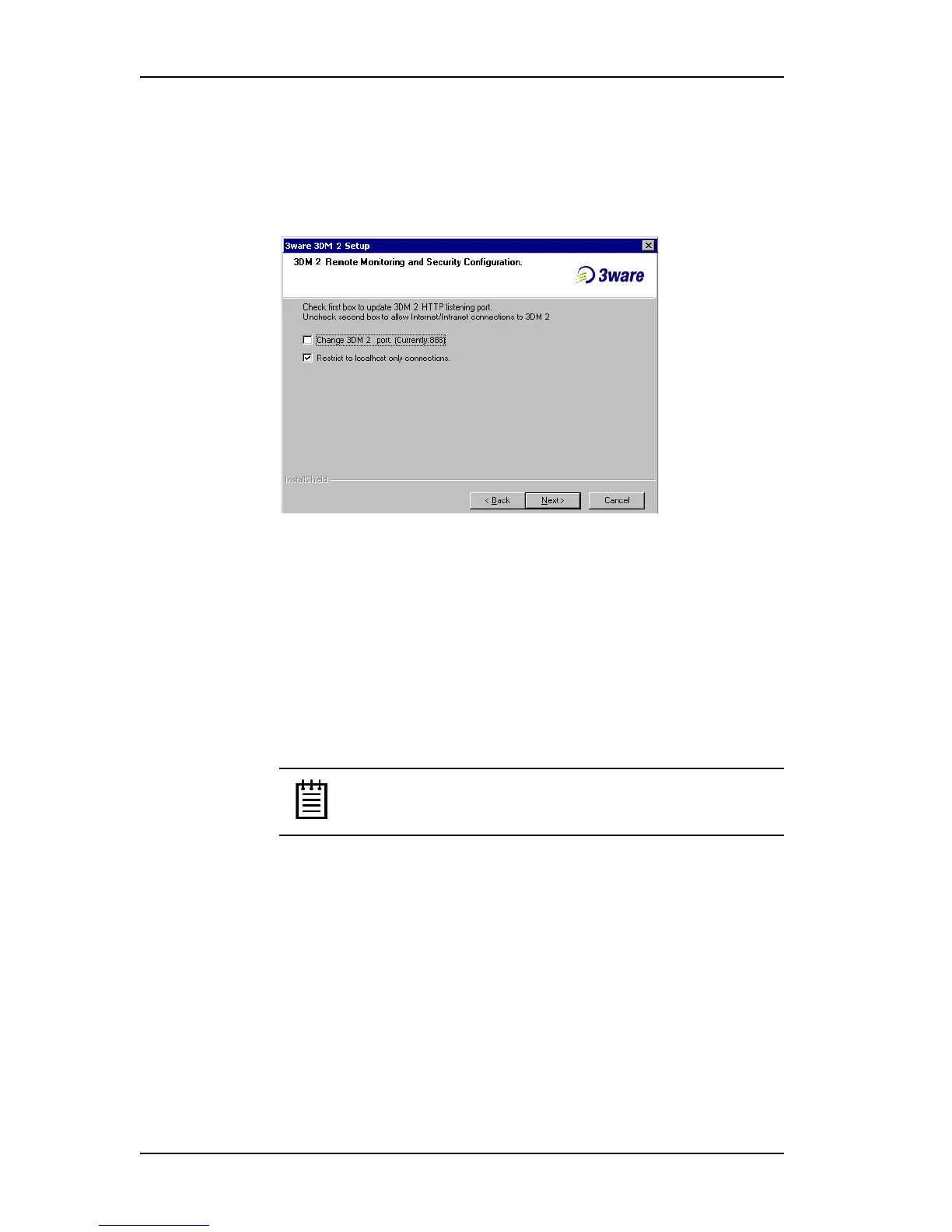
• To allow remote administration, uncheck the second checkbox.
When the second checkbox is checked, only localhost connections are
allowed. Internet and Intranet connections are not allowed.
(You can change this setting later in 3DM.)
Figure 30. 3DM Remote Monitoring and Security Configuration
Display
5 If the 3DM HTTP listening port setup screen appears, enter the HTTP
port you want to use.
This screen only appears when you check the first box on the 3DM
Remote Monitoring and Security Configuration screen.
(You can change this setting later within 3DM.)
6On the E-mail Notification Preferences screen (see Figure 31) use the
fields to specify initial email settings.
Note: If you do not want email alerts to be sent to anyone,
leave “
None” in these fields and click Next to go on to the next
screen.
• In the Server field, enter the name or IP address of your email server.
You can get the IP address of your mail server by typing
nslookup <file server name>
To find the mail server name, ask your system administrator or check
the e-mail preferences or setup options on your e-mail client.
• In the Recipients field, enter the e-mail address of the user who
should receive the 3DM e-mail status messages.
You may enter multiple e-mail addresses, separating each entry with a
comma (,).



 To Next Page