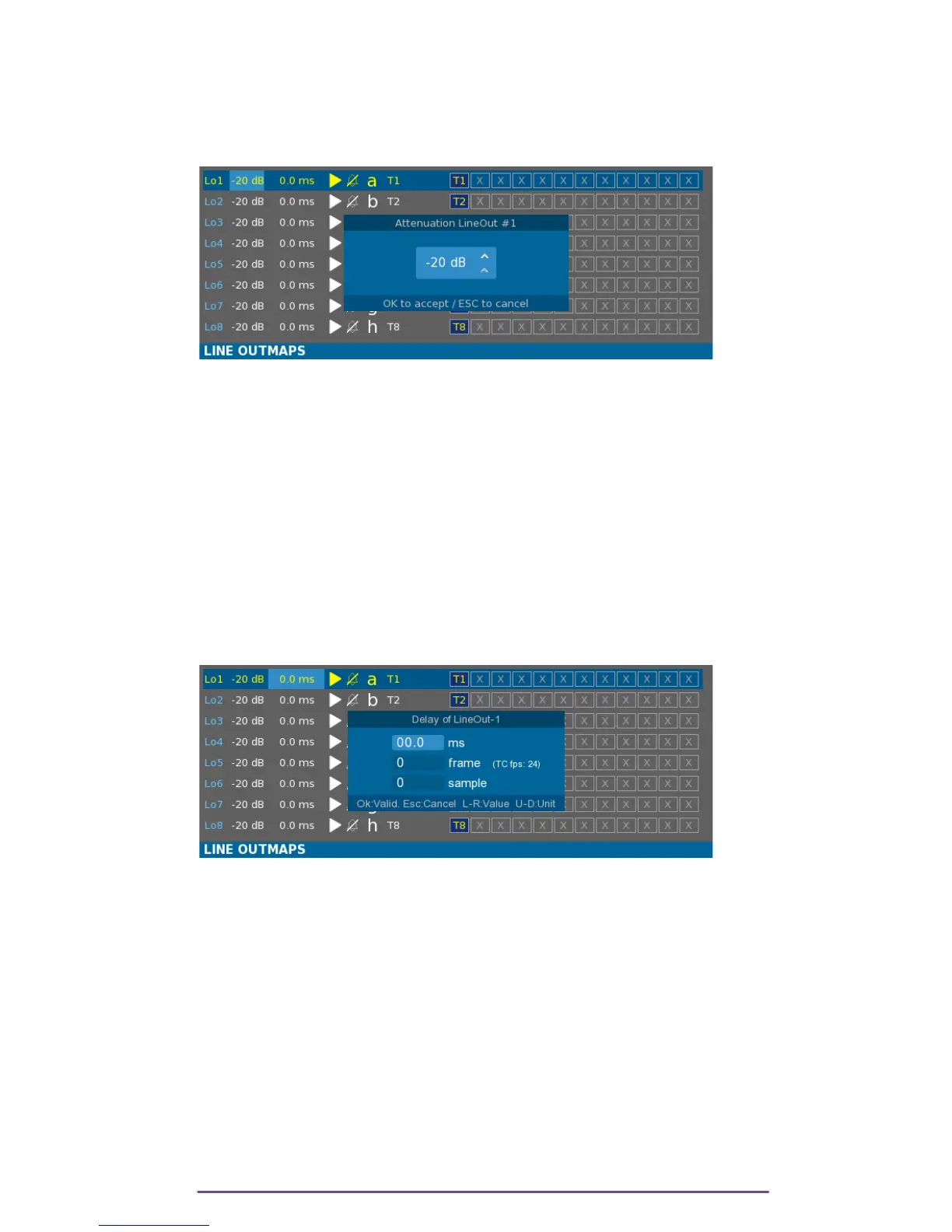
1. Output Level
Using the Left and Right buttons or the Jog wheel, move the light blue selection box to the first
item of the wanted row and press the OK button to modify the value.
Pict. 12
NB: • If the output is assigned to a fader (Mixer or Cantarem) it is impossible to modify it using
the Attenuation window. The current attenuation is grayed.
• Quick edit the current value by holding the Shift button pressed while rotating the Jog
wheel.
2. Delay
All the analog and digital outputs can be delayed within a range of 0 to 43690 samples (which
represents nearly 910 ms with a 48kHz sample-rate).
Using the Left and Right buttons or the Jog wheel, move the light blue selection box to the second
item of the wanted row and press the OK button to modify the value.
Pict. 13
NB: • Quick edit the current value by holding the Shift button pressed while rotating the Jog
wheel.
3. Play Mute
When the Cantar is in the Play position, the output may be Muted using the Play Mute option.
Using the Left and Right buttons or the Jog wheel, move the light blue selection box to the third
item of the wanted row and press the OK button to modify the value.
If the Play symbol is de-activated (emptied triangle) the output is muted in Play.
In Pict 07, Line outputs 1 & 3 will be muted in Play.
Cantar X3
11



 To Next Page