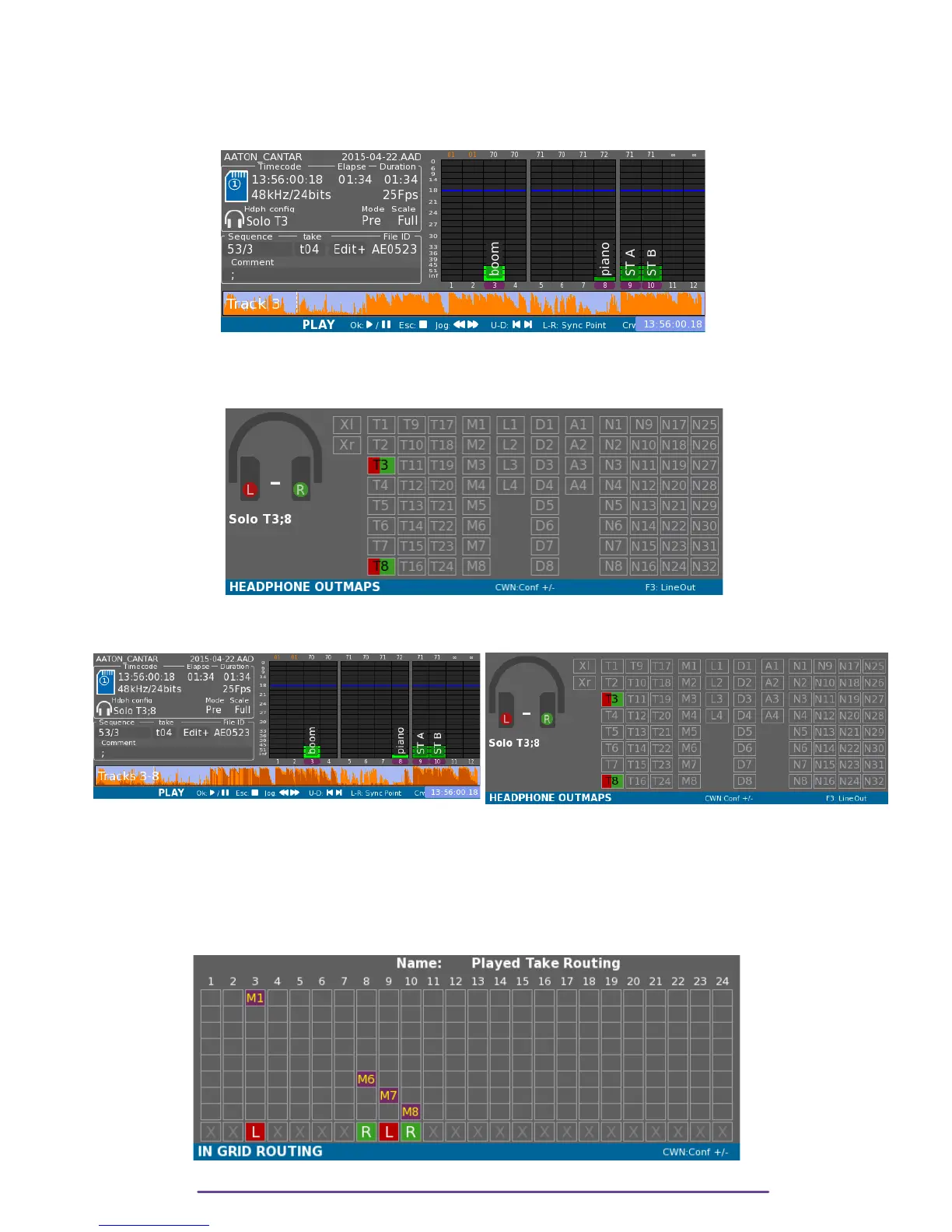
Press the Solo button corresponding to the Track on the assigned actuator to toggle the
corresponding Track-Solo ON/OFF.
Press Esc to go back to normal Headphone Mode.
On Vumeters, other Tracks than the one(s) solo-ed(s) are darkened.
Pict. 90
This mode is symbolized on the Headphone Outmap grid by playback Tracks being active, at
Center. Tracks are labelled according to the chosen monitoring mode: “P” to emphasize the
PostFader property or “T” for PreFader mode.
Pict. 91
To add another Solo: while holding the Shift button press another Solo button.
Pict. 92 Pict. 93
III.Routing
Recorded take's routing can be viewed by pressing the F1 button, showing how inputs were
routed during record and the way tracks were sent to Mixdown.
Pict. 94
Cantar X3
50



 To Next Page