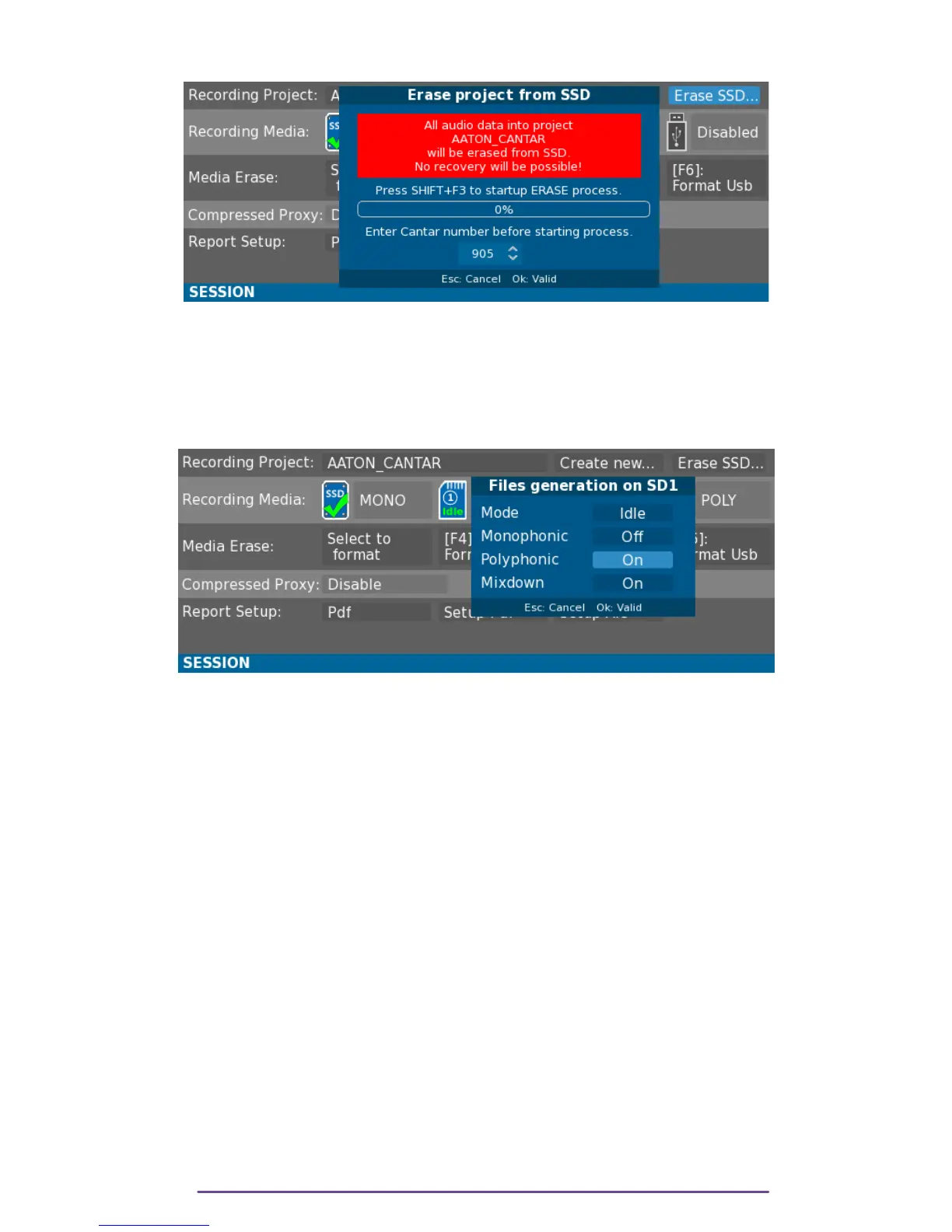
iii. Erase a project from SSD
Pict. 119
This feature is protected from any unwanted action: to confirm the desire to irreversibly delete an
entire project from the SSD media, enter the Cantar Number and valid by pressing the Shift + F3
buttons.
2. Media
Pict. 120
For each media, 3 modes are available:
• Live rec.: the media is a record media.
• Idle: the media is a backup media and backup will be performed while the Main Selector is in
the Test position.
• Disable: Unused media.
For each media, the Cantar can record:
• Monophonic files: one file per Track, named as “XXnnnn==SSSSSSSStNN==_TT.wav”
XXnnnn: Cantar's unique FileTag
==: Separator (can be '=' or '_' according to file naming parameter in the
Technical menu).
SSSSSSSStNN: Scene and Take Type.
_: Track Number Separator.
TT: Track number from '01' to '24'.
• Stereo Mixdown file: Stereo file of Mixdown left and right interleaved.
• PolyPhonic file: Polyphonic file of all Tracks interleaved. The number of channels is determined
by the highest Track number used. All unused Tracks will be replaced with blank channels.
Example: If Tracks 1, 5 and 8 are recorded, only 3 monophonic files are created but the
polyphonic file will contain 8 channels preserving Track 8 on the 8
th
channel.
Please refer to Media State in the Pre-Record section for media icon.
Cantar X3
65



 To Next Page