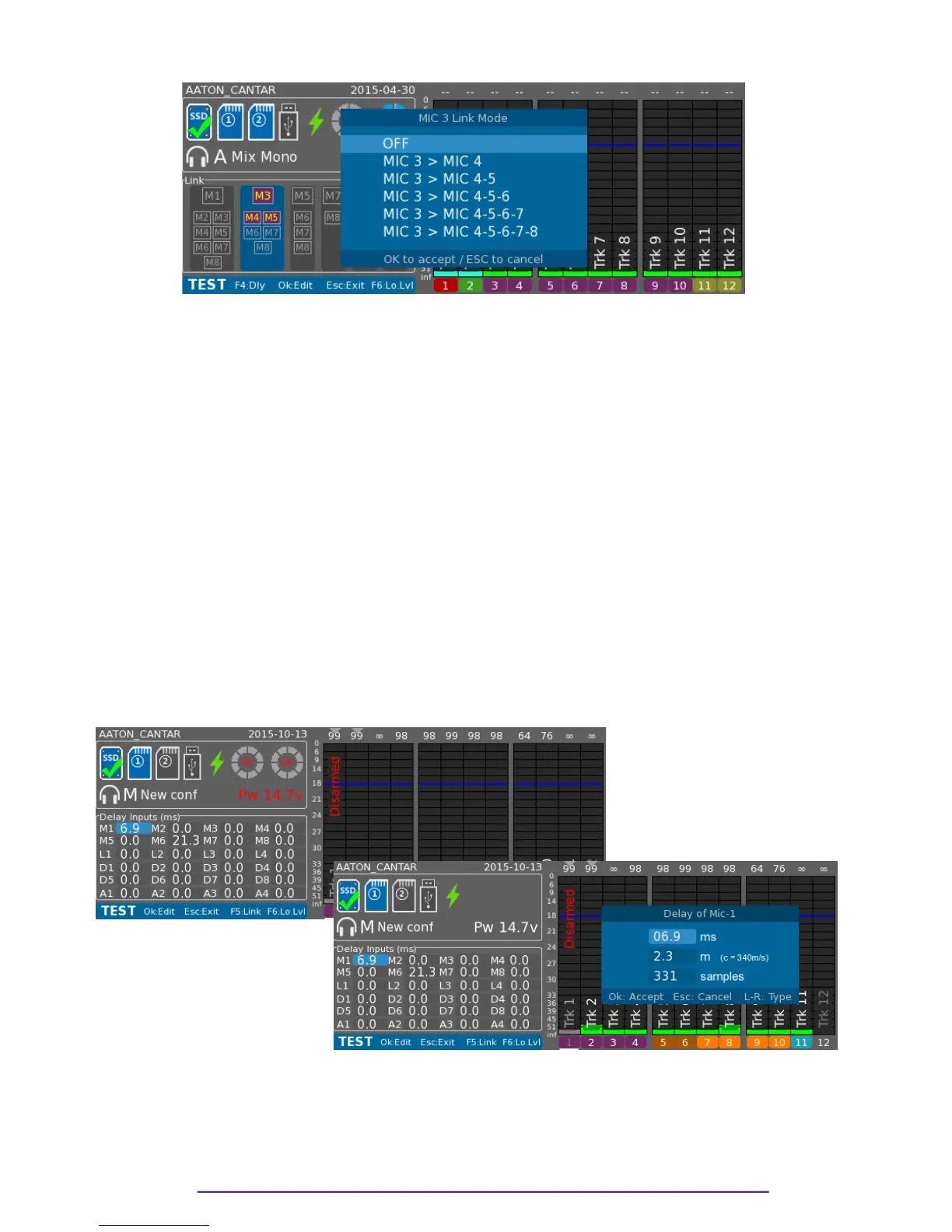
Depending on the Group Number, a slave list is built.
Pict. 73
II. Inputs Delay
All the analog and digital inputs can be delayed within a range of 0 to 2047 samples (which
represents 42 ms with a 48kHz sample-rate).
Sound speed (0.3 m/ms) or signal processing lag (up to 3.8 ms in some wireless kits) generate
'phasing' between mics placed around a single source. Close sounds contributing to the live
mixdown
must wait in buffers for the time it takes for the 'late-sound' to arrive. Cantar
automatically applies the value entered on the late sound input to all other inputs.
NB: The value specified in the delay field for an input is the delay of this input, no need to
calculate the delay according to other inputs, Cantar will do it, just specify the compensation
needed.
Press the F4 button to display the Delay panel. Using the direction buttons select the appropriate
input. Pressing the OK button opens a dialog box where the delay can be set. It either can be
set in time unit (milliseconds) or in distance unit (meters using a sound speed of 340 m/s). To
toggle between units, use the Left or Right button and modify the value by pressing the Up or
Down buttons or by rotation the Jog wheel.
← Pict. 74
Pict. 75 →
Cantar X3
43



 To Next Page