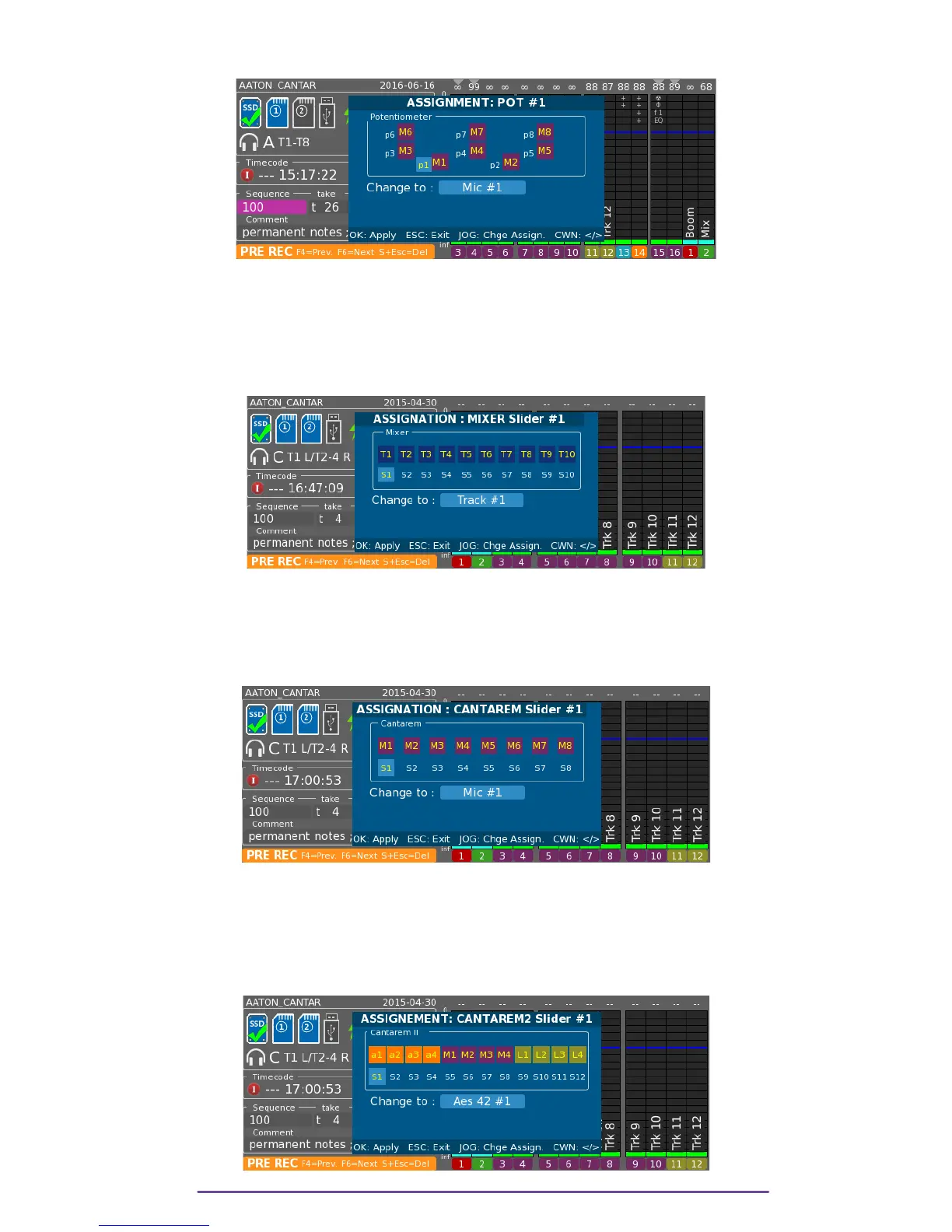
Assignation is changed by pressing the Up and Down buttons.
Pict. 60
2. Mixer Fader
To open the Assignation panel, press and hold the Shift + Mixer Slider Solo button. To go to next
or previous actuator rotate the Left Crown or press the appropriate Solo button.
Assignation is changed by pressing the Up and Down buttons.
Pict. 61
3. Cantarem (if connected)
To open the Assignation panel, press and hold the Shift (diamond button) + Slider Solo buttons
on the Cantarem. To go to next or previous actuator rotate the Left Crown or press the
appropriate Solo button. Assignation is changed by pressing Up and Down buttons.
Pict. 62
4. Cantarem II (if connected)
i. Sliders
To open the Assignation panel, press and hold the Shift + Slider Solo buttons on the Cantarem II.
To go to next or previous actuator rotate the Left Crown or press the appropriate Solo button.
Pict. 63
Cantar X3
36



 To Next Page