NB: • Take Circled: from the Single/Multiple editing panel or even from the Take list, Circle
parameter is toggled pressing the Shift + F3 buttons.
• Take Type: from the Single edition panel, the Take Type is cycled through by pressing
the F5 button.
2. Multiple Takes Edition
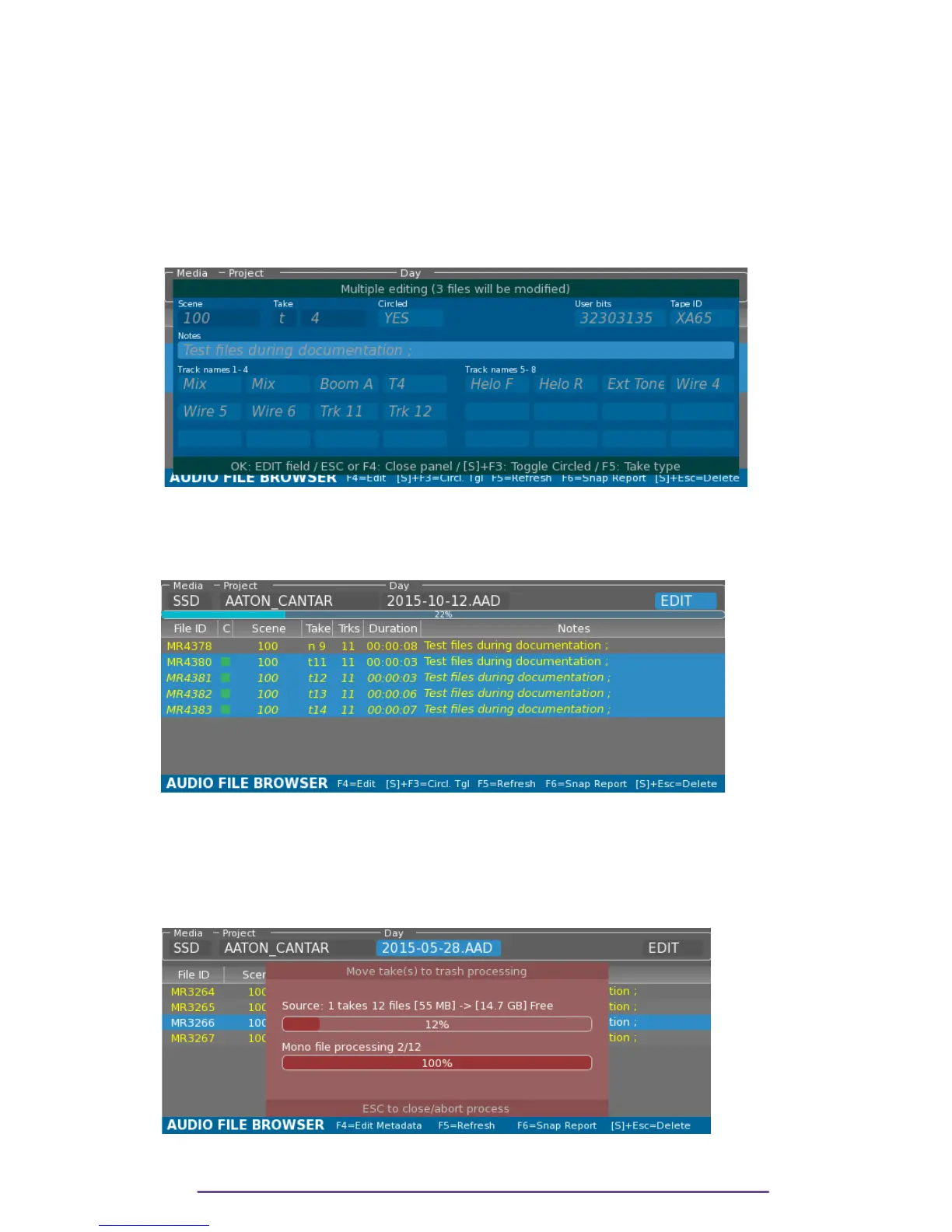
• Select multiple Takes by holding the Shift button and pressing the Up or Down buttons.
• In the top part, select the 'EDIT' field and press the OK button
OR press the F4 button.
Pict. 97
The fields are filled with Metadata from the last Take of the selection.
Depending on how fast is the media, how many modifications are needed, the Cantar will
display a progress bar displaying the application of Metadata modifications.
Pict. 98
3. Trash
• Select one or multiple Takes
• Press the Shift + Escape buttons.
Pict. 99
Cantar X3
53



 To Next Page