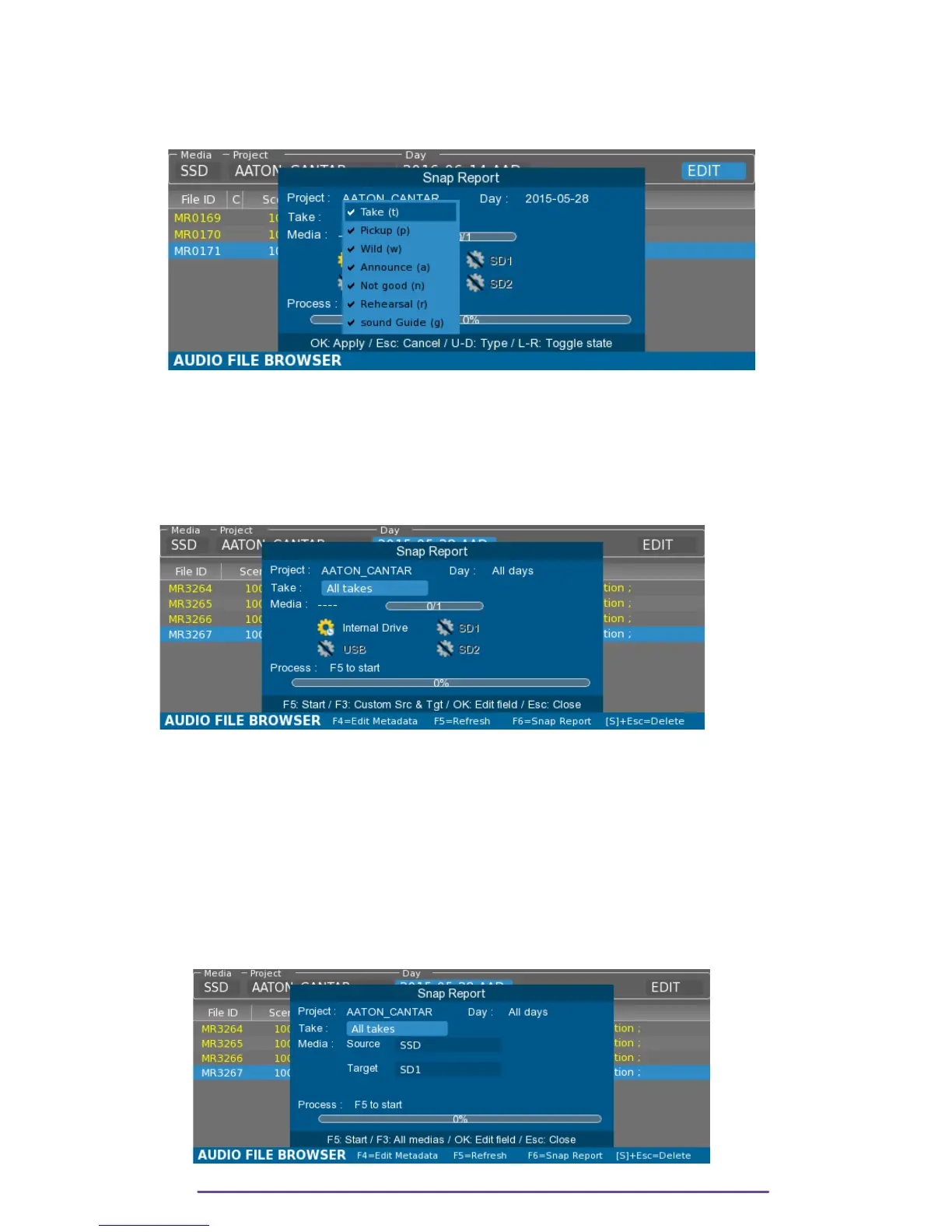
The Snap Report Process may filter takes according to their type. Select the Take field and press
the Ok button to display a choice list where desired take types may be selected. Scroll throught
the types using the Up and Down buttons and select or deselect by pressing the Left and Right
buttons. Validate the selecting by pressing the Ok button.
Pict. 103
> Press the F5 button to start the process.
NB: The Snap Report Process may scans through all the days present in the current Project by
opening the Snap Report dialog box by pressing the Shift + F6 buttons.
Pict. 104
2. Export Snap
The Snap Report process may also be specified a source and target in order for example to
export a report based on the content of a media to another media.
To activate this option, press the F3 button. (F3 button again to go back to the simple snap
process)
Select the Source and Target fields using the Up and Down buttons and validate by pressing the
Ok button, a list of choice is then displayed in order to select the desired media.
Pict. 105
Cantar X3
55



 To Next Page