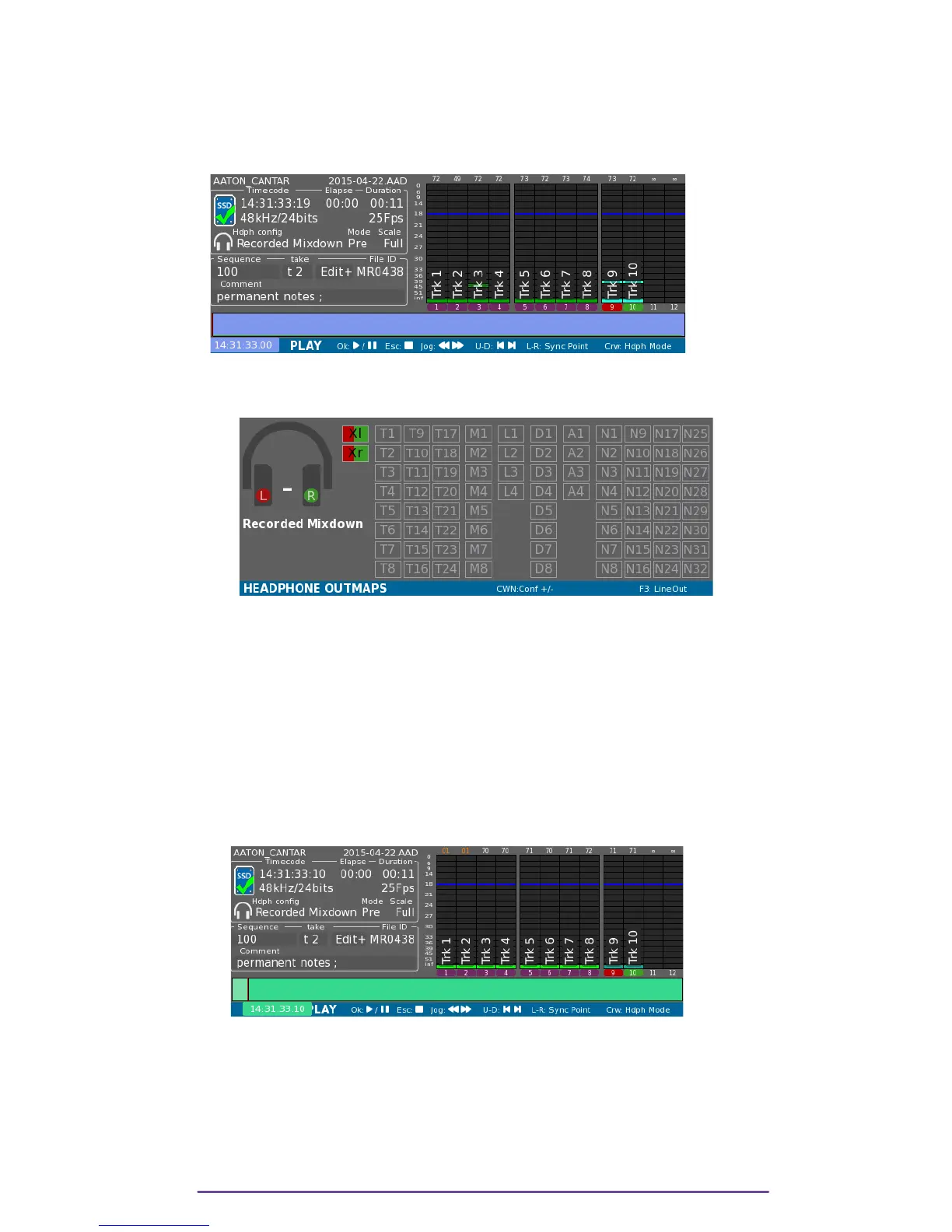
1. Recorded Mixdown
In this mode, are sent to headphone, Tracks corresponding to Mixdown-Left and Mixdown-Right.
Tracks will be routed Mono (to both left and right ears), Vumeters from other Tracks than
Mixdown are darken.
Pict. 84
This mode is symbolized on the Headphone Outmap grid by Xl and Xr inputs being active, at
Center.
Pict. 85
2. Tracks-Mono
In this mode, are sent to headphone, all Tracks that are not Mixdown Tracks.
Tracks will be routed Mono (to both left and right ears).
NB: • On top of the Vumeters is displayed Track's attenuation.
• If no actuator is assigned to a played Track, its attenuation can still be changed by
Solo-ing the Track (Solo of any Track, then rotate the Left Crown to access the desired
Track) and then while holding the Shift button press, rotate the Jog wheel.
Pict. 86
This mode is symbolized on the Headphone Outmap grid by playback Tracks being active, at
Center.
Tracks are labelled according to the chosen monitoring mode: “P” to emphasize the PostFader
property or “T” for PreFader mode.
Cantar X3
48



 To Next Page