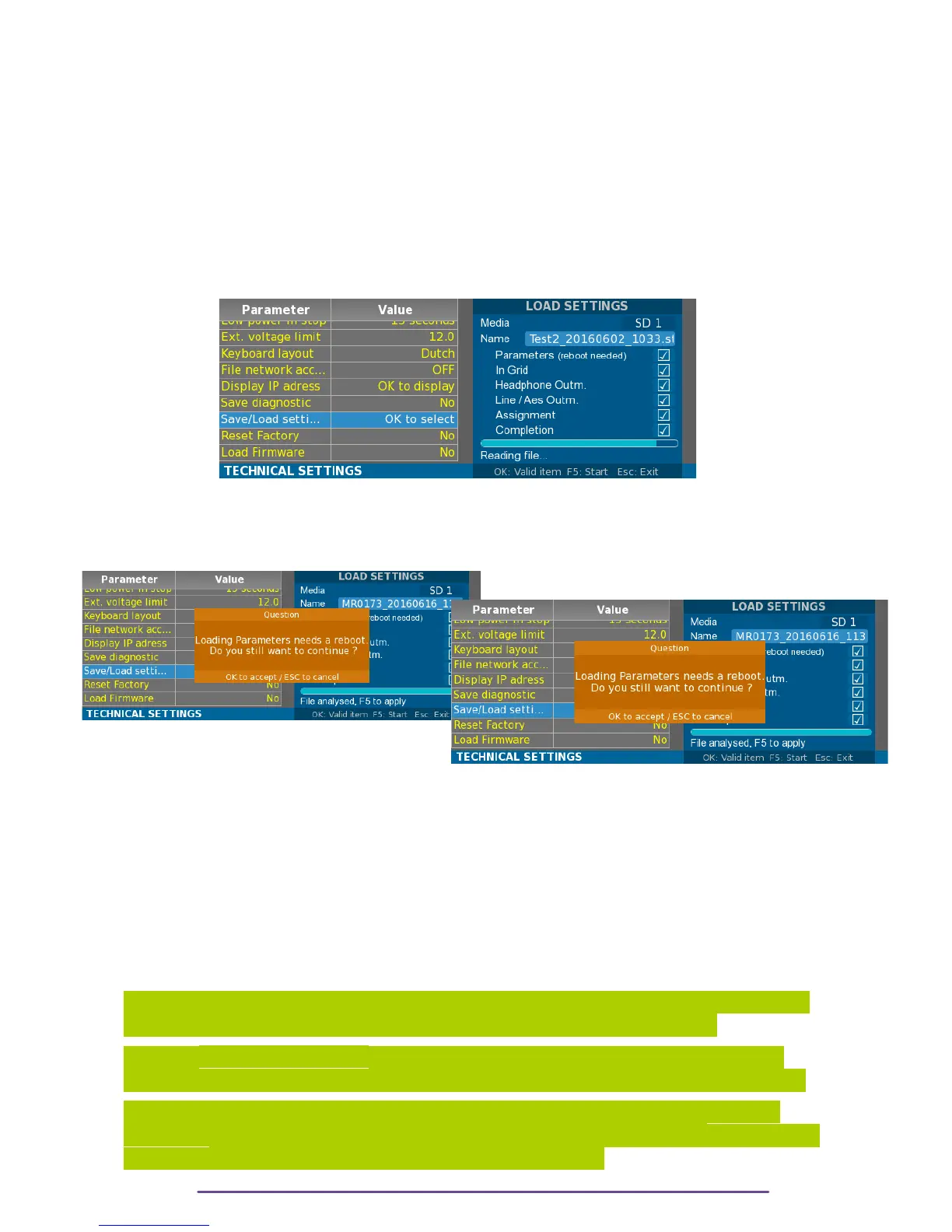
Select the desire file and press the Ok button. The file is loaded and based on its content, the
available settings are enabled:
• Parameters: General settings of the Cantar (sample rate, vumeters etc …)
• In-Grid: the 26 Ingrids presets.
• Headphone Outmaps: the 26 Headphone presets.
• Line / Aes Outmaps: the 26 Line and Aes outputs presets.
• Assignment: Potentiometers, Mixer sliders and Cantarems (I & II) assignments.
• Completion: Trackname completion.
Each type of settings can be individually activated or not. Using the Up and Down buttons, select
the type and toggle the state by pressing the Ok button.
Pict. 113
Press the F5 button to start loading the selected settings.
NB: If the Parameters setting is selected, a reboot of the Cantar will be automatically performed
at the end of the Loading procedure.
Pict. 114←
Pict. 115 →
XIII. Load firmware
Access to the firmware loading Window.
1 – Get the latest Cantar X3 firmware version from the Aaton Support web site.
(http://www.aaton.com/software-updates)
2 – The firmware file (extension .csw) is contained in a zip, extract it onto an USB or a SD card.
2 – Before loading, ensure you have reliable power.
3 – Open the load firmware dialog box, select the firmware and press the OK button.
WARNING
1– Loading a new version can update the FPGA content. After a software update, Cantar will
reboot and update the FPGA. A dedicated screen with progress bar will appear.
As written DO NOT POWER OFF Cantar during this step. For safety, please use at least 2
power sources during update (e.g. 2 batteries or 1 external power on the XLR4 and 1 battery)
2 – Cantar's operating system is contained on a MicroSD on the mother board, DO NOT
REMOVE IT from the Cantar and try to plug it on a computer. Just by accessing it, the computer
can damage the card, and thereby preventing the Cantar to boot.
Cantar X3
63



 To Next Page