XII. Save / Load settings
Pict. 109
1. Save
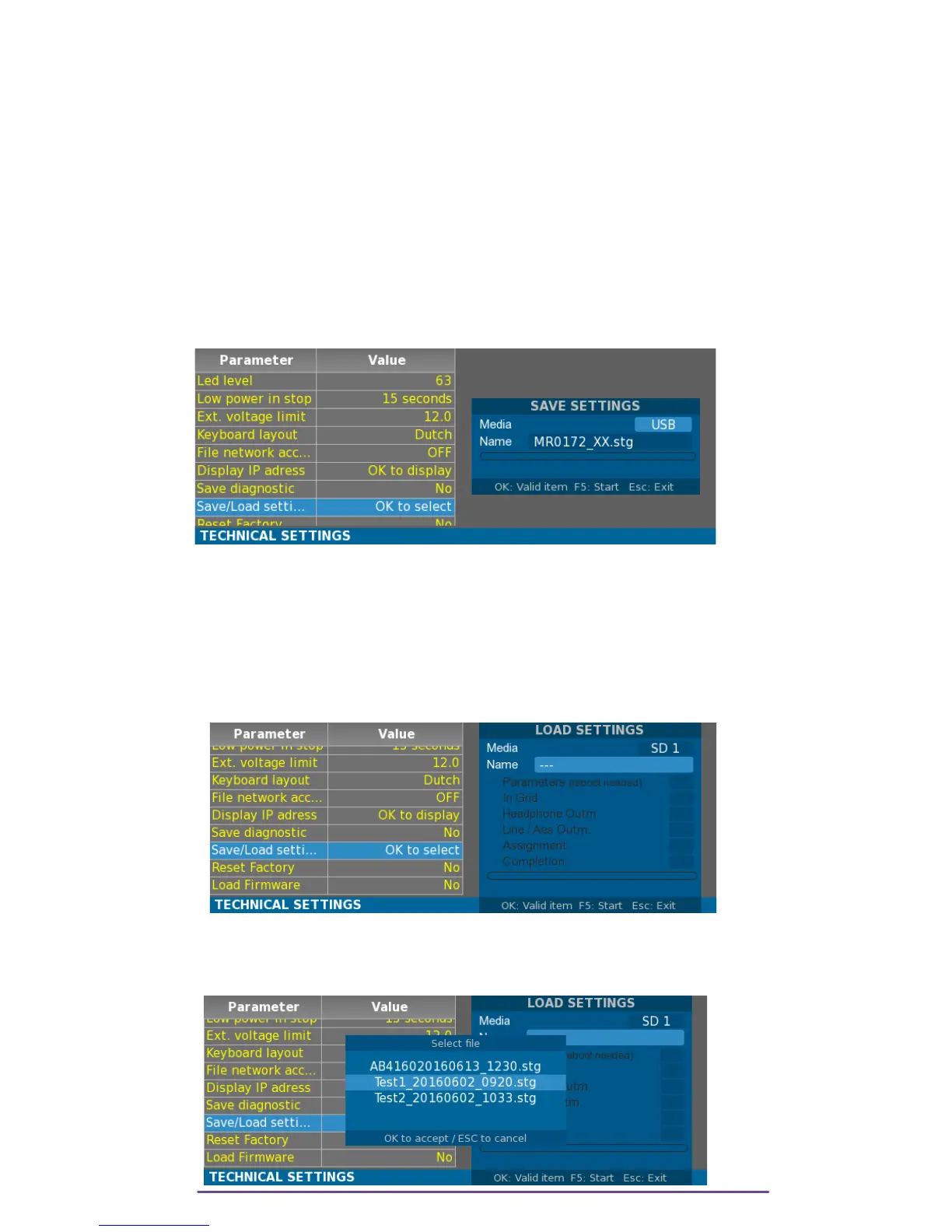
Generates a configuration file ( extension .cfg) on a designed media.
Pict. 110
Change the media by selecting the “Media” field with the Up and Down buttons and then
pressing the Left and Right buttons.
A name is automatically generated based upon the current Filetag followed by the date and
time, but it can be personalized by selecting the “Name” field with the Up and Down buttons
and then pressing the Ok button.
Press the F5 button to save the whole configuration of the Cantar.
2. Load
Pict. 111
Change the media by selecting the “Media” field with the Up and Down buttons and then
pressing the Left and Right buttons.Select the “Name” field and press the Ok button to display a
list of all detected configuration files on the selected media.
Pict. 112
Cantar X3
62



 To Next Page