III. Line Outputs Levels
Please refer to the Line Outputs section.
IV.Idle backup
This mode can be activated any time, the earlier in the day, the better it is.
The setup of this mode is done in the SESSION Menu on each recording Media.
While the Main Selector is in the TEST position, if the recording media is not on duty, Cantar
incrementally, backs up the audio files onto idle target media(s) (SD card and/or USB).
Note that a three seconds delay lets you go through the Test Menu without immediately
triggering the process.
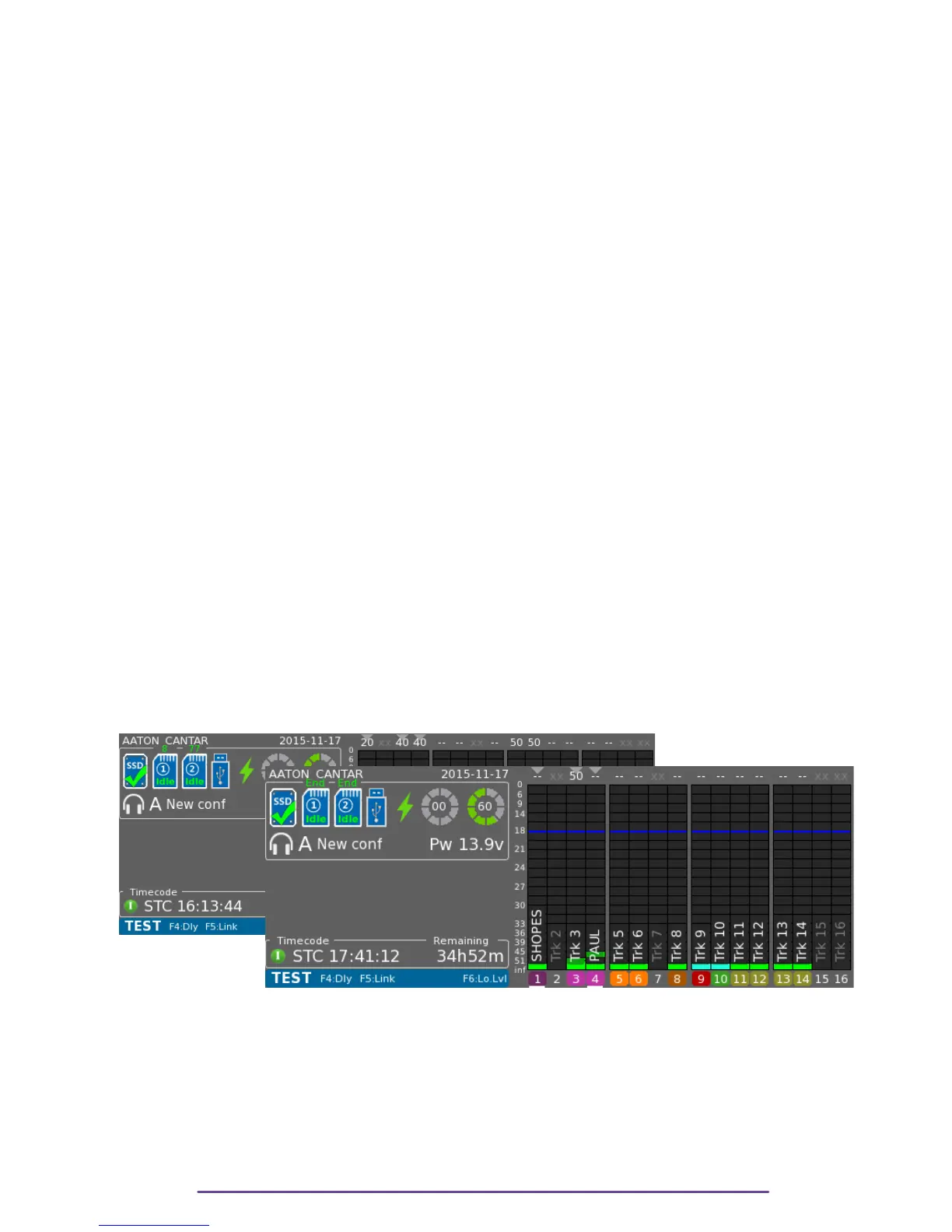
A percentage of completed idle process will be displayed in green above the media icon. End
will be displayed when the process is finished.
The process will be automatically interrupted when exiting from the Test Menu. The unfinished
copy is erased and will be restarted when re-entering the Test Menu.
If a metadata of a take is modified, the modification is as well reflected on the idle target media
if it is still available.
Before removing the target media, take time to run Snap report [F6] into the Audio & Browsing
Menu in order to create reports if needed.
If the idle media is full, insert another media and the Idle Backup process will continue from
where it previously stopped.
This function is useful, when a media is too slow to work in mirroring.
Pict. 76←
Pict. 77 →
Cantar X3
44



 To Next Page