TEST
Test is at the 10 o'clock position.
This menu enables to: set up each input's parameters (Phantom Power, Phase Inversion, Filter).
All analog inputs can be powered 'ON': unused inputs powered 'OFF' are powered during a
Solo (in contrast with the Pre-Record Menu where only the used inputs are powered on).
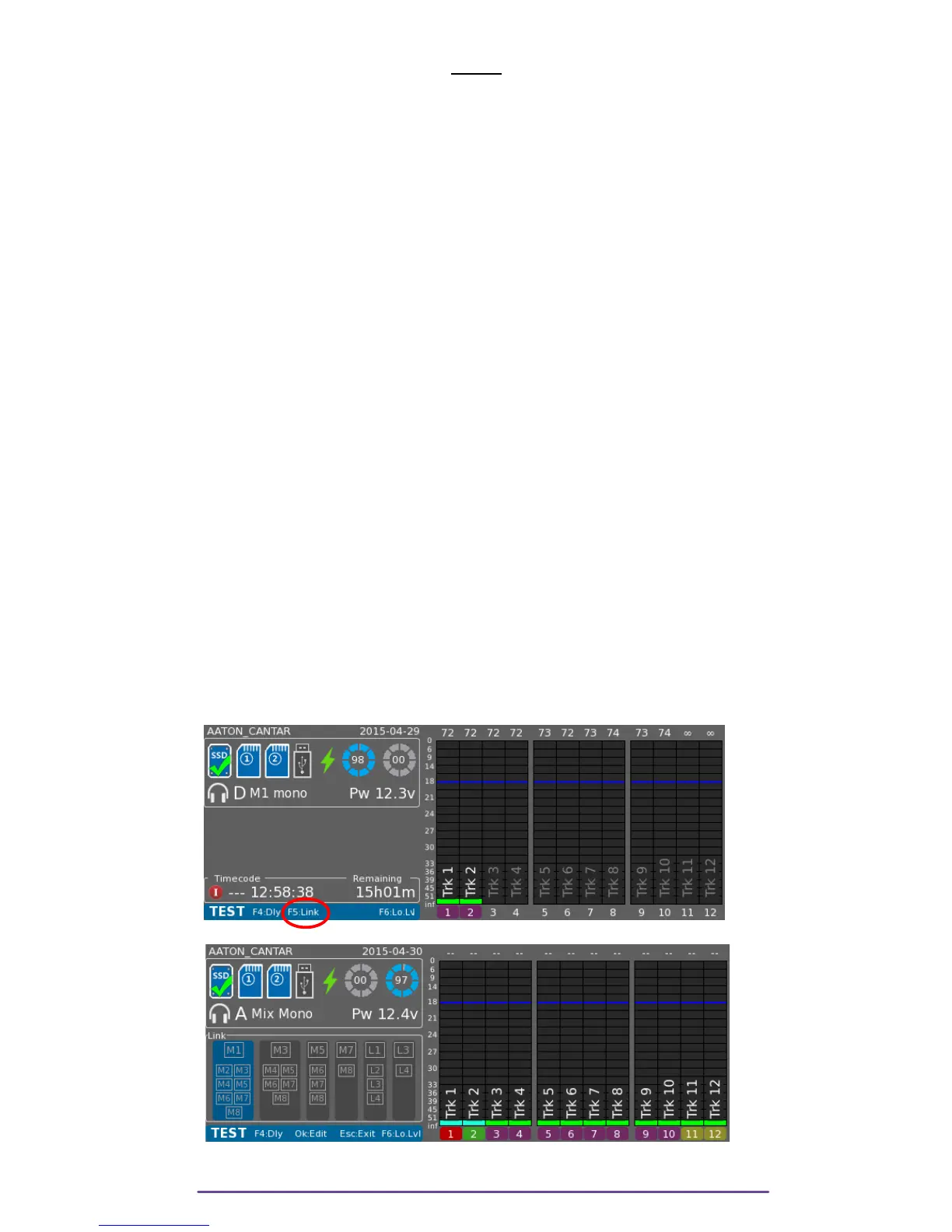
I. Link Inputs
You can slave one or multiple analog inputs to a master by declaring a Link group.
A total of 6 Link groups can be declared, 4 for the Mics and 2 for the Lines.
Each group as a master:
Group-1: Mic-1 master; Group-2: Mic-3; Group-3: Mic-5; Group-4: Mic-7.
Group-5: Line-1; Group-6: Line-3.
A master can be linked to the superior inputs (e.g. M-3 can be linked to M-4 to M-8).
NB: • Stereo-pairs 1>2; 3> 4; 5>6; 7>8
• Surround: 1>2-3-4-5
• Double M/S: 1>2 & 3>4.5
Phantom, Limiter and filter are applied on slaves identically to the linked master.
Phase inverters remain independent.
For a stereo pair, slaved input is the balance. Before its actuator middle-point (potentiometer,
fader, cantarem) the slave's level is attenuated, after the middle-point, the master's level is
attenuated.
If there is more than one slave, the slave's actuator position determines the ± 12dB gain applied
from it's master value.
To display the Link Panel, press the F5 button.
Pict. 71
Pict. 72
The group is selected with Left and Right buttons. Editing is enabled through the OK button.
Cantar X3
42



 To Next Page