3. Media erase
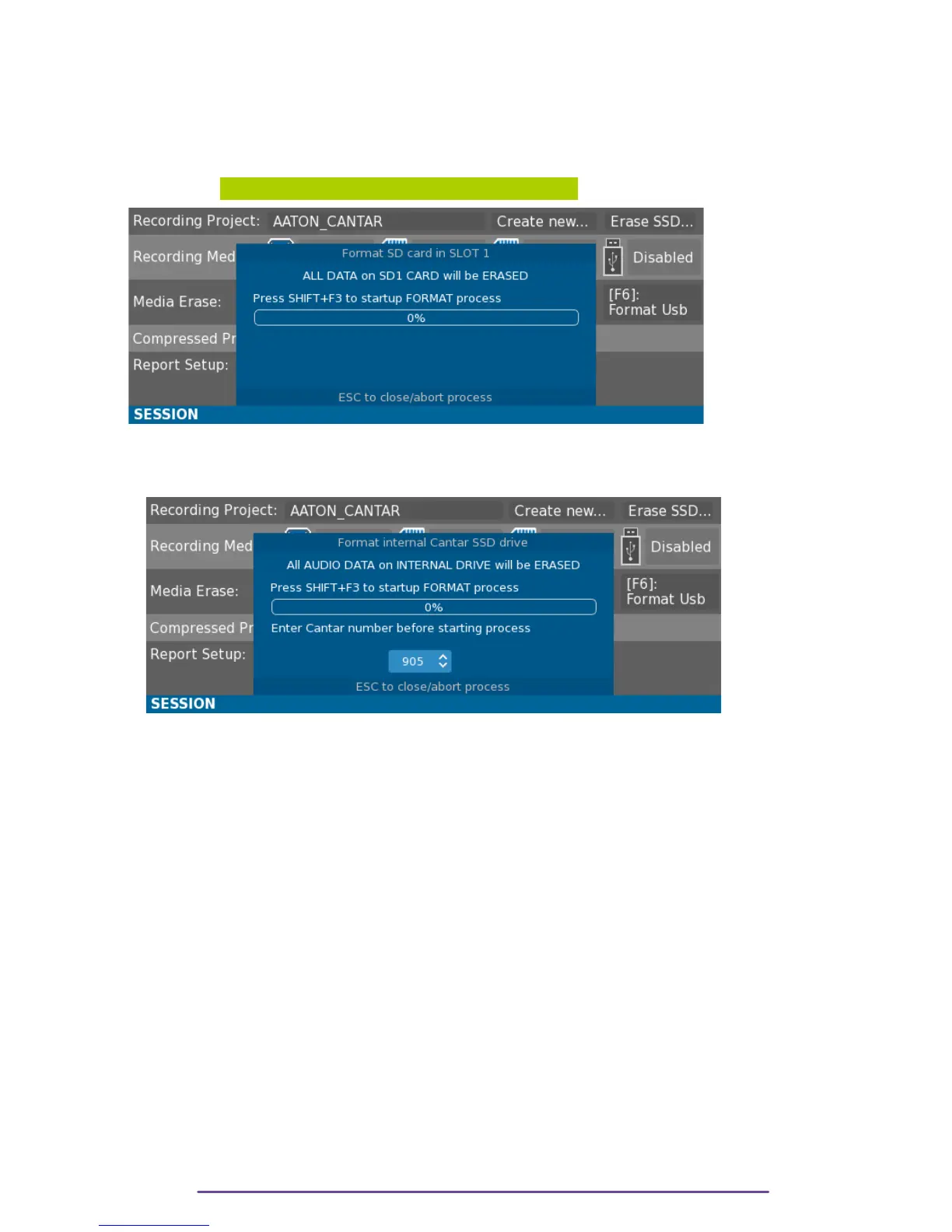
Select the field beneath the appropriate media to format it. Press the OK button, a confirmation
Window will open. Confirm by pressing the Shift + F3 buttons.
WARNING: All information contained on the media is erased.
Pict. 121
NB: In order to prevent mistakes, formatting the internal Drive is protected by the need to enter
the Cantar number with the Up and Down buttons.
Pict. 122
4. Compressed Proxy
In addition to the main recording processes (Monophonic, Stereo Mixdown, Polyphonic), a
compressed file can be generated.
Two formats are available: Ogg-Vorbis and Mp3.
Both formats can contain Stereo Mixdown. Ogg-Vorbis can also contain Polyphonic channels.
Each format can be recorded on USB or SD media.
Compression is lossy and can be set up between, Low, Middle and High quality.
Cantar X3
66



 To Next Page