NB: • If a stereo pair (MS mic) is routed and each side is sent to Mixdown respectively Left
and Right or both sides to Center, then MS will be decoded into the Mixdown.
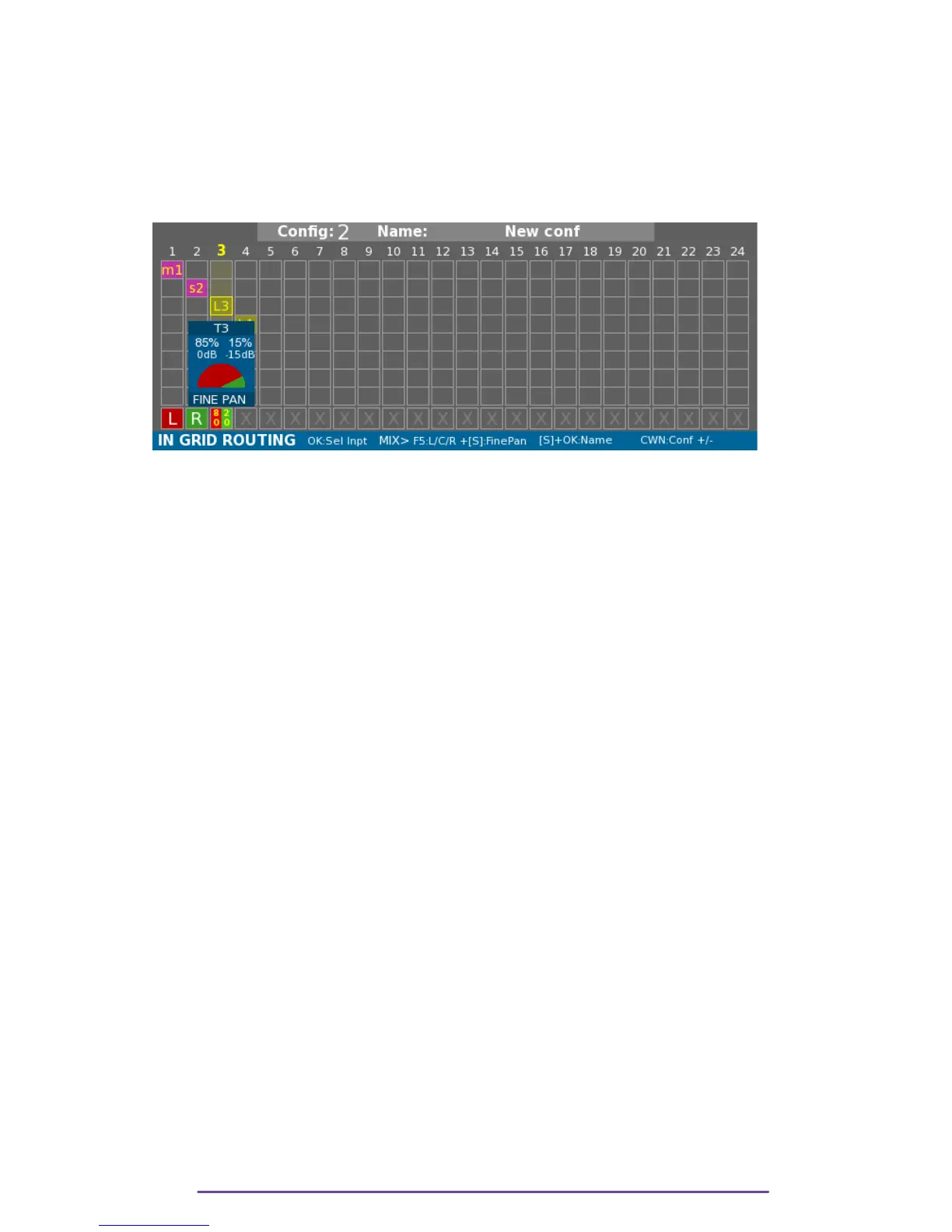
It is also possible to have more precision: Fine Pan.
The Pan-Pot letter is replaced by a percentage representing how the Track is sent to Mixdown Left
and Right.
Access the Fine Pan setting Window by pressing the Shift + F5 buttons.
Pict. 25
Balance is set using the Left or Right buttons. Each Track's contribution will be displayed in
percentage and dB.
It is not possible to send Mixdown Tracks or Postfade Tracks to Mixdown for obvious reasons.
i. MS decoding into Mix:
For MS pair, only 4 PanPot positions are available:
• M is sent to the Left and S is not sent to Mixdown.
• M is sent to the Right and S is not sent to Mixdown.
• M & S are not sent to Mixdown.
• M & S to the Center: the MS pair is decoded, post-fader, by changing the S-track level, the
width of the decoded stereo signal is changed.
3. Track settings
i. Arm/Disarm
Pressing the Shift+F3 button arms or dis-arms the currently selected Track.
ii. Track level
For tracks with no actuator assigned, it is possible to modify the Track level directly from the
Ingrid by turning the Jog wheel while holding the Shift button pressed.
IV. Declare input as Mixdown
In order to have an external source declared as Mixdown track, it is possible to add an input to
a track with a Mix-Left or a Mix-Right already routed.
Cantar X3
20



 To Next Page