4. Beep Mute
Beeps (record beeps, warning beeps) may be muted on each output.
Using the Left and Right buttons or the Jog wheel, move the light blue selection box to the fourth
item of the wanted row and press the OK button to modify the value.
If the Beep symbol is crossed, beeps won't be routed to the output
In Pict 07, Beeps are enabled for outputs 2 & 3 only.
5. Current Configuration
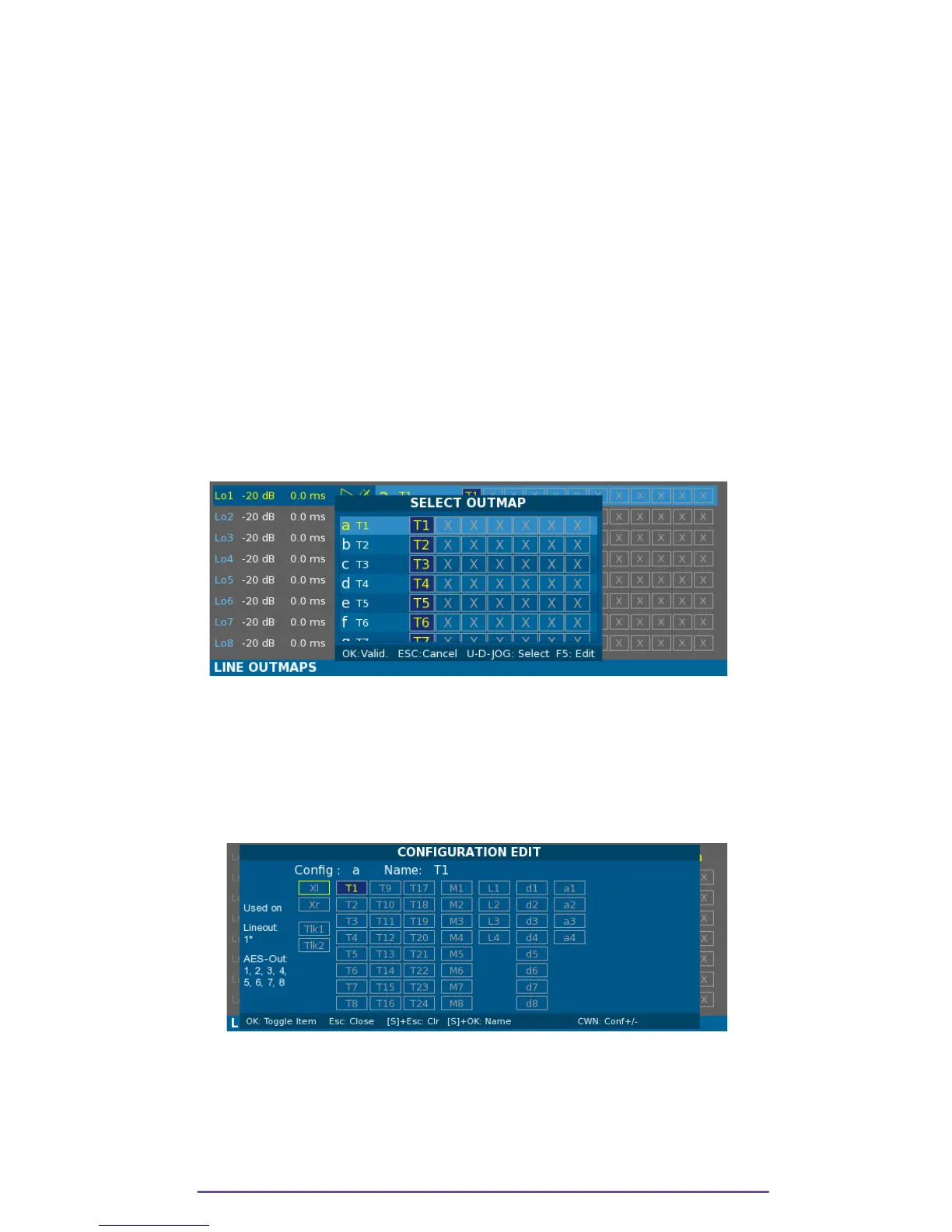
You can change the Outmap applied to an Output by selecting its row and then turning the Left
Crown. Letter, name and Outmap settings are updated.
A special Outmap is placed before the 'a' outmap: the Muted outmap where no input is routed.
It is also possible to select an Outmap using the Left and Right buttons or the Jog wheel, in order
to move the light blue selection box to the fifth item of the wanted row and press the OK button
to display the Outmap selection window.
Pict. 14
Using the Up and Down buttons, select the wanted Outmap and apply it by pressing the Ok
button. It is also possible to edit the currently selected Outmap by pressing the F5 button.
6. Edit Outmap
Press the F5 button to open the Configuration Edit window.
Pict. 15
WARNING: Keep in mind that the configuration you are modifying can be applied to multiple
outputs. Even more, as the Outmaps are shared between AES and Line Outputs it can also
modify an AES Output.
In Pict 08, Outmap 'a' is applied to Lineout 1 but also to AES-Out 1 to 8 as stated
by the warning text at the left of the window.
Cantar X3
12



 To Next Page