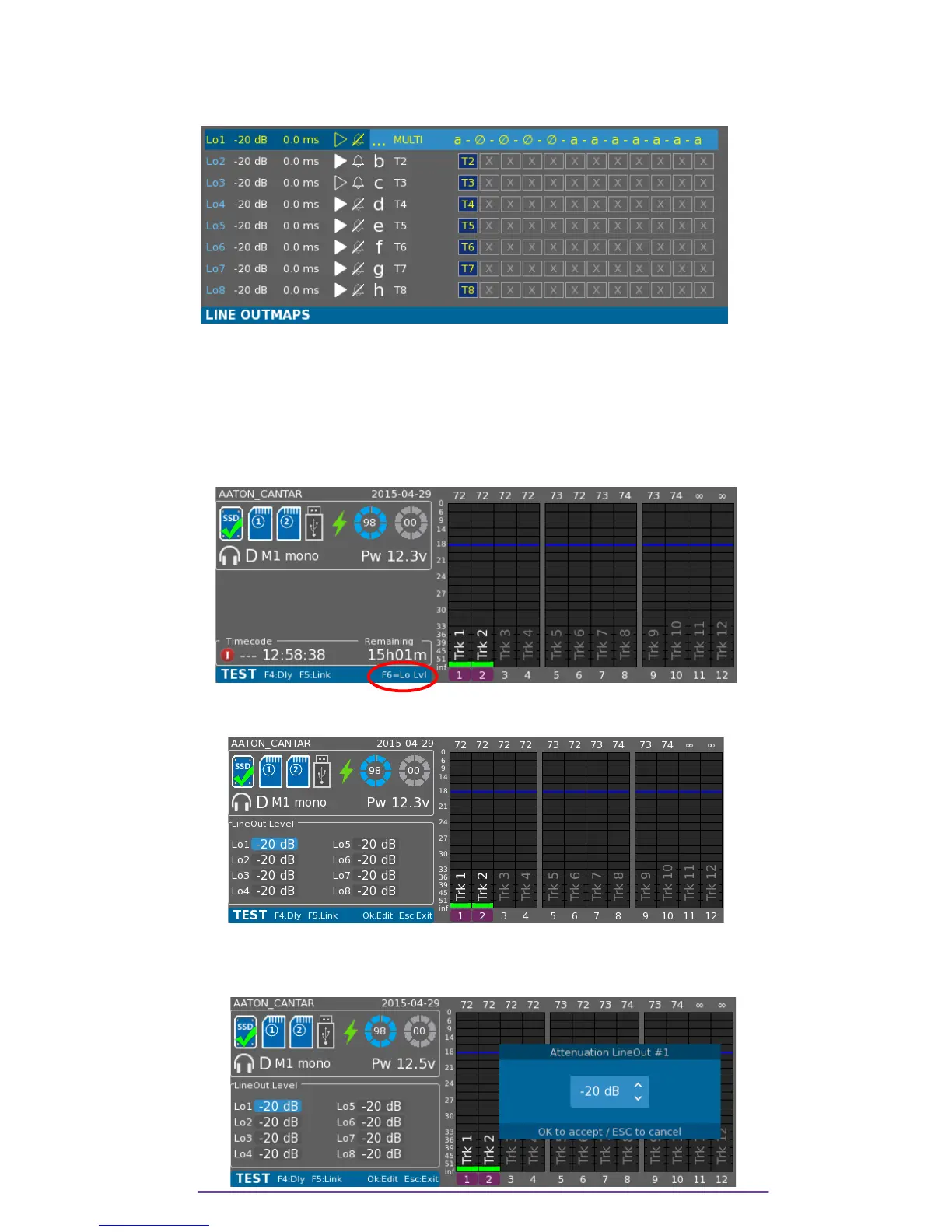
Once a Multiple Outmap is applied to an output, its outmap description is replaced by the letters
corresponding to the twelve Outmaps applied in regard of the twelve Main Selector positions
(the first letter being the Record position).
Pict. 17
NB: • Using the Left Crown to select the Outmap placed before the Muted Outmap calls
II. Output Levels
Outputs levels can be modified while the Main Selector is in the 10 o'clock position (TEST).
Pict. 18
Press the F6 button to open the LineOut Level panel.
Pict. 19
Using the direction buttons you can select the Line Ouput. Press the OK button to modify the
Value.
Pict. 20
Cantar X3
14



 To Next Page