DANTE OUTPUTS (optional)
Cantar X3 optionnaly has 32 Dante outputs.
I. Outmaps
On the first 24 outputs (Dante Out 1 to Dante Out 24), are routed the Tracks (Track 1 to Track
24).
On the last 8 outputs (Dante 25 to Dante 32), the 8 AES Outmaps are copied (Do 1 to Do 8).
II. Module Configuration
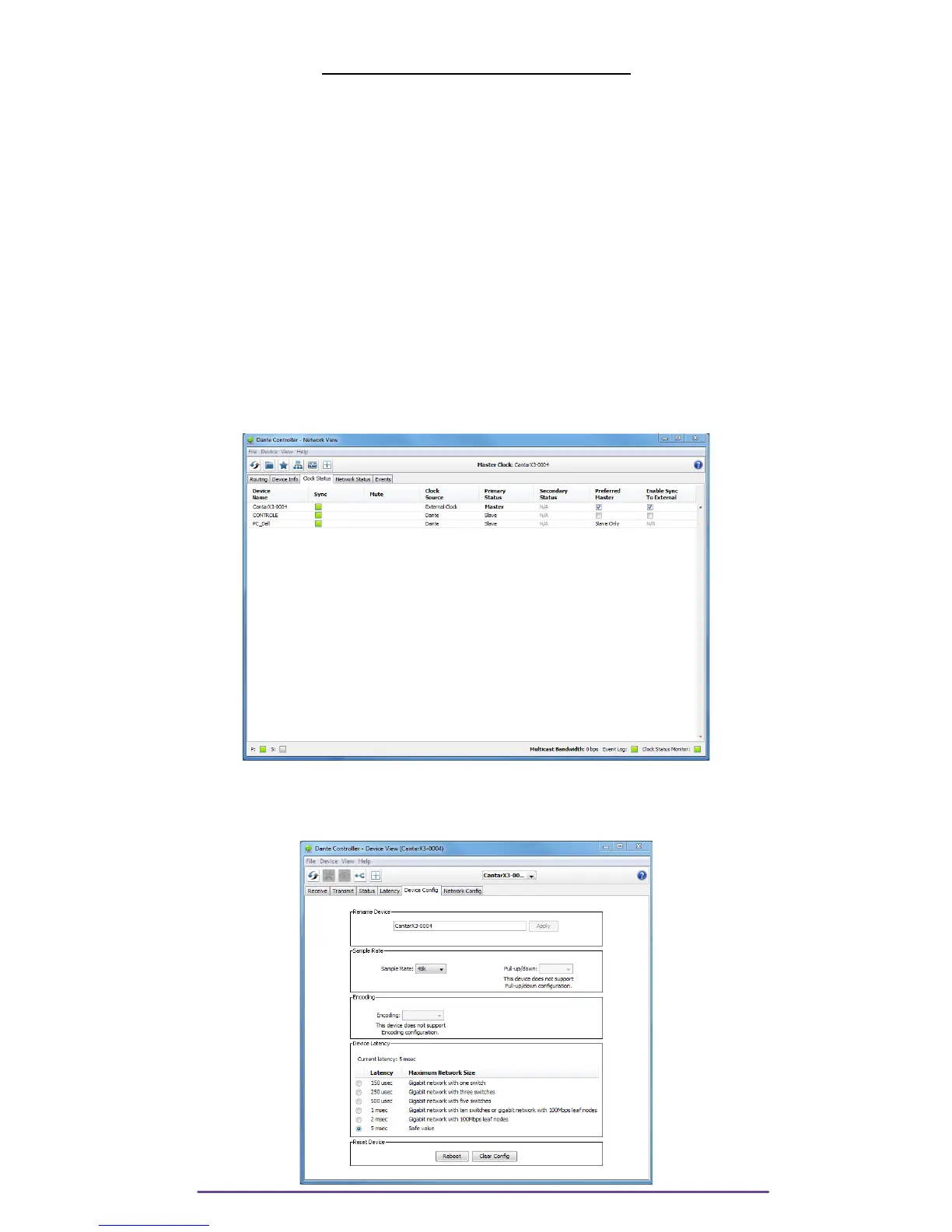
Dante module can be configured using Audinate's Dante controller application. It is available for
Windows and Mac Os X (please visit Audinate's web site to download it).
NB: While setting up your Dante network, please verify a few things:
• In the Dante Controller, tab “Clock Status”, the Cantar should be checked as “Prefered
Master” and “Enable Sync to External” should also be checked.
Pict. 21
• In the tab “Device Info”, by double clicking on the Cantar X3 (if the name was changed, refer
to Product Type which should be “Cantar X3”, access the Device View where Sample Rate and
Device Latency can be set up.
Pict. 22
Cantar X3
17



 To Next Page