ARMC2ConfigApp, Continued
Step Description
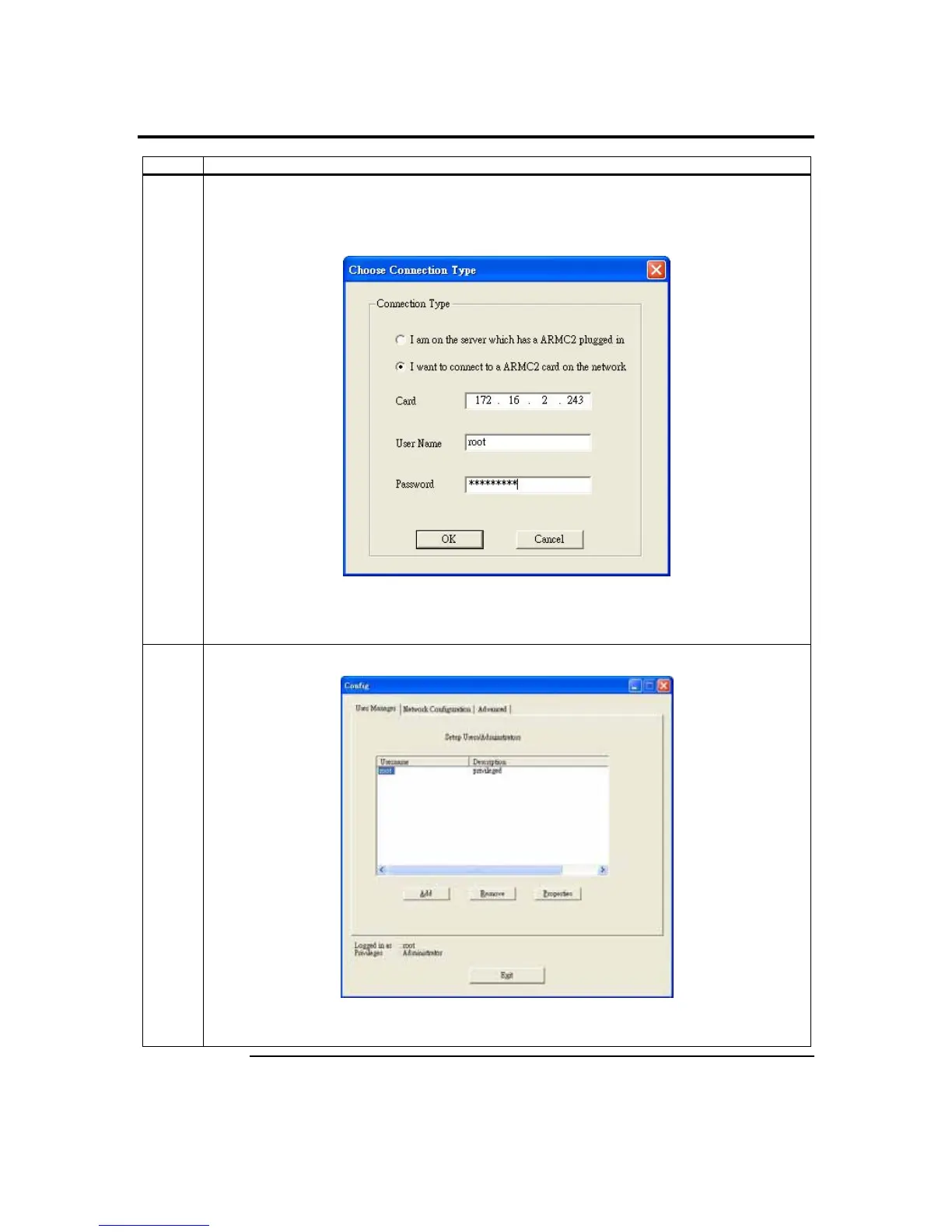
3 If you are running the ARMC2ConfigApp program from a remote system, select the second radial
button labeled ‘I want to connect to a ARMC2 on the network’. Type in the ARMC/2 card’s IP
address in the field to the right of Card IP. Type in your user name and password in the
appropriate fields and left click on the Ok button.
Note: You must know the
ARMC/2 card’s IP address before running the ARMC2ConfigApp
program from a remote system. Run the ARMC2Seek program to find the ARMC/2 card’s IP
address.
4 The following ARMC2ConfigApp Dialog window appears:
The ARMC2ConfigApp Dialog window allows you to manage users, configure the network, flash
the ARMC/2 card’s firmware and perform advanced configurations.
Cont’d
ARMC/2 User’s Guide
114



 To Next Page