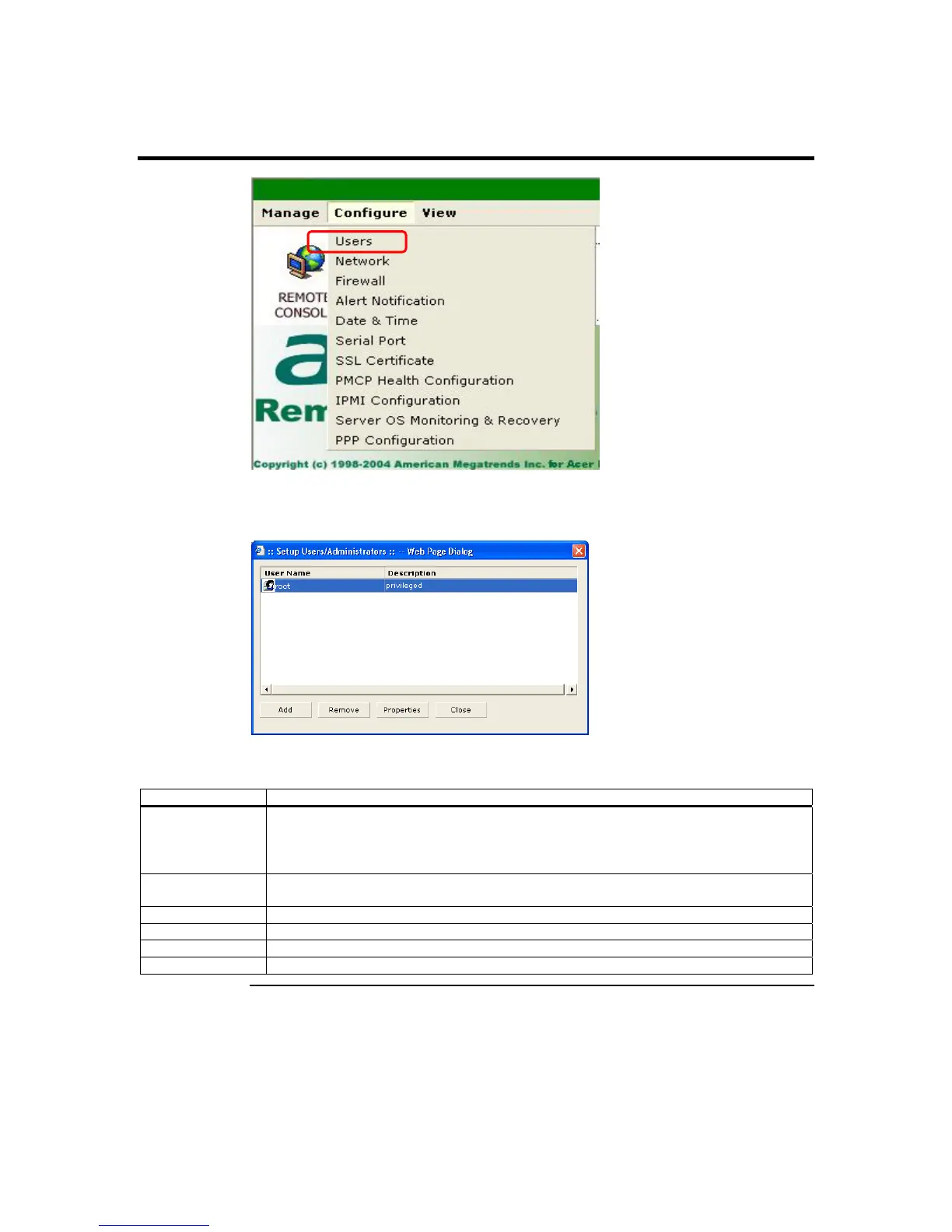
Users
The Users screen is a subsection of the Configure group. This page allows you to
configure the administrators who have access to the ARMC/2.
The following table describes the information listed in this subsection in detail:
Item Description
Username This field displays a list of all users who are able to access this ARMC/2.
Note: The default administrator is root. It is prudent for you to change the root
password.
Description This field displays the Username’s description that you entered when you created the
account for each Username in the list.
Add Button This button allows you to add and configure a new user account to your ARMC/2.
Remove Button This button allows you to eliminate an account from your ARMC/2’s access list.
Properties Button This button allows you to view and edit an account.
Close Button This button allows you to exit the User dialog box.
Cont’d
ARMC/2 User’s Guide
84



 To Next Page