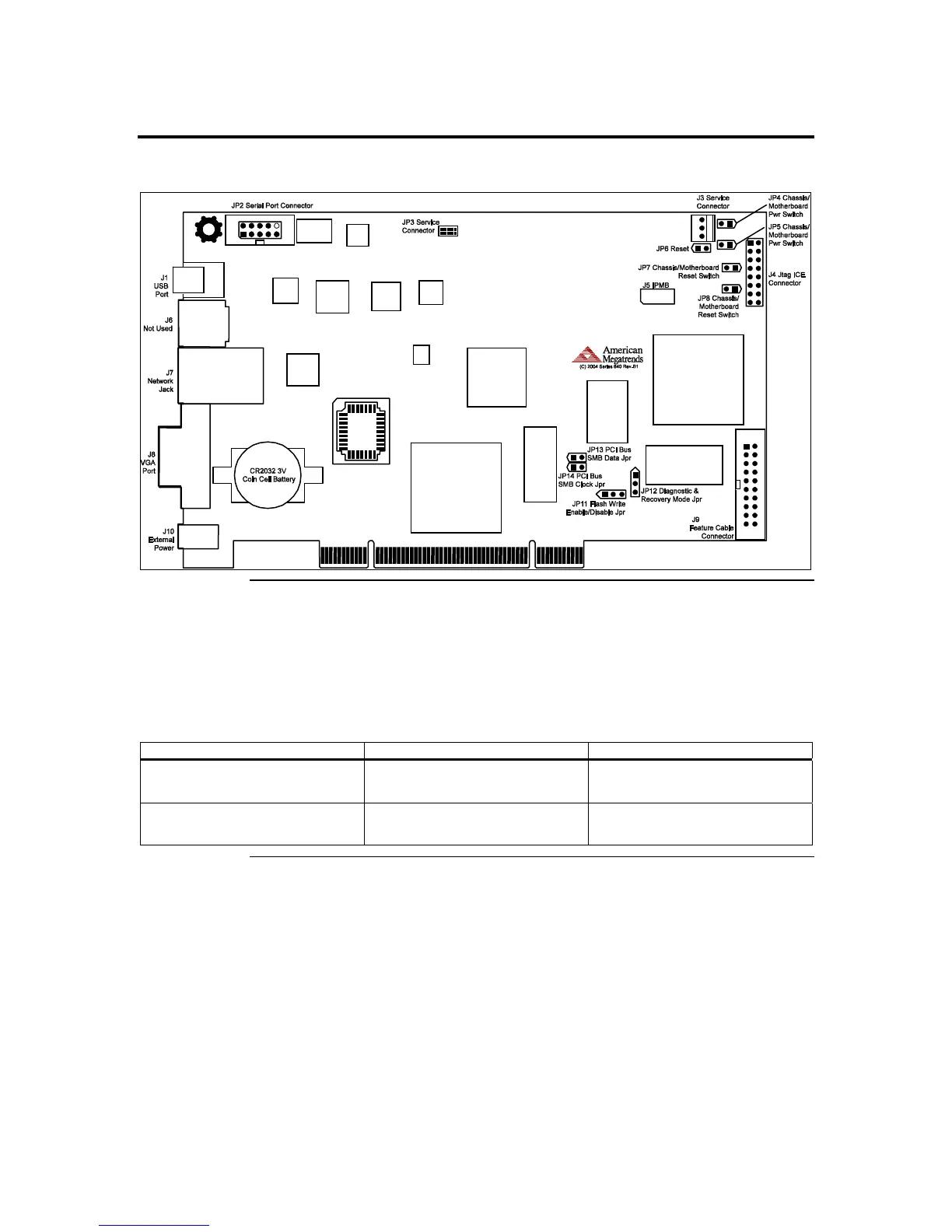
Step 1 Unpack the ARMC/2 Card (and check jumper settings)
ARMC/2 Card Layout
ARMC/2 MAC Address
Your ARMC/2 card has a unique MAC address. The MAC address is the only way to
distinguish one ARMC/2 card from another when you run programs such as Remote
Recovery Application (RRA) and ARMC2RMseek Locator. You can write down your
ARMC/2 card’s MAC address in the table below or in Appendix H, MAC Address Map.
See the first line for an example.
MAC Address Location Description
00-40-D9-02-9B-3C Server Room, Rack 2, 5
Windows 2003 Advanced
Server, Mail Server
Cont’d
Chapter Two : Installing Your ARMC/2 Card
5



 To Next Page