Redirection, Continued
Start CD-ROM Drive Redirection
Note: You must be logged in as an administrator on the windows client to perform CD-ROM
drive and Floppy drive redirection.
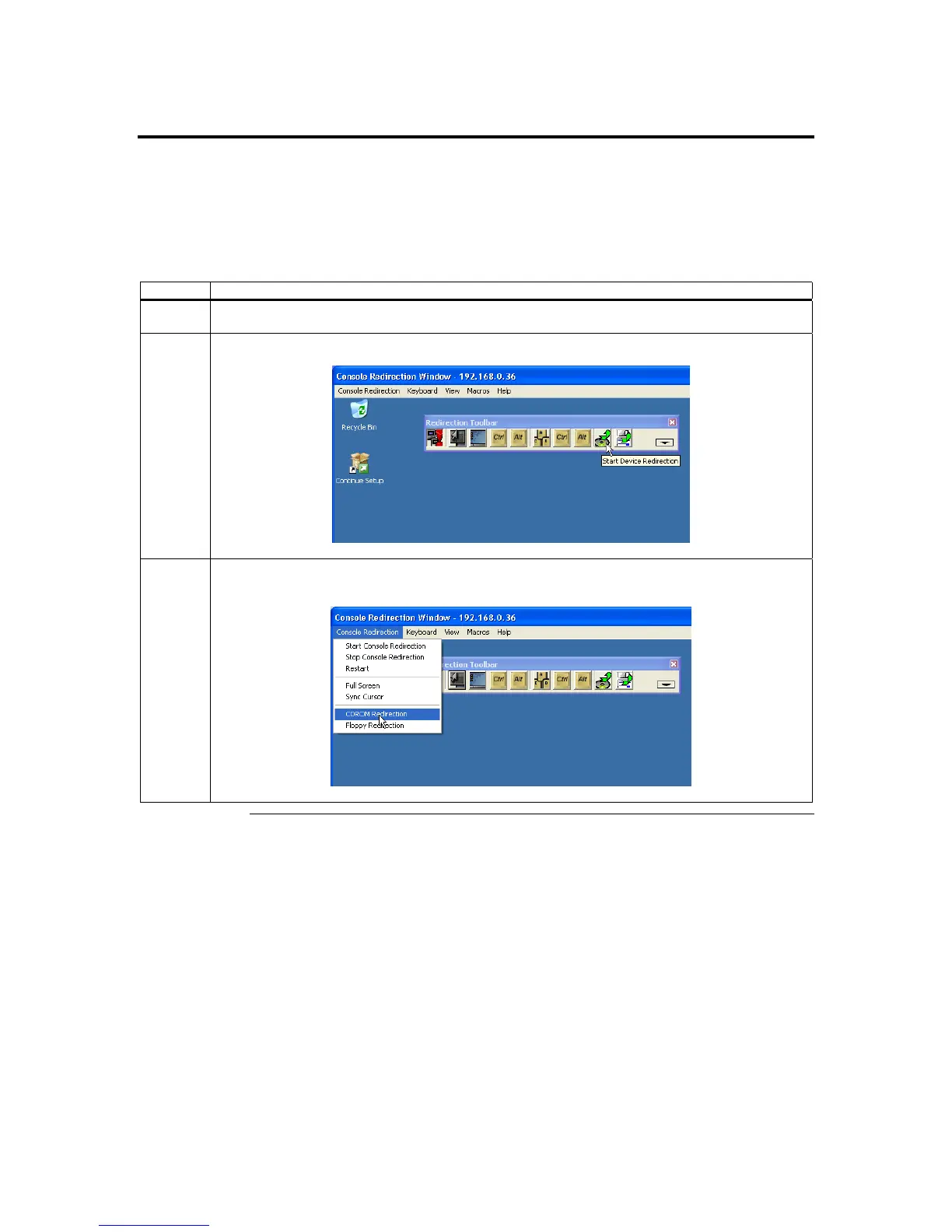
There are a number of ways to start CD-ROM Drive Redirection. See the following table:
Method Description
1 Use the keyboard shortcut keys, <ATL> + <E>, to open the CD-ROM Drive Redirection Dialog
Box.
2 Use the Console Redirection toolbar to open the CD-ROM Drive Redirection Dialog Box.
3 Use the CDROM Redirection dropdown menu to open the CD-ROM Drive Redirection Dialog
Box.
Cont’d
ARMC/2 User’s Guide
56



 To Next Page