Step 9 Load the ARMC/2 SDR and Soft Processor (SP) File for Your Server
Board Model
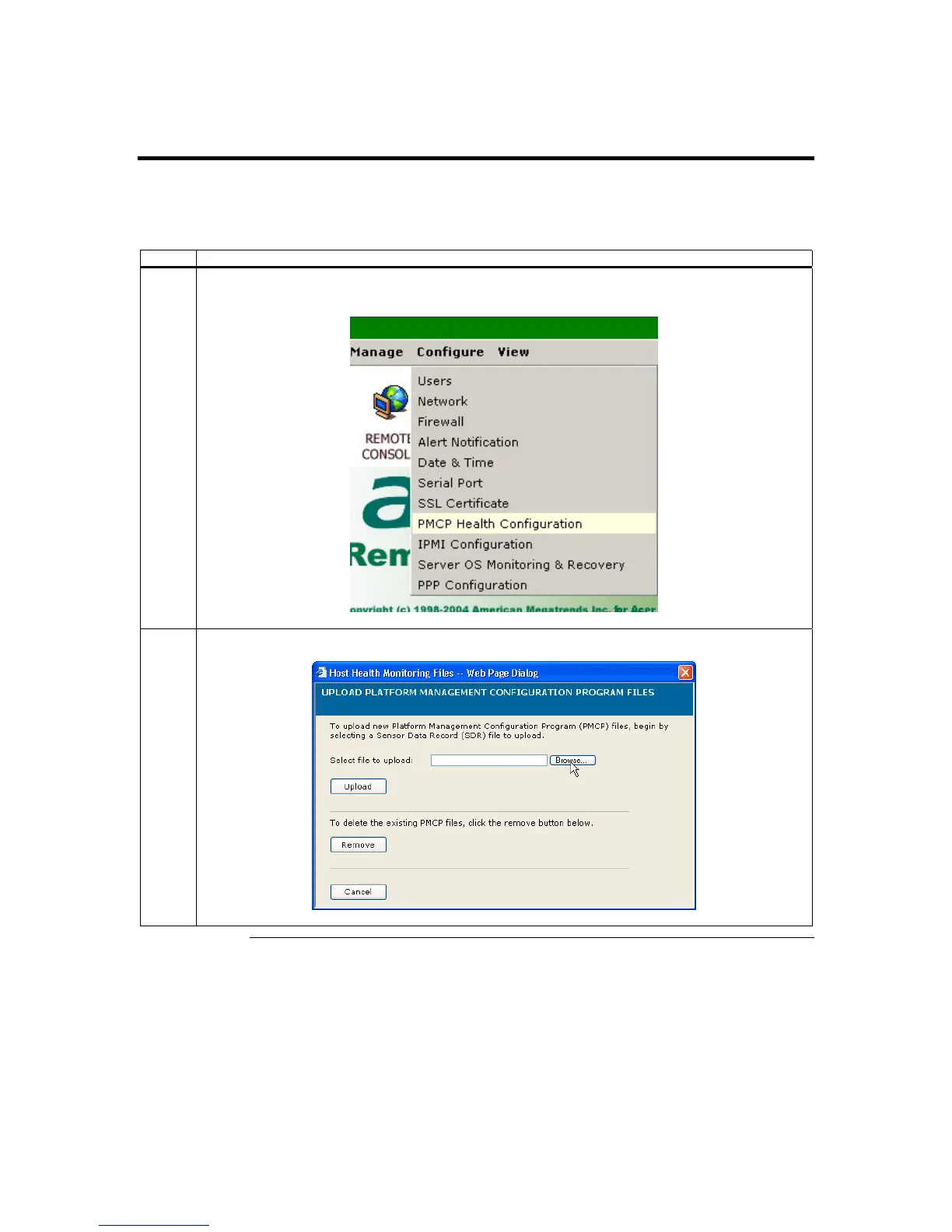
The following table is a pictorial description of how to load an SDR and Soft Processor
(SP) File:
Step Description
1 The menu bar on the top bar of the GUI has a series of section buttons. Left click on the Configure
dropdown menu and then left click the PMCP File Upload menu item.
2 The Host Health Monitoring Files dialog box opens. Left click the Browse button.
Cont’d
Chapter Two : Installing Your ARMC/2 Card
27



 To Next Page