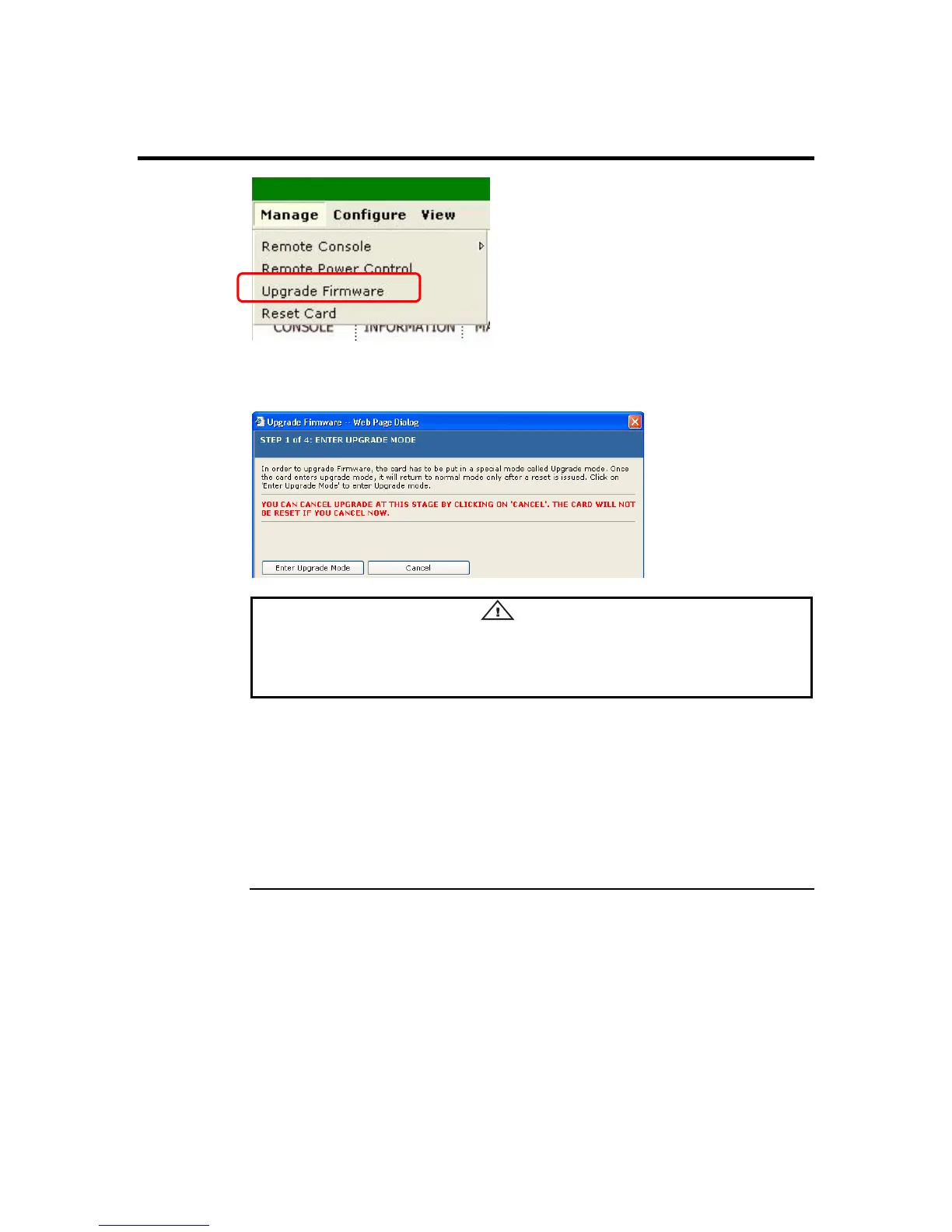
Upgrade Firmware
The Upgrade Firmware Wizard dialog box is a subsection of the Manage group. The
Upgrade Firmware Wizard will help you upgrade your ARMC/2’s firmware.
•
Warning
DO NOT CLOSE THE WINDOW USING THE CLOSE BUTTON (X) ON THE TITLE
BAR WHEN THE ARMC/2 IS IN UPGRADE MODE. USE THE CANCEL BUTTON
ONLY!
Note: The firmware upgrade process is a crucial operation. Make sure that the chances of a
power or connectivity loss are minimal when performing this operation.
Note: You can use the Cancel button at this time to abort the upgrade process. By doing so, the
ARMC/2 card resets itself (except in Step 1 of 4).
Note: Once you enter into Flash Mode and choose to cancel the firmware flash operation, the
ARMC/2 must be reset. This means that you must close the Internet browser and log back
onto the ARMC/2 before you can perform any other types of operations.
Cont’d
Chapter Four : Using Your ARMC/2
75



 To Next Page