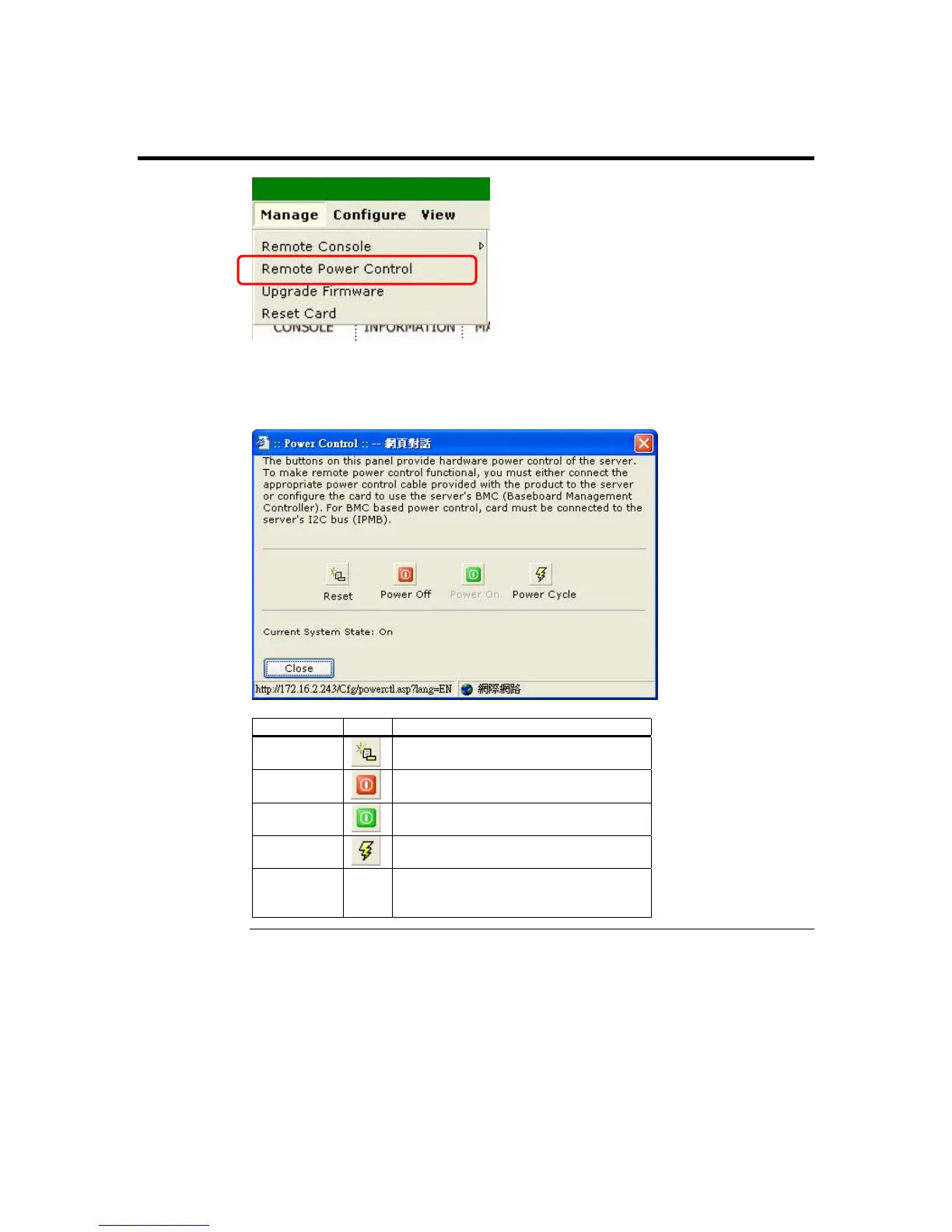
Remote Power Control
The Control Host Power dialog box is a subsection of the Manage group. The Control
Host Power allows you to reset, power off, power on, and power cycle the host system
remotely.
Name Icon Description
Reset
Left click this button to reset the host
system.
Power Off
Left click this button to power down the
host system.
Power On
Left click this button to power up the
host system.
Power
Cycle
Left click this button to power cycle the
host system.
Current
System
State
none This displays the power status of the
host system. It can either be in an On
state or Off state.
ARMC/2 User’s Guide
74



 To Next Page