Users, Continued
Viewing and Editing Users
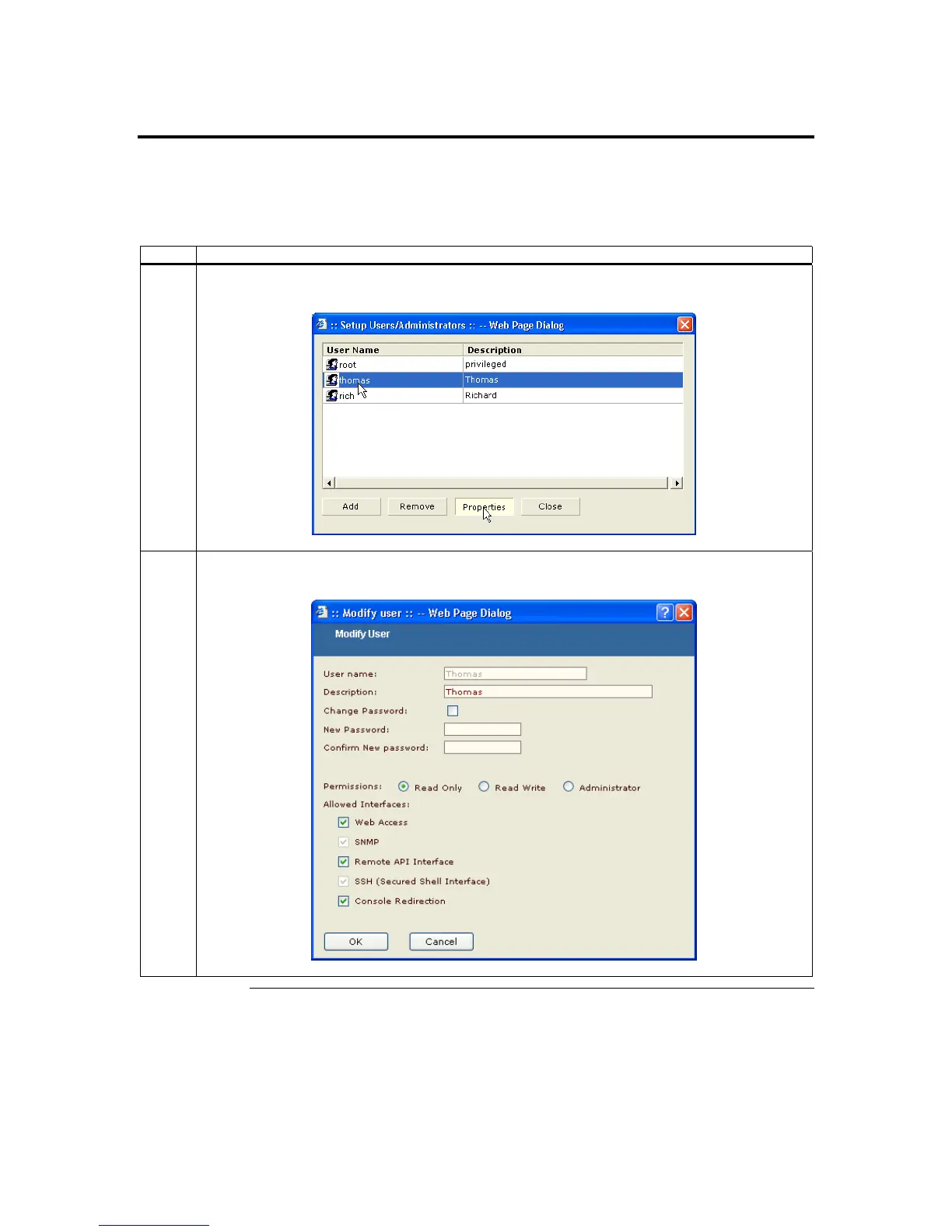
Follow the steps in the table below to view and edit an account’s access rights and
properties:
Step Description
1 Left click an account from the Username field. Once the account you want to view and edit is
highlighted, left click the Properties button.
2 Here you can change the password, description, permissions, and access rights. After you have
viewed and edited the account information, left click the OK button.
Chapter Four : Using Your ARMC/2
87



 To Next Page