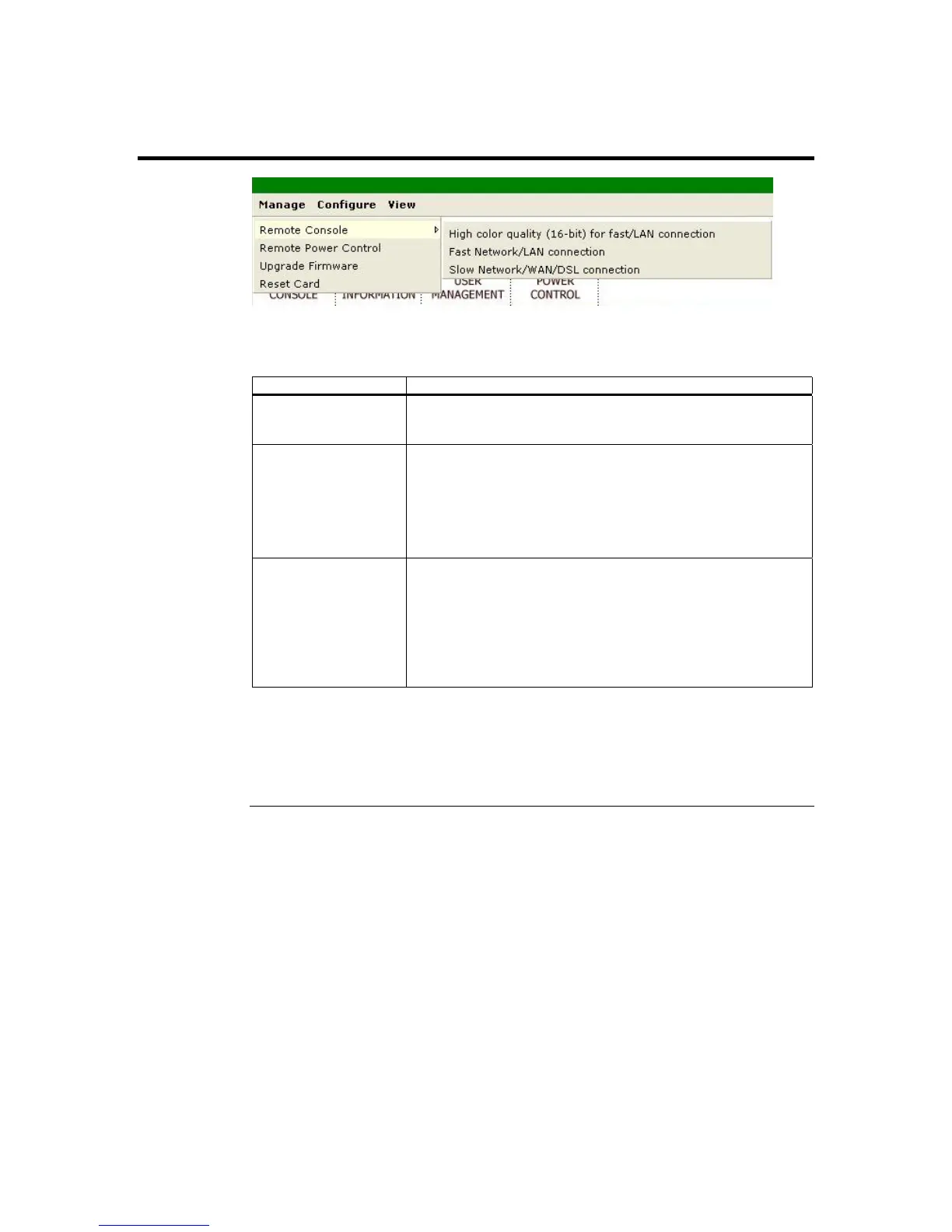
Remote Console
Remote Console is a subsection of the Manage group. The following table describes the
information listed in this subsection in detail:
Item Description
High Color Quality
(16-bit) for fast/LAN
Connection
This option allows the ARMC/2 to send 16 bits per pixel color.
This setting is recommended for faster connection speeds or over
a LAN connection.
Low Color Quality
(8-bit) for fast/LAN
Connection
This option allows the ARMC/2 to send 8 bits per pixel color.
This setting is recommended for lower connection speeds or over
a WAN connection.
When using Low Color Quality (8-bit) for fast/LAN Connection,
you can opt not to use software compression. Compression can
increase the frame rates. Best used for slower connections.
Low Color Quality
(8-bit) for
slow/WAN/DSL
Connection
This option allows the ARMC/2 to send 8 bits per pixel color.
This setting is recommended for lower connection speeds or over
a WAN connection.
When using Low Color Quality (8-bit) for slow/WAN/DSL
Connection, you can also use software compression. Compression
can increase the frame rates. Best used for slower connections,
such as DSL.
Note: The Low Color Quality (8-bit) for slow/WAN/DSL Connection mode is recommended for
low speed connections such as those over a Wide Area Network or home DSL. If you are
connecting over a LAN at high speeds you can use High Color Quality (16-bit) for
fast/LAN Connection mode. In order to change modes you must stop redirection, close
the browser, and reconnect in the appropriate mode.
Chapter Four : Using Your ARMC/2
43



 To Next Page