Redirection, Continued
Console Redirection Window
Dropdown
Menu Item
Description
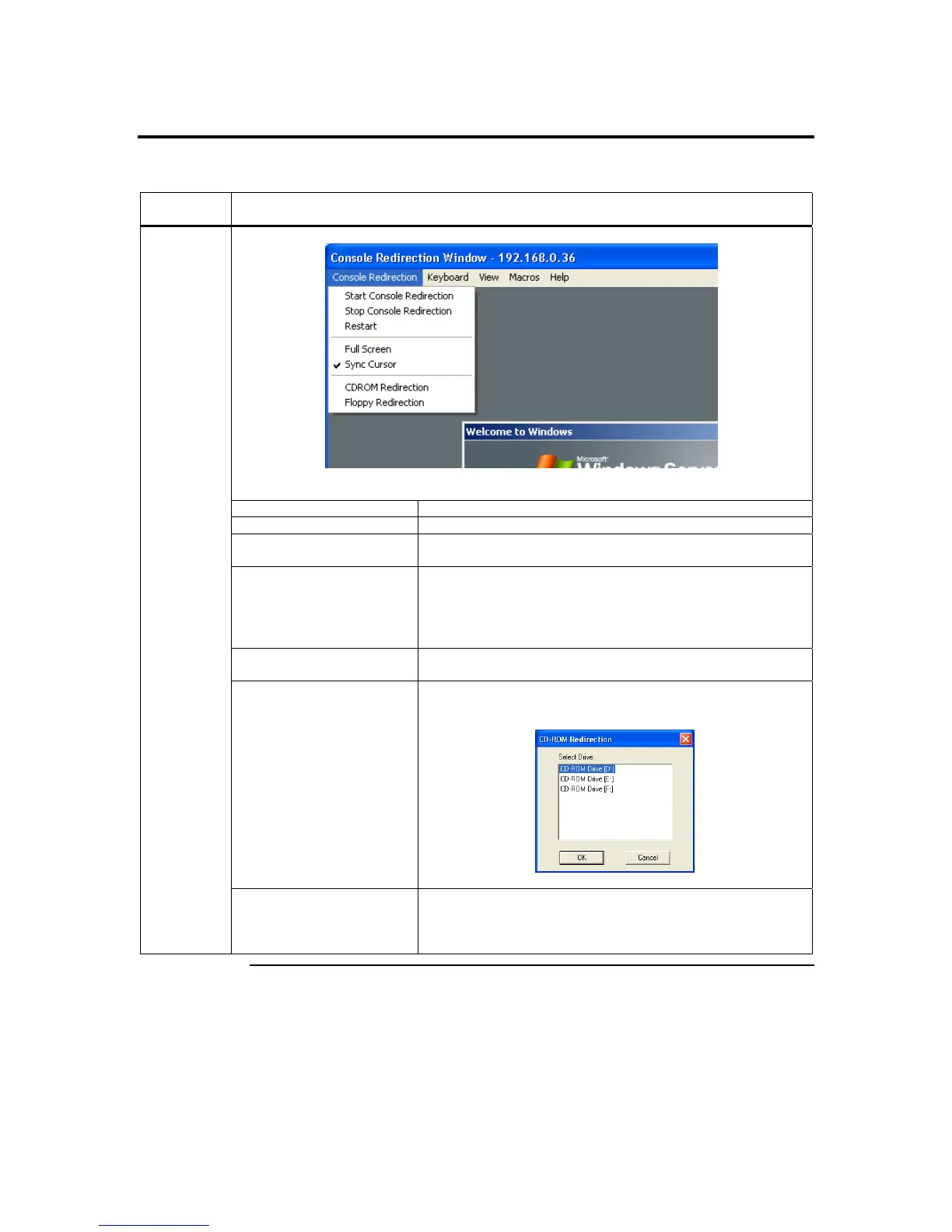
This dropdown menu contains the following dropdown menu items:
Start Console Redirection
This menu item can be used to begin Console Redirection.
Stop Console Redirection
This menu item can be used to halt Console Redirection.
Restart
This menu item can be used to stop Console Redirection and
then start Console Redirection again.
Full Screen
This menu item can be used to view the Console Redirection in
Full Screen mode.
Note: Set your client system’s screen resolution to 1024 x
768 so that you can view the host system in true full screen.
Sync Cursor
This menu item can be used to synchronize or unsynchronize
the mouse cursor.
CDROM Redirection
This menu item can be used to start or stop the redirection of
the CD-ROM drive.
Console
Redirection
Floppy Redirection
This menu item can be used to start or stop the redirection of
the floppy drive.
Cont’d
Chapter Four : Using Your ARMC/2
51



 To Next Page