Redirection, Continued
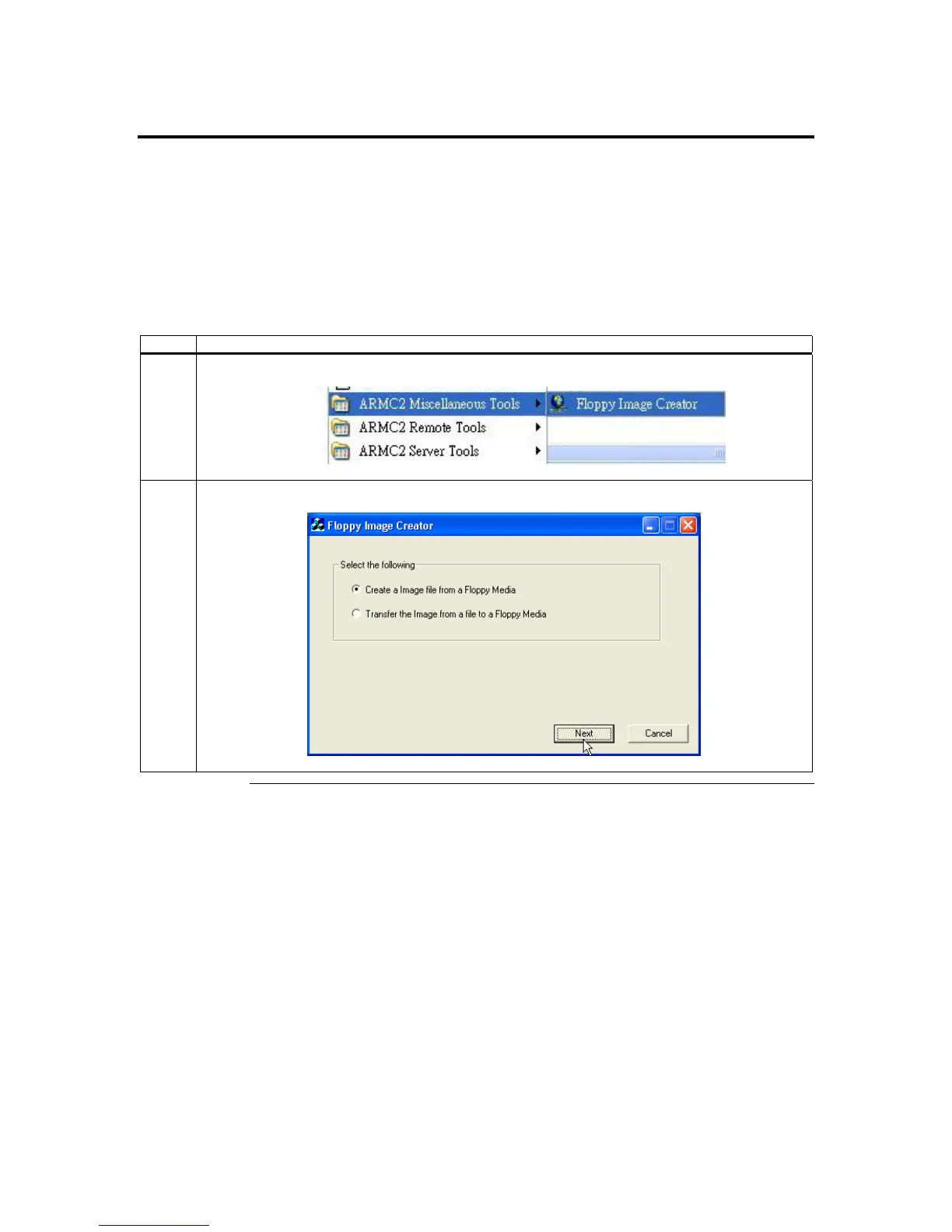
ARMC2 Floppy Image Creator
Creating a Floppy Image
Follow the steps in the table below to create a floppy image to use during device
redirection.
Using an image file is desirable because it is faster than redirecting from the actual floppy
disk. It is also more convenient to have a series of floppy images stored on a CD or on a
local or networked hard disk drive.
Step Description
1 Open the Floppy Image Creator program.
2 Select Create an Image file from a Floppy Media and left click the Next button.
Cont’d
ARMC/2 User’s Guide
66



 To Next Page