ARMC2ConfigApp, Continued
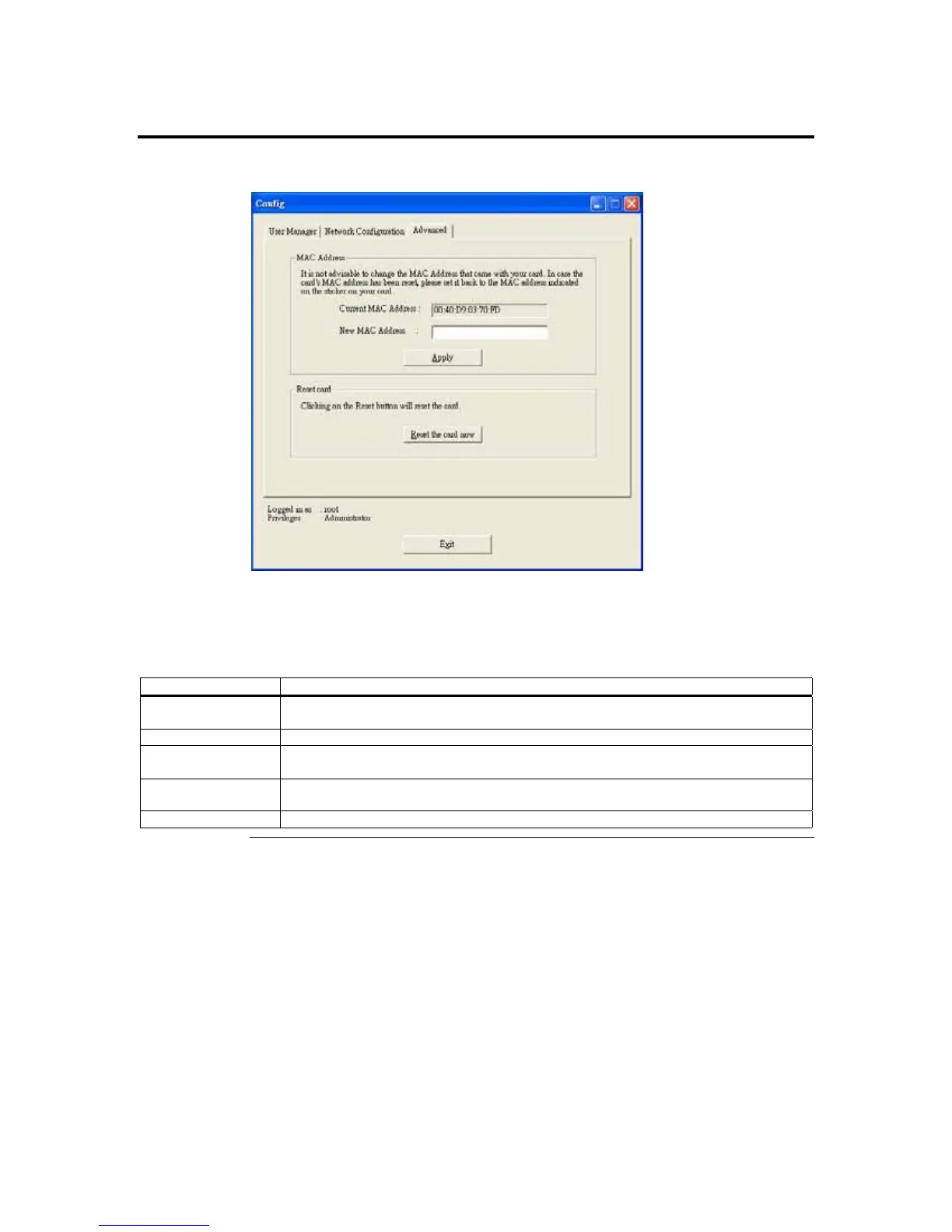
Advanced Tab
The Advanced tab allows you to force your ARMC/2 card’s on-board NIC to a specific
MAC address.
The Advanced fields are explained below:
Field/ Button Description
Current MAC
Address
The Current MAC Address field displays your current ARMC/2 card’s MAC address.
New MAC Address The New MAC Address field allows you to specify a new MAC address.
Apply Button The Apply button allows you to set the ARMC/2 card with the MAC address that you
entered into the New MAC Address field.
Reset the card now
Button
The Reset the card now button allows you to reset the ARMC/2 card’s firmware.
Exit Button The Exit button allows you to log off the ARMC/2 Card Configuration.
Cont’d
Appendix D : Troubleshooting
119



 To Next Page