Redirection
The most powerful feature of your ARMC/2 is the ability to redirect the host system’s
console. To redirect the host system’s console is the ability to manage your host system
as if it were physically in front of you, but not.
Setting up Internet Explorer
You must first setup your Internet browser before you can redirect the host system’s
console.
Step Description
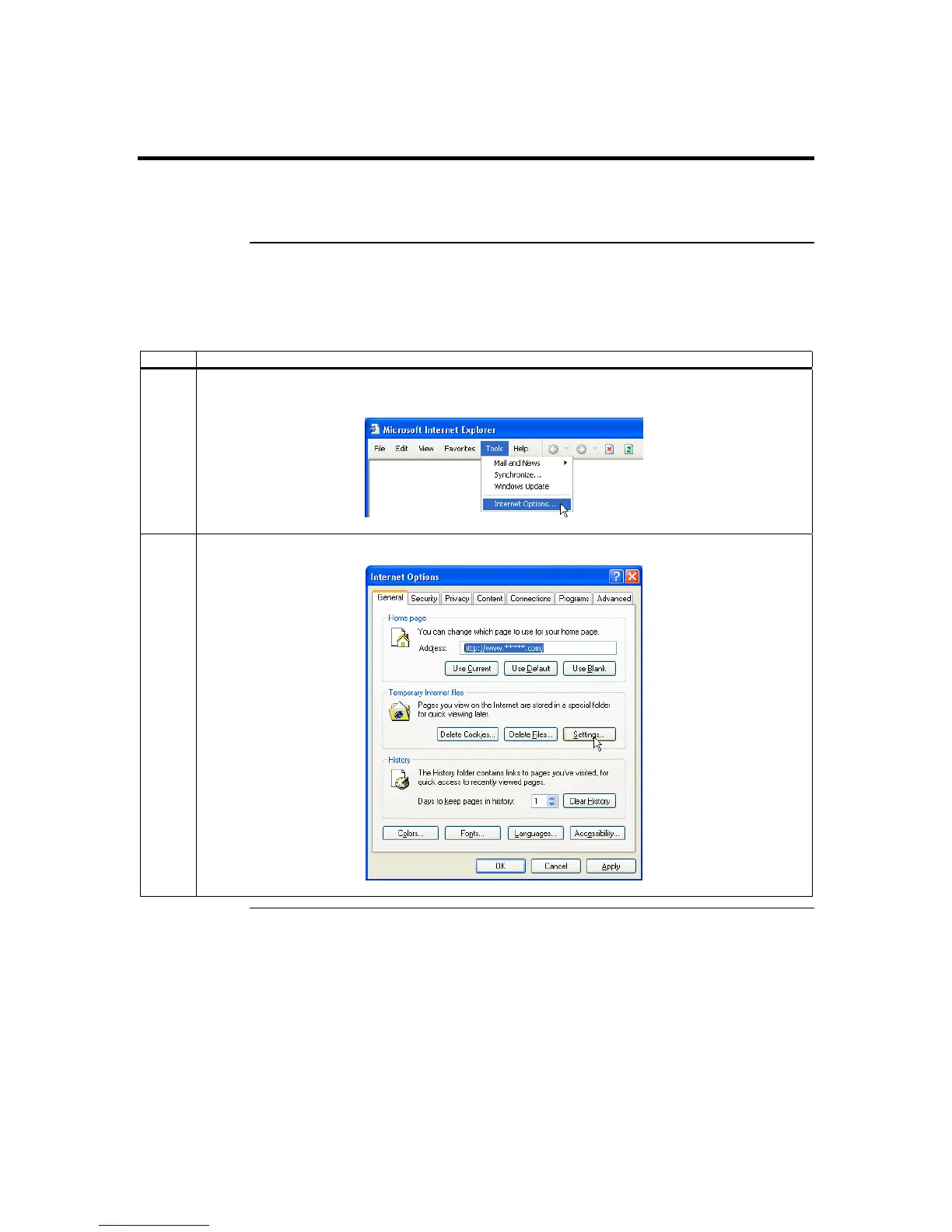
1 Open Internet Options. To get there, open your Internet Explorer browser, left click Tools and then
Internet Options.
2 The Internet Options window opens. Left click the Settings button.
Cont’d
ARMC/2 User’s Guide
44



 To Next Page