Redirection, Continued
Start CD-ROM Drive Redirection, Continued
Note: For information on how to create a bootable CD, visit nero.com or roxio.com. You can
do a search on how to create a bootable CD using their products. You can also consult
your CD writer's documentation.
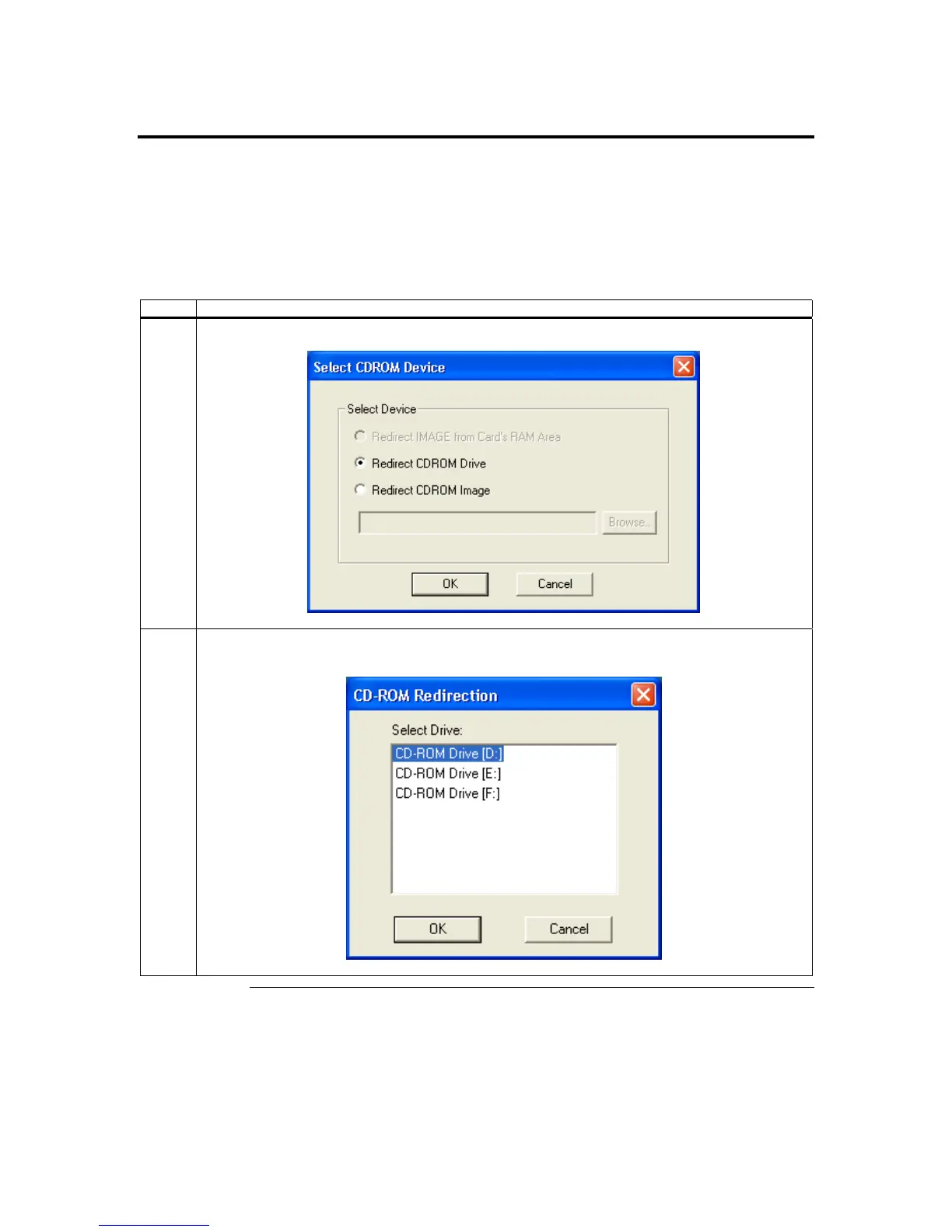
Once you open the CD-ROM Drive Redirection Dialog Box, follow the steps below:
Step Description
1 Select whether you want to redirect the CD-ROM drive or a CD image file. Left click the OK button.
2 Select the CD-ROM Drive you want to redirect. Left click the OK button. CD-ROM Drive Redirection
will begin immediately.
Cont’d
Chapter Four : Using Your ARMC/2
57



 To Next Page