ARMC/2 Card Remote Recovery Application (RRA), Continued
Step Description
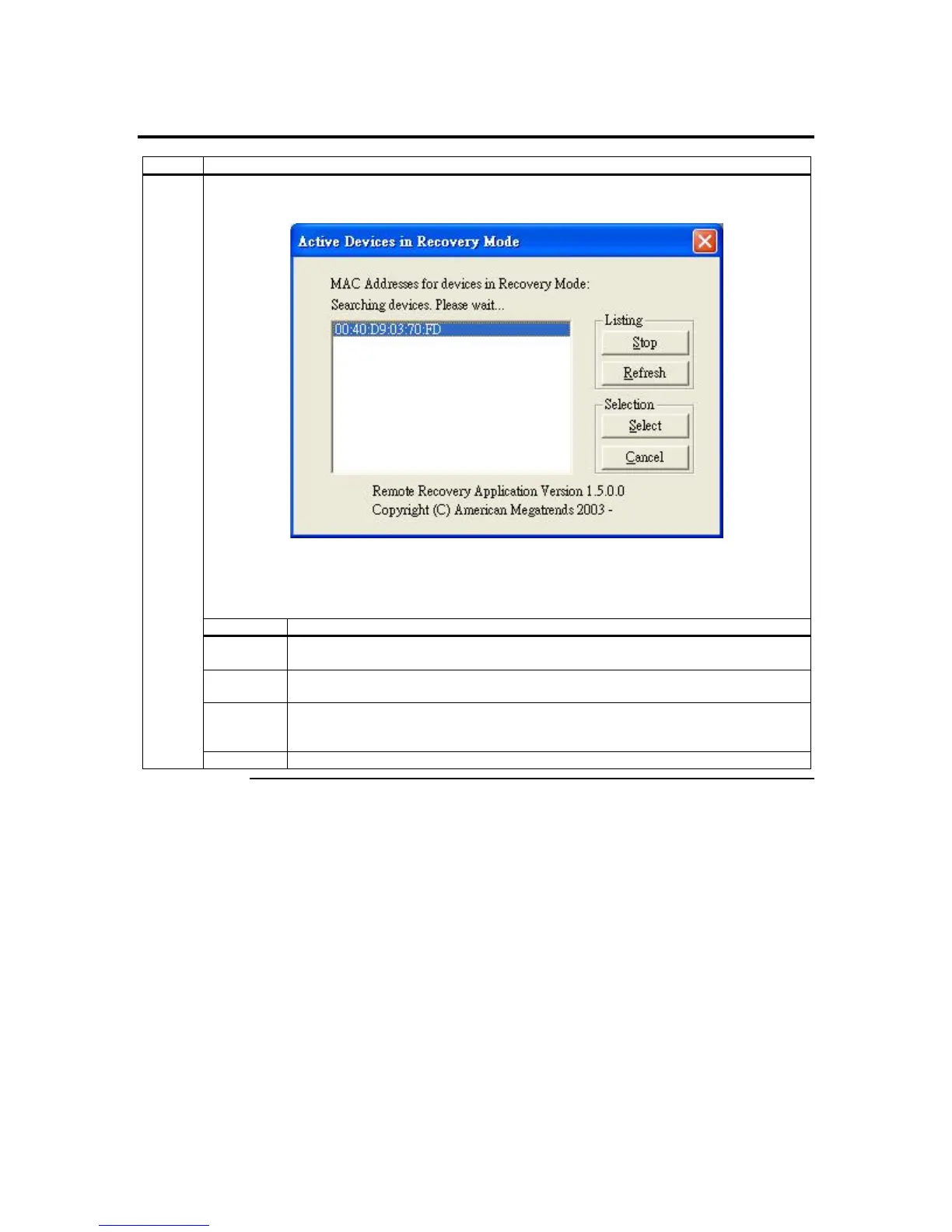
The Active Cards in Recovery Mode screen appears and starts to search for ARMC/2 cards in
Recovery Mode.
Left click the ARMC/2 card’s MAC address that you want to configure.
The Active Cards in Recovery Mode buttons are explained in the table below:
Button Description
Stop The Stop button allows you to stop searching the network for active cards in
Recovery Mode.
Refresh The Refresh button allows you to start searching the network again for ARMC/2
cards’ MAC addresses in Recovery Mode.
Select The Select button allows you to specify the highlighted ARMC/2 card’s settings. You
can specify the ARMC/2 card’s MAC, IP, Network Mask, and Gateway addresses as
shown in the following step.
1
Cancel The Cancel button allows you to cancel any new settings that are not saved.
Cont’d
ARMC/2 User’s Guide
126



 To Next Page