Step 7 Setup Your Client Internet Browser, Continued
Step Description
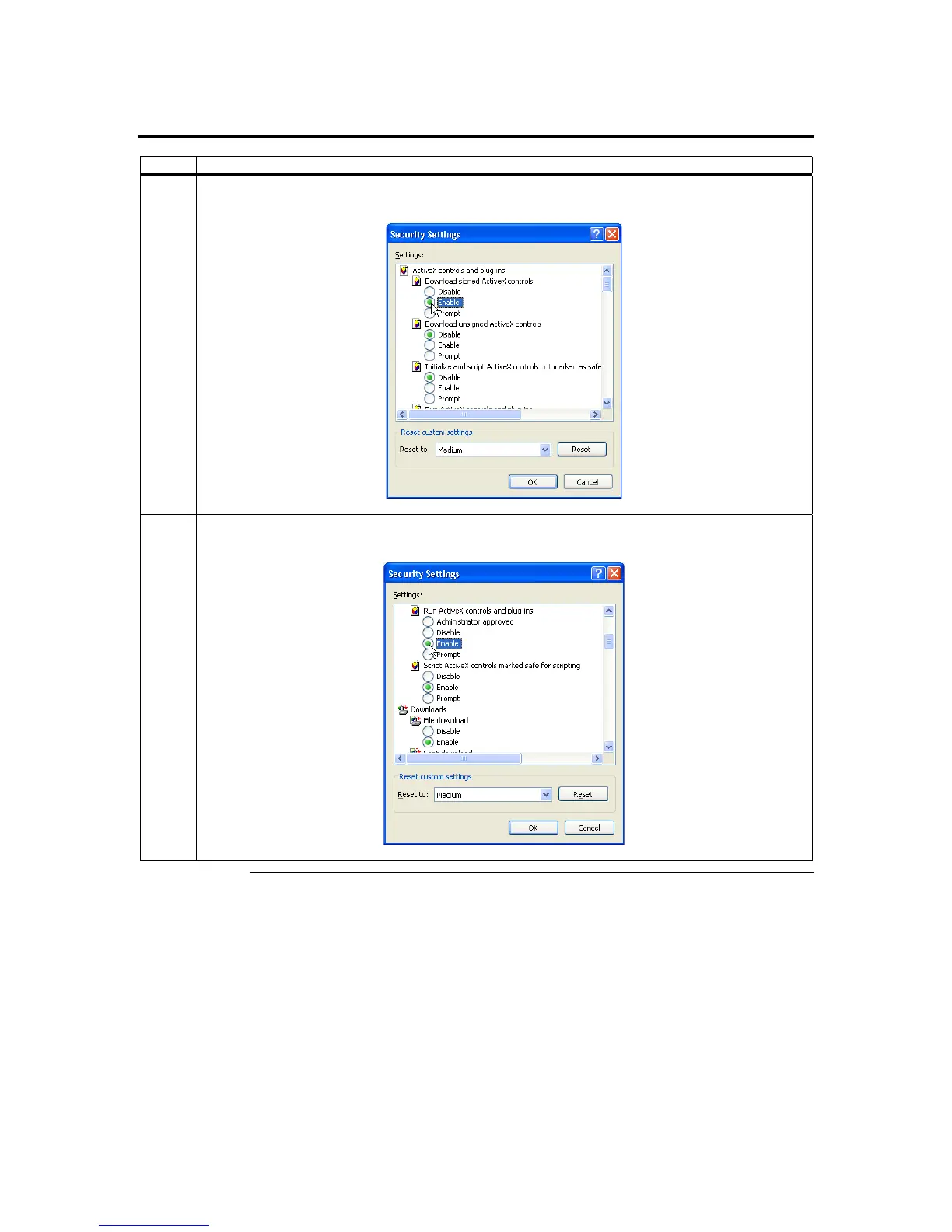
5 The Security Settings window opens. Left click the Enable button under the Download signed ActiveX
controls section.
6 Scroll down and left click the Enable button under the Run ActiveX controls and plug-ins section.
Left click the OK button.
Cont’d
Chapter Two : Installing Your ARMC/2 Card
21



 To Next Page