Upgrade Firmware, Continued
Updating Your ARMC/2’s Firmware, Continued
Step Description
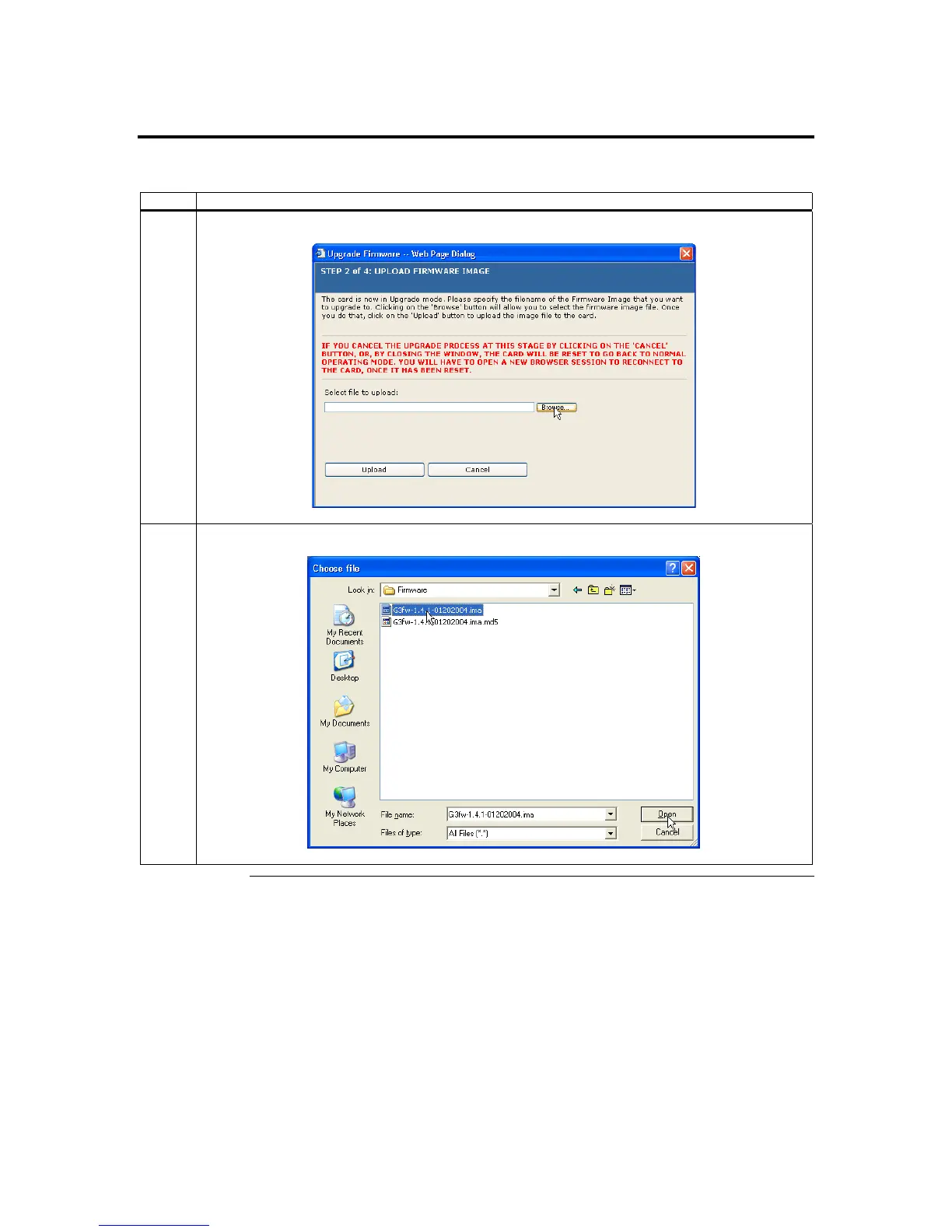
3 Left click the Browse button to locate the firmware (*.IMA) update file.
4 Locate the firmware file and select it. Left click the Open button.
Cont’d
Chapter Four : Using Your ARMC/2
77



 To Next Page