Network, Continued
Item Description
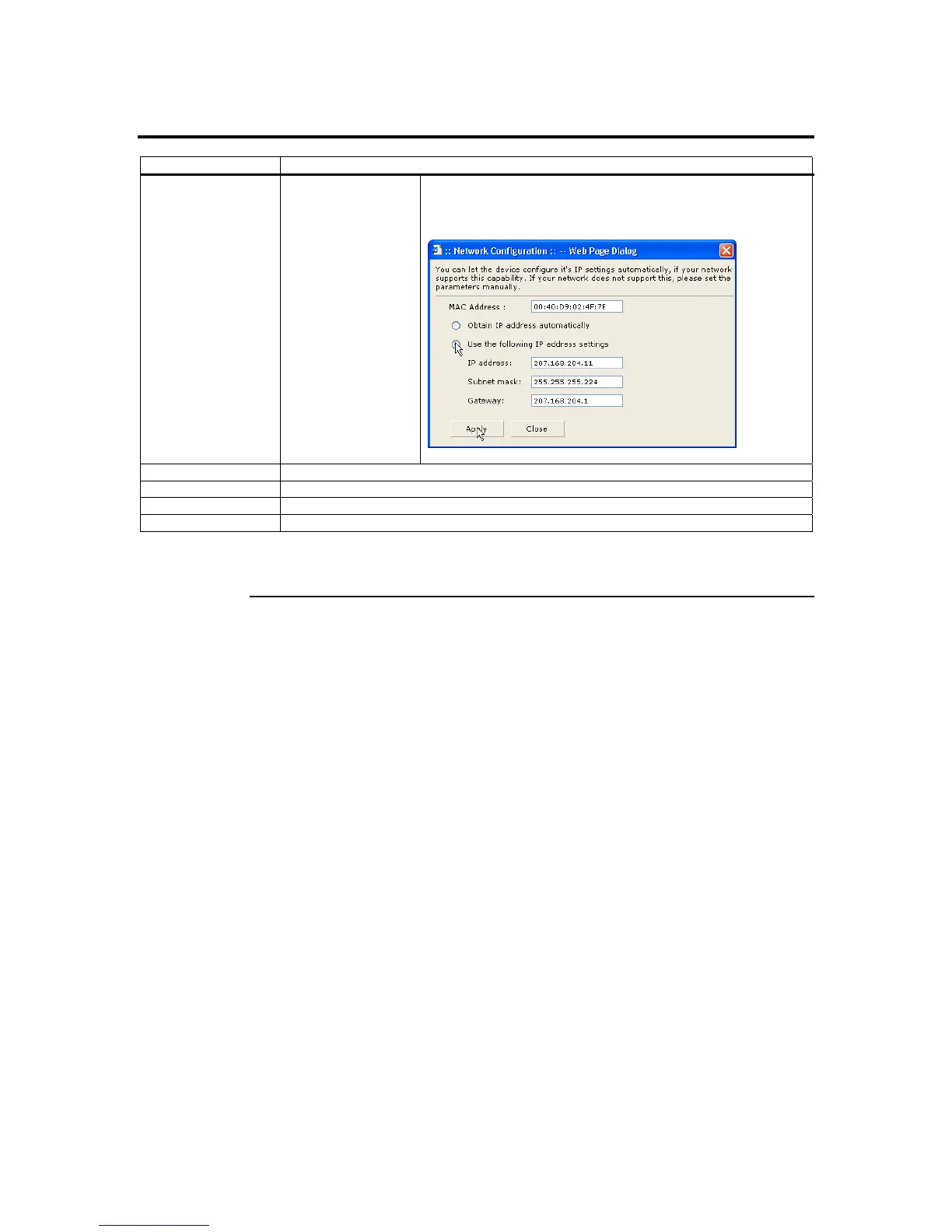
Use the following IP
address
This option allows you to configure the ARMC/2’s IP address
with a static IP. The IP Address, Subnet Mask, and Gateway
fields will become editable when this option is selected.
IP Address This field allows you to set the ARMC/2’s IP address.
Subnet Mask This field allows you to set the Subnet Mask The ARMC/2 resides on.
Gateway This field allows you to set the ARMC/2’s Gateway access address.
Apply Button This button allows you to save your configuration.
Note: You are prompted to close your Internet browser and reconnect to the new IP address if
you make changes to the Networking Information screen.
Chapter Four : Using Your ARMC/2
89



 To Next Page