2-29 System Utilities
Crisis Utility SOP
When to Use the Crisis SOP
• When the system hangs while updating BIOS.
• When power failure occurs and the system shuts down while updating BIOS.
• When the system cannot boot normally after updating BIOS. (e.g. a black screen
appears without a POST logo, etc.)
Creating a USB Flash Crisis Disk
To create a Crisis USB flash disk, perform the following:
1. On a machine with Windows OS, plug in the USB flash disk.
2. Launch Windows Explorer (or press
+ <E>
) and search for the USB flash disk as
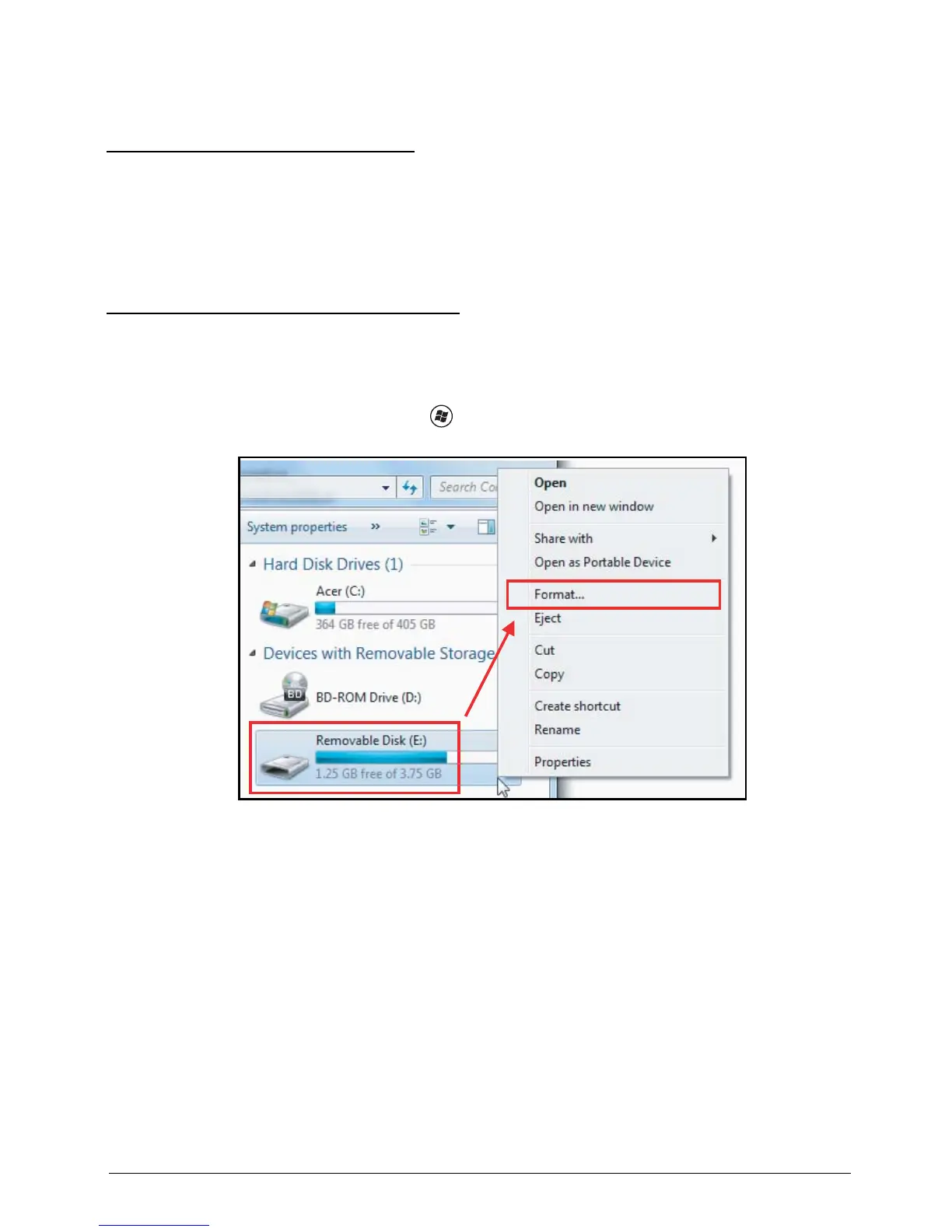
“Removable Disk”. Right-click on the USB disk, and select Format to format the USB disk,
Figure 2:46. Format USB Flash Disk (1 of 2)





 To Next Page