INSTALLATION ACTWinPro
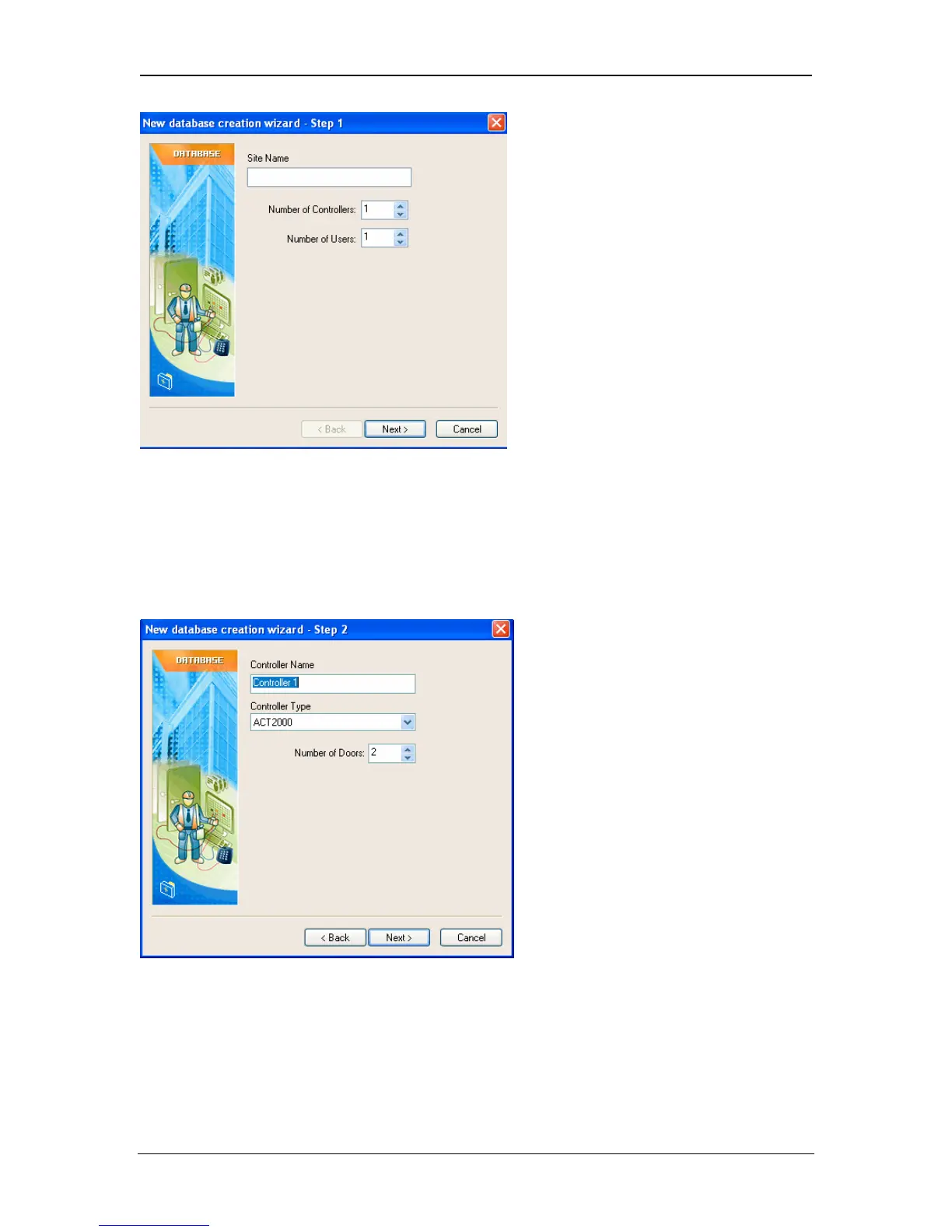
Wizard Step 2
Give each controller a relevant name (usually its location) and select the type of
controller. Enter the number of doors on the controller. If more than one controller
is on the site, then Step 2 will repeat for each controller. The first controller that
appears in this step should be set to address 1 on the controller, second
controller set to address 2 etc.
Wizard Step 3
Enter the relevant communications parameters. See Locations View section for
more details.
Page 9 Access Control Technology



 To Next Page