MNR-310 System Administrator’s Manual
67
Add Devices on WAN or Other Local Area Networks
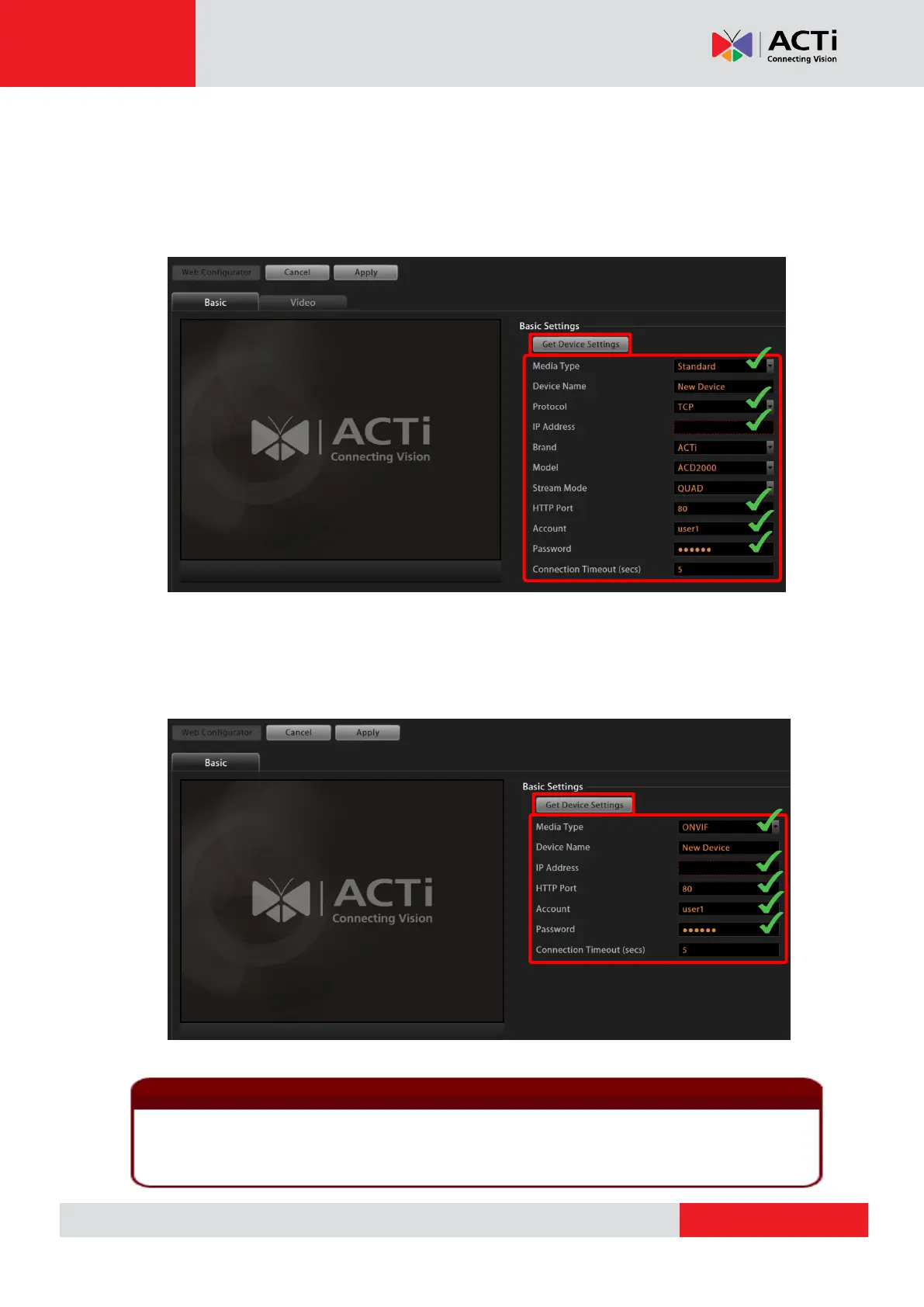
1. After selecting “Add Device Manually”, the camera settings page will appear as below.
The most important settings are (1) Media Type, (2) Protocol, (3) Camera IP, (4) HTTP
Port, and (5) User Name & Password. Please fill in these required fields for NVR to
communicate with the device.
If the device you wish to add supports ONVIF, you can select ONVIF for Media Type, and
the settings page will appear as below. The most important settings are (1) Media Type, (2)
Camera IP, (3) HTTP Port, and (4) User Name & Password. Please fill in these required
fields for NVR to communicate with the device.
If any of the required fields is incorrect, NVR will not be able to connect the device. When you
have any device connection problem, please check these settings. However, at this point, you
may skip filling in the Device Name, Brand, Model, and Stream Mode configuration.



 To Next Page