55
as shown in the figure, click to expand the switching menu of channel 2 and select (1~9999999) to switch to the
pulse output. The pulse output function provides a setting menu, and the amplitude and frequency of the pulse output
can be set in the setting menu.
3.5.5 Simulate TC output
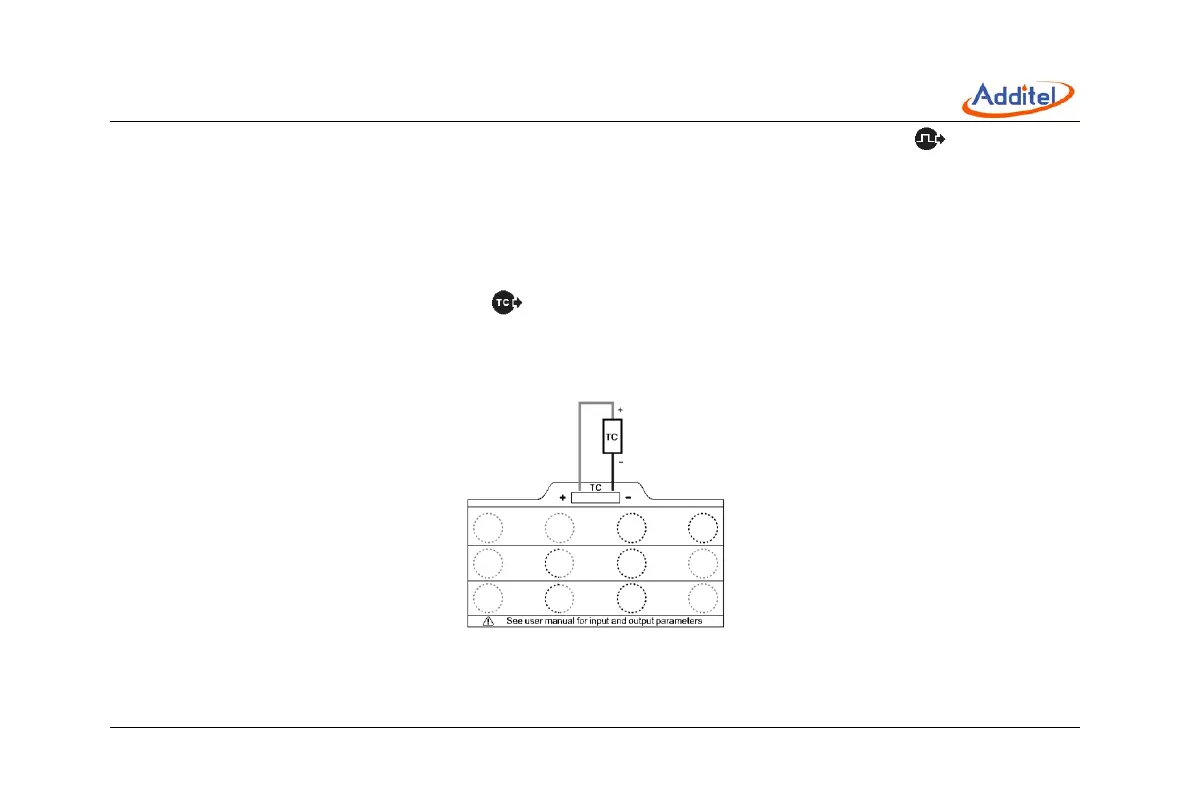
The wiring method of simulate TC output is shown in the Figure 23. After correct wiring as shown in the figure, click the
switching menu of channel 2 and select the TC output to use the simulate TC output function.
Click the "Settings" menu item in the simulate TC output menu to enter the simulate TC setting menu. The setting
menu provides a variety of settable parameters for the simulate TC output function.
Figure 23 Simulate TC Output



 To Next Page