ADT-HC4500 Flame/Plasma Cutting Machine CNC System
- 15 -
The processing speed depends on the “Processing speed limit” in Speed Setting interface and “Speed percentage”
in Auto interface.
Actual processing speed = Processing speed × Speed percentage in Auto interface
Note: The speed percentage is adjusted with [F]/[F] on the panel or the [F] key.
7. Adjusting manual speed
In the main menu, press [F4] (Parameter) [F2] (Speed) to enter Speed Setting interface, which is shown in
“Adjusting Cutting Speed” in above section. Set the manual speed as setting the cutting speed, and press to
return to the main menu.
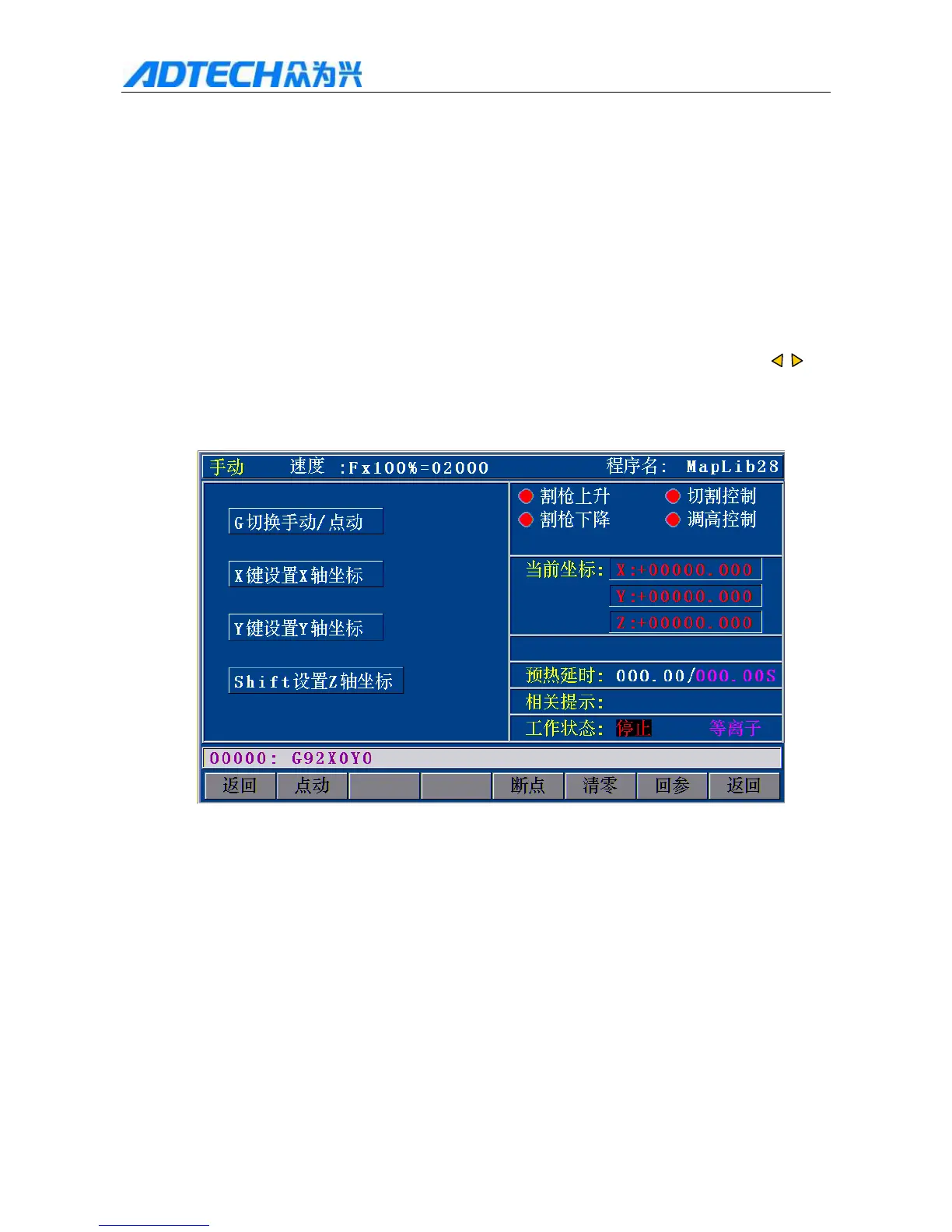
In the main menu, press [F1] (Auto) [F2] (Manual) to enter the Manual interface:
Manual / Speed: / Program name:
G / G: switch Manual/Jog Torch up / Cutting Control
X X X: Set coordinates of X axis Torch down / Height control
Y Y Y: Set coordinates of Y axis Current coordinates:
Shift Z Shift: Set coordinates of Z axis Preheating delay
Prompt:
Working state: Stopped / Plasma
Return / Jog / Break point / Clear / Return reference / Return
2.7 Manual Interface
Actual processing speed = Processing speed × Speed percentage in Manual interface



 To Next Page