ADT-HC4500 Flame/Plasma Cutting Machine CNC System
- 16 -
Note: The speed percentage is adjusted with [F]/[F] on the panel or the [F] key.
8. Controlling corner cutting quality
During flame cutting and plasma cutting, the speed should be controlled when cutting the corners. The
acceleration/deceleration setting directly affects the quality of corner cutting, especially during the flame cutting,
if the speed is too high, the flame may be off or can’t cut through the steel plate; if the speed is too low, the
corner may be burnt to arc.
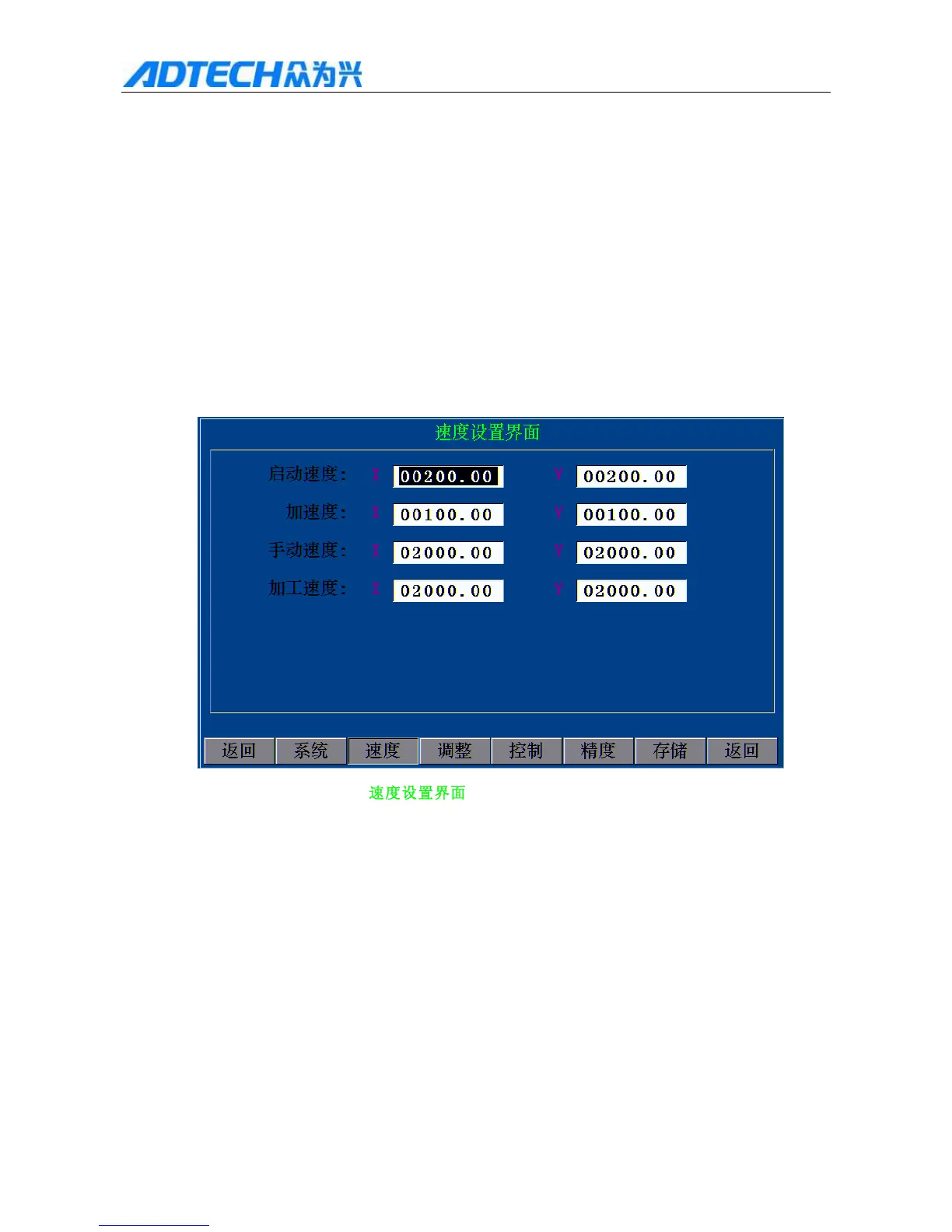
The acceleration/deceleration of the system is set in main menu [F4] (Parameter) [F2] (Speed) “Start
speed” and “Acceleration” (as in the figure below). The specific definition follows:
Speed Setting Interface
Start speed
Acceleration
Manual speed
Processing speed
Return / System / Speed / Adjust / Control Precision / Store /
Return
2.8 Speed Setting
1. Start speed: The speed when the system starts running is the start speed, e.g. if the “Start speed” is
set to 300, the system starts running at 0.3m speed. The setting of start speed should be adjusted
according to the processing speed. The followings are the start speeds for reference, and the actual



 To Next Page