ADT-HC4500 Flame/Plasma Cutting Machine CNC System
- 93 -
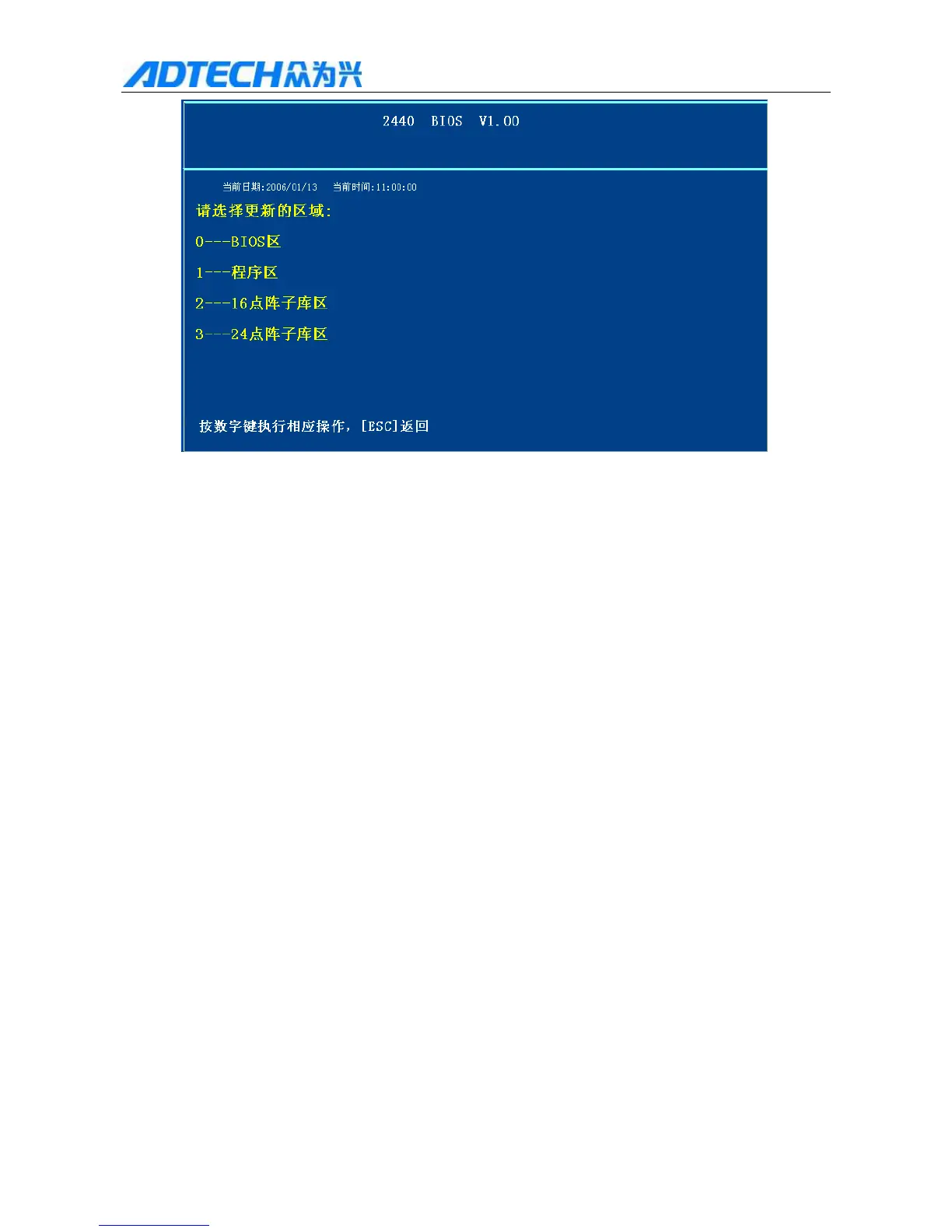
Current date: January 13, 2006; Current time: 11:00:00
Please select the section to update:
0----BIOS 0 – BIOS section
1--- 1 – Program section
2----16 2 – 16-dot matrix section
3----24 3 – 24-dot matrix section
ESC Press number keys to perform operations, press [ESC] to return
6.6.6 Entering setting interface of BIOS
Press [Y+], [Y-] to move cursor to “B. BIOS setting” and press [OK]. Then, press [X+], [X-] to move cursor
to “2. Update program” and press [OK]. When the system prompts “Confirm to update? Y/N”, please press [OK].
The system will prompt that file is found and updating, and prompts “update completes; please restart the
machine” after updating; please cut off the power supply and then restart the controller.
7. Help system
To help you to operate the system, we provide the help system:
1) In the main interface, press [INS] to activate the help system of current interface, which provides basic
operation instructions and prompts.
2) In the upgrade interface, press [F6] to enter the help system, as shown in Fig. 7.1. With this help
system, you can look for basic help topics by entering desired content and pressing [F5]. The
system will highlight the first item; if you don’t enter the content for search, the system will show



 To Next Page