ADT-HC4500 Flame/Plasma Cutting Machine CNC System
- 51 -
The parameter settings of the graphics library are limited: the circle radius shouldn’t exceed the radius of outer arc,
or the height from circle center to base side of the trapezium; base side length of the trapezium shouldn’t be
smaller than two times of top arc radius. If the parameters exceed the range, they can’t form a correct graphics
combination. After setting the parameters, press [F5] to preview. If the parameters exceed the range, the system
will prompt and restore the original parameters. If the parameters do not have mistake, you can press [F6] Import
to enter the Auto interface. At this moment, the processing file in the system has changed into the selected
graphics library file.
While setting parameters, press [DEL] to delete the last digit of current last parameter, press number keys to enter
the values, press [Cancel] to clear the parameters, and press [Y+], [Y-] to select setting parameters.
3. Edit
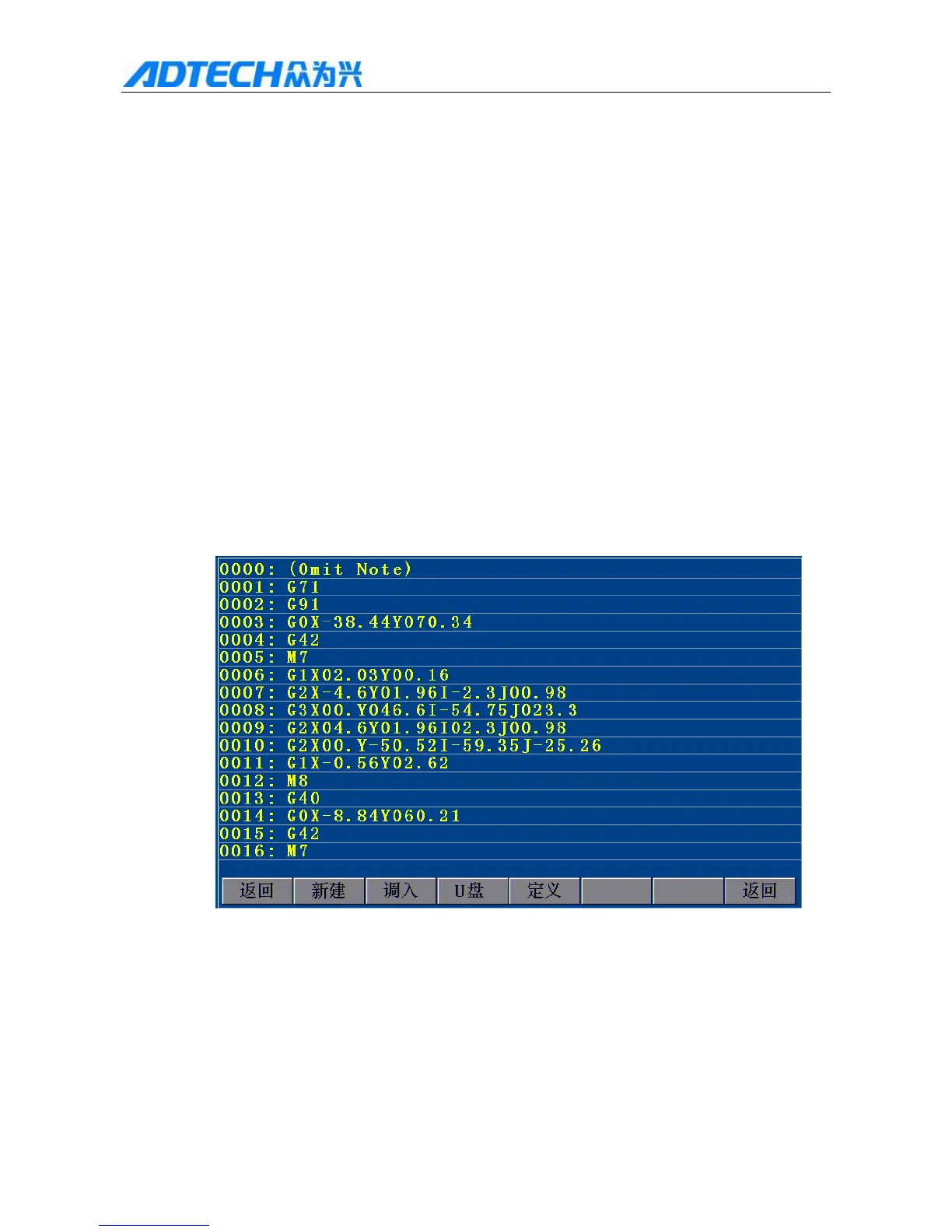
In the main interface, press [F3] to enter Fig. 3.1 Edit Menu Option Window, which displays the code of
current processing file. The code is read-only. If there are more than one page, press [pgup][pgdn] to turn
pages.
Return / New / Import /U USB disk / Custom / Return
Fig. 3.1 Edit Menu Option Window



 To Next Page